
azumikan_ - Minecraft Skins & Skin History
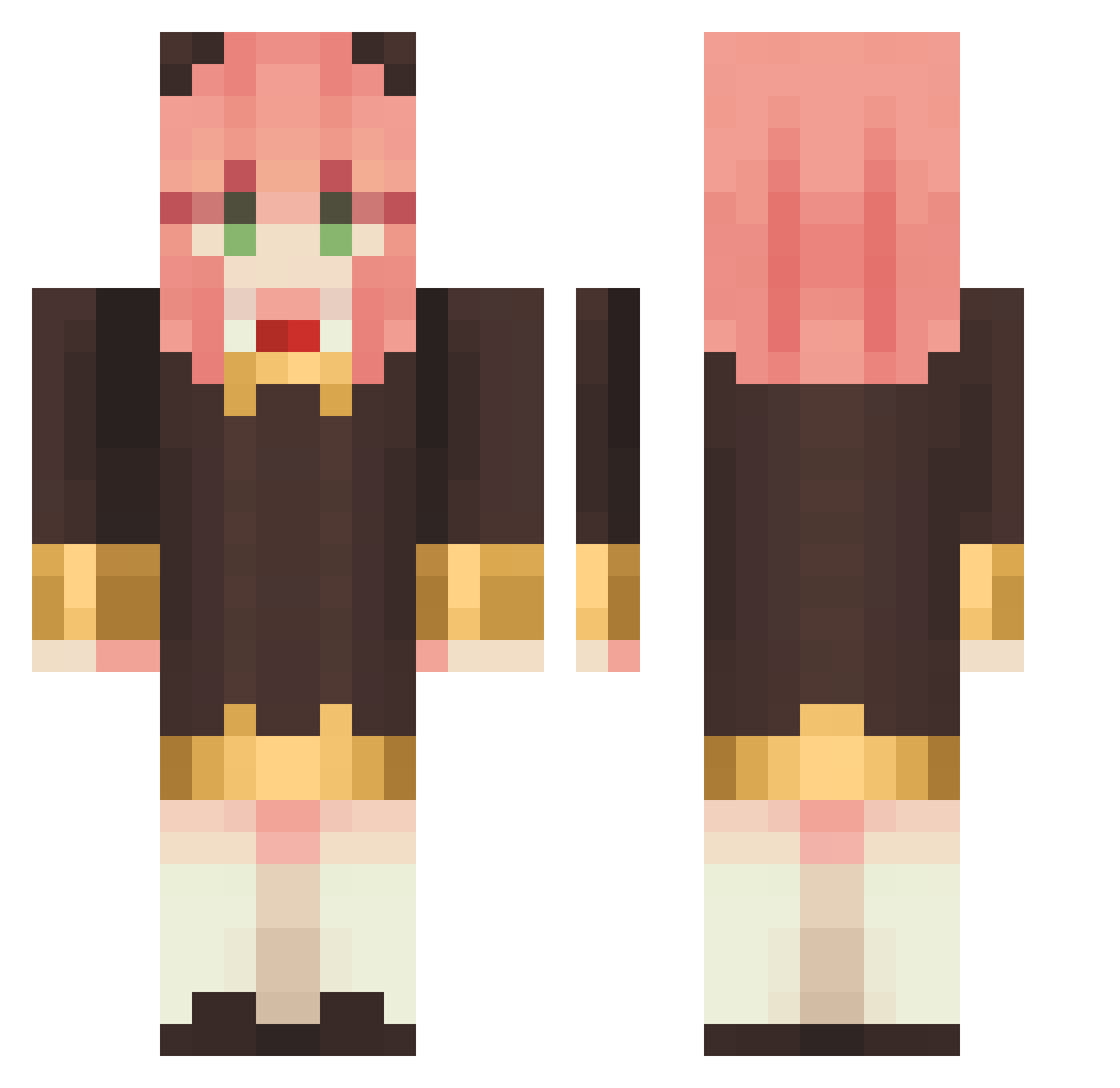
Current Minecraft skin of the player azumikan_, loaded from the official Mojang API. Rotate the 3D model with your mouse or finger, then download the skin as a PNG file and use it in Minecraft: Bedrock Edition or Java Edition for free. When azumikan_ changes their skin, this page updates automatically and the old skin stays in the history below.
Other players with this skin (1145)
azumikan_ was the 646th player we have seen with this skin, first spotted on 28.09.2026. The same skin was seen on these players. Open a nickname to see their current skin and skin history.
 kinighttt LlenFK shpreb Caster6 ciel_venus1010 gmg_0508 kimmyxD18 mtungg jack960706 DaOwl2012 kreggo Spont_Combust Shennngz Levivii beastboy2610 matthew8586 RainCelery 4kif sky_help tim31422 VictoryBv chillichurl Manifani emortia mizukipurple ZENmelody DaitoQ yam411 zeuskinG0217 Andrea__rs BarryX10K GabMarques Deking1524 MoNo294 coda_fumi MitsuriLexi OuO_OvO gentzane99 NoOzzy13 xaqdxa lunaangelbabe busasusennsyu Loritena Kungarna Anya_KawayiNe anya_so_cute Charuzu03 DesiTudo3 Elmiror GUNWHY baoranxxx Valenwarbox YumieKiro zhanshen83 Ying_Zheng1 Furukai RunnaKyle chocoo34 rosec1017 chitala_14
More Anya Forger Minecraft skins
How to install the azumikan_ skin
- Press the Download button above to save the skin as a PNG file.
- Minecraft: Bedrock Edition (PE): open the Dressing Room from the main menu (or tap your character → Edit Character), go to Classic Skins → Owned, press the + (new skin) button, choose the downloaded PNG and pick the Classic (Steve) model. Works on PC and mobile; consoles cannot import custom skins.
- Minecraft: Java Edition: open the Minecraft Launcher, go to the Skins tab, click New Skin, load the PNG, pick the Classic (Steve) model and press Save & Use. You can also upload it at minecraft.net → Profile → Change Skin.
The skin does not show up after import - what should I do?
Restart Minecraft and open the Dressing Room again - imported skins sometimes appear only after a restart. Also make sure you selected the imported skin and picked the Classic (Steve) model.
Which model should I choose, Classic or Slim?
This skin is designed for the Classic (Steve) model. If you pick the wrong model, the arms of the skin will look stretched or squeezed.
Is the skin of azumikan_ free to download?
Yes. Press Download, save the PNG file and use it in Minecraft: Bedrock Edition or Java Edition - no payment or registration needed. The skin also works on multiplayer servers and Realms.
More skins
Looking for more? Go back to all Minecraft skins and check the top skins of the week, month and all time, or find any player's skin by nickname.