
august4913 - Minecraft Skins & Skin History
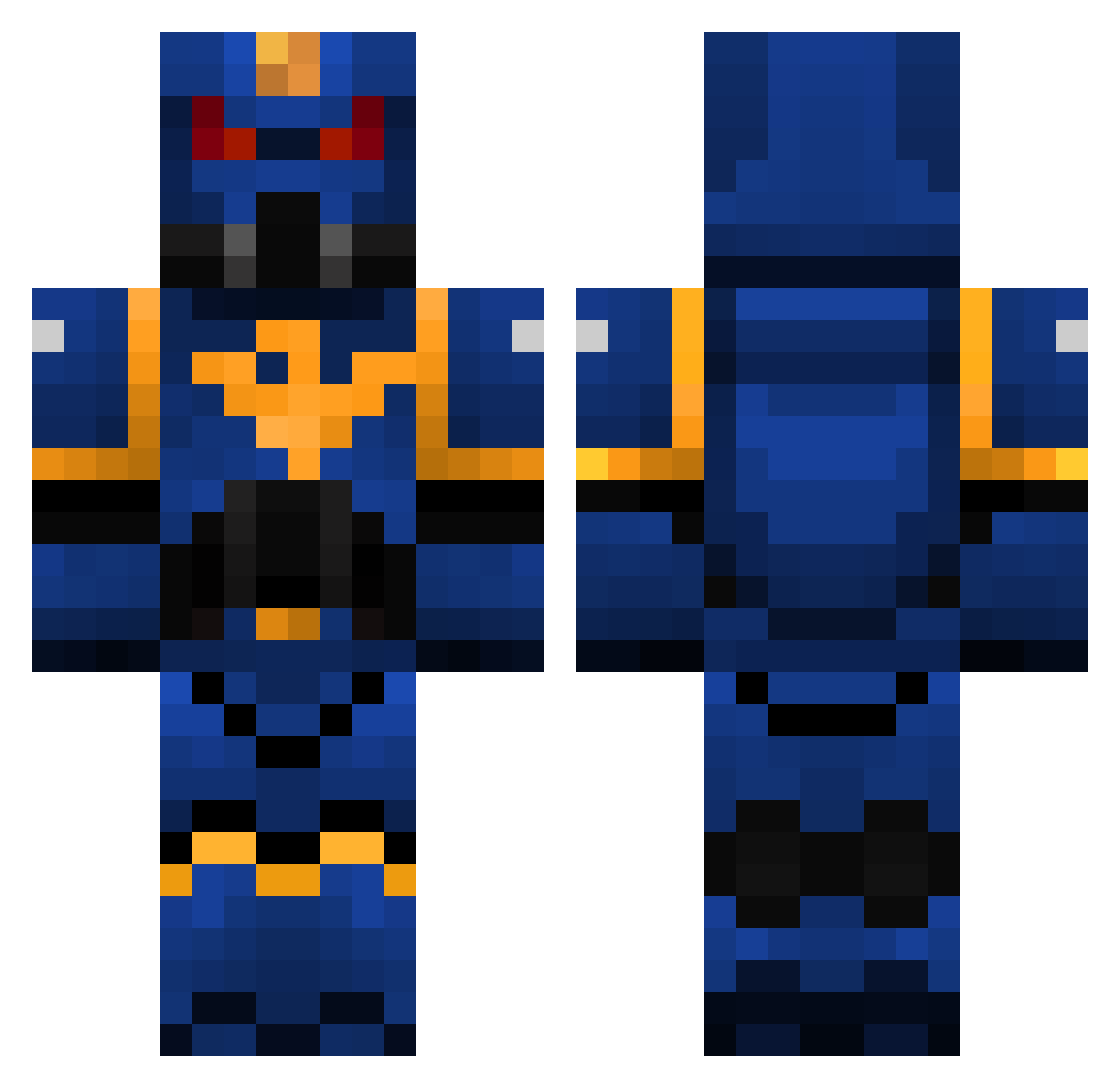
Current Minecraft skin of the player august4913, loaded from the official Mojang API. Rotate the 3D model with your mouse or finger, then download the skin as a PNG file and use it in Minecraft: Bedrock Edition or Java Edition for free. When august4913 changes their skin, this page updates automatically and the old skin stays in the history below.
Other players with this skin (325)
august4913 was the 33rd player we have seen with this skin, first spotted on 04.08.2026. The same skin was seen on these players. Open a nickname to see their current skin and skin history.
 aymeric102 hulkdestroyer EtR_DeMoN SolarisSDK IIFOX3D Briuster Dixuuu Applewhite66 Clouder_TK476 WarTagz TheDrell wille_de Ionie The_Fallen_1 MrBabbott zrf22 THEGUSSINATOR Mark24 Senroku111 Mardek6 Paddytheman Di3guz CaelN1 nategunner JayCyrZak RECON_kenneth matthew4356 maxrags Krameur Sidewinder00 SnakeEyes06 lionmdk romi2002 Drakkenghul Ragnorrock DevDevv Voiceman321 Ciacky TheMrMartin Stfisch S1lver_Scorpion StefanHeintze demonblitz TxT_EASDON_TxT Sarge525 Anerandax Korrfire boddilyfluids Inic1322 DireAvenger20 Kili64 rangerox25 funkerr vercengetrix MrChevyNova Starn ChumbaWombat drcamo KlippenPisser HaloBleach
More Warhammer Minecraft skins
How to install the august4913 skin
- Press the Download button above to save the skin as a PNG file.
- Minecraft: Bedrock Edition (PE): open the Dressing Room from the main menu (or tap your character → Edit Character), go to Classic Skins → Owned, press the + (new skin) button, choose the downloaded PNG and pick the Classic (Steve) model. Works on PC and mobile; consoles cannot import custom skins.
- Minecraft: Java Edition: open the Minecraft Launcher, go to the Skins tab, click New Skin, load the PNG, pick the Classic (Steve) model and press Save & Use. You can also upload it at minecraft.net → Profile → Change Skin.
The skin does not show up after import - what should I do?
Restart Minecraft and open the Dressing Room again - imported skins sometimes appear only after a restart. Also make sure you selected the imported skin and picked the Classic (Steve) model.
Which model should I choose, Classic or Slim?
This skin is designed for the Classic (Steve) model. If you pick the wrong model, the arms of the skin will look stretched or squeezed.
Is the skin of august4913 free to download?
Yes. Press Download, save the PNG file and use it in Minecraft: Bedrock Edition or Java Edition - no payment or registration needed. The skin also works on multiplayer servers and Realms.
More skins
Looking for more? Go back to all Minecraft skins and check the top skins of the week, month and all time, or find any player's skin by nickname.