
audrvy - Minecraft Skins & Skin History
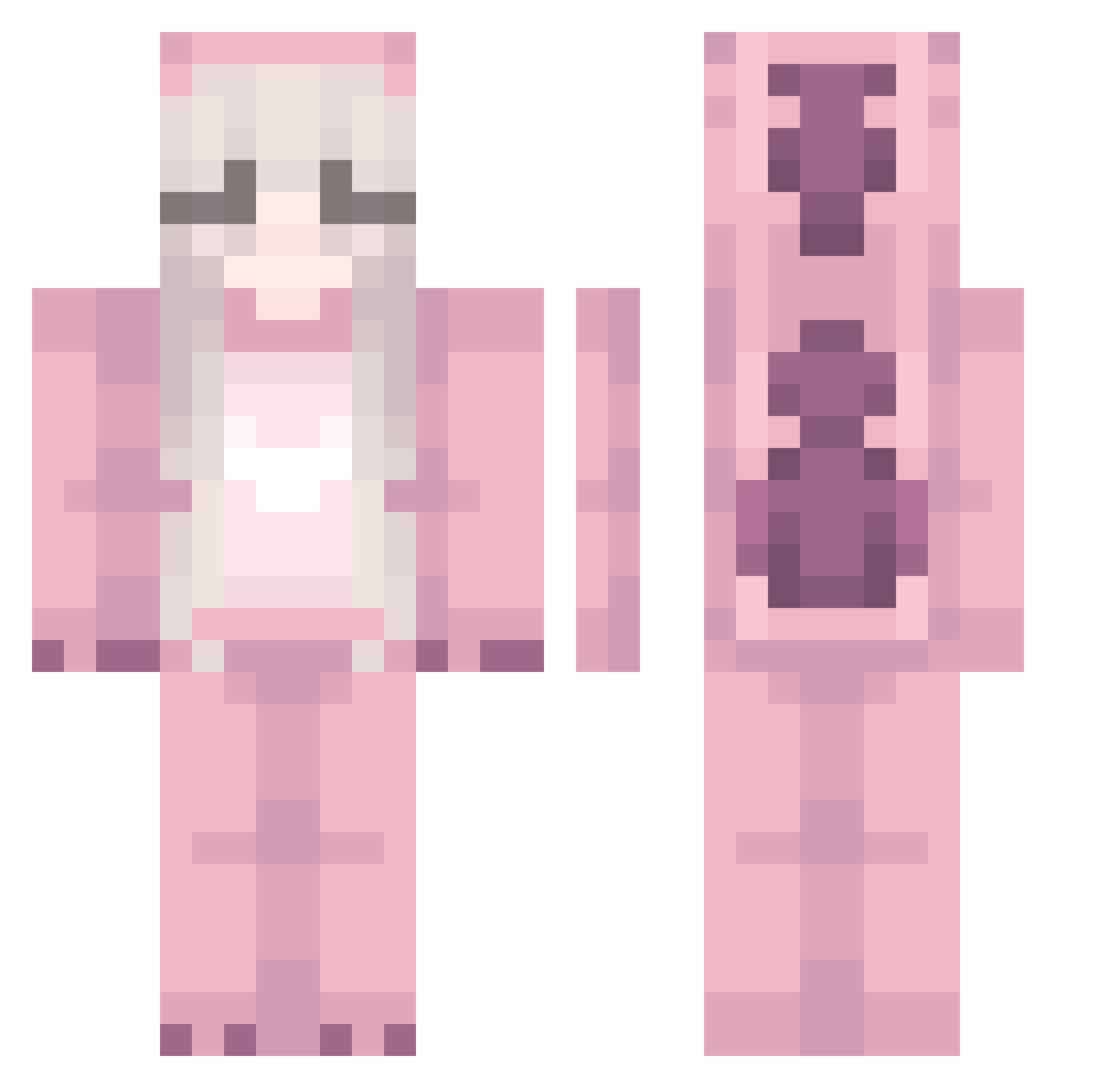
Current Minecraft skin of the player audrvy, loaded from the official Mojang API. Rotate the 3D model with your mouse or finger, then download the skin as a PNG file and use it in Minecraft: Bedrock Edition or Java Edition for free. When audrvy changes their skin, this page updates automatically and the old skin stays in the history below.
Other players with this skin (295)
audrvy was the 266th player we have seen with this skin, first spotted on 11.11.2026. The same skin was seen on these players. Open a nickname to see their current skin and skin history.
 Sofpol Ransac82 UltraIkkie 112Cps fia_isabel ihykiley awesomeecomics EnJu24 Natasha54 chouxfintiy123 Dreamqueen1862 NaBiiii shawtypalace SillierBaton951 budderboy9000 cwwz Draxxette Ppurry CJYessir MarWanXXDZ Shinbuild GoingCrazy0 KONN1 _GwnMiloutjuh_ SkittlezzTTV EhrenBrokoli MadameQuinnX Szczepa_ asteroids32 toybonanza_fam 66piggy kirby_discord55 TuxSteve FreeTimeScout BOPI_123 Sasa_Shiro necheap jpixis C1ndyyy stitchiezy l__sh Proxima codismclean123 axur_tw x_lennka_x m_ixa Dominarr Kyrie02Z Empress32121 AlberteSandahl geminikyy Imjustagirl98 Amela011 Kett1e aemelie KateStar22 CRYSTALPVPG0DESS adramelich ntrprs The_Keta_King
More Kigurumi Minecraft skins
How to install the audrvy skin
- Press the Download button above to save the skin as a PNG file.
- Minecraft: Bedrock Edition (PE): open the Dressing Room from the main menu (or tap your character → Edit Character), go to Classic Skins → Owned, press the + (new skin) button, choose the downloaded PNG and pick the Classic (Steve) model. Works on PC and mobile; consoles cannot import custom skins.
- Minecraft: Java Edition: open the Minecraft Launcher, go to the Skins tab, click New Skin, load the PNG, pick the Classic (Steve) model and press Save & Use. You can also upload it at minecraft.net → Profile → Change Skin.
The skin does not show up after import - what should I do?
Restart Minecraft and open the Dressing Room again - imported skins sometimes appear only after a restart. Also make sure you selected the imported skin and picked the Classic (Steve) model.
Which model should I choose, Classic or Slim?
This skin is designed for the Classic (Steve) model. If you pick the wrong model, the arms of the skin will look stretched or squeezed.
Is the skin of audrvy free to download?
Yes. Press Download, save the PNG file and use it in Minecraft: Bedrock Edition or Java Edition - no payment or registration needed. The skin also works on multiplayer servers and Realms.
More skins
Looking for more? Go back to all Minecraft skins and check the top skins of the week, month and all time, or find any player's skin by nickname.