
astroartem2015 - Minecraft Skins & Skin History
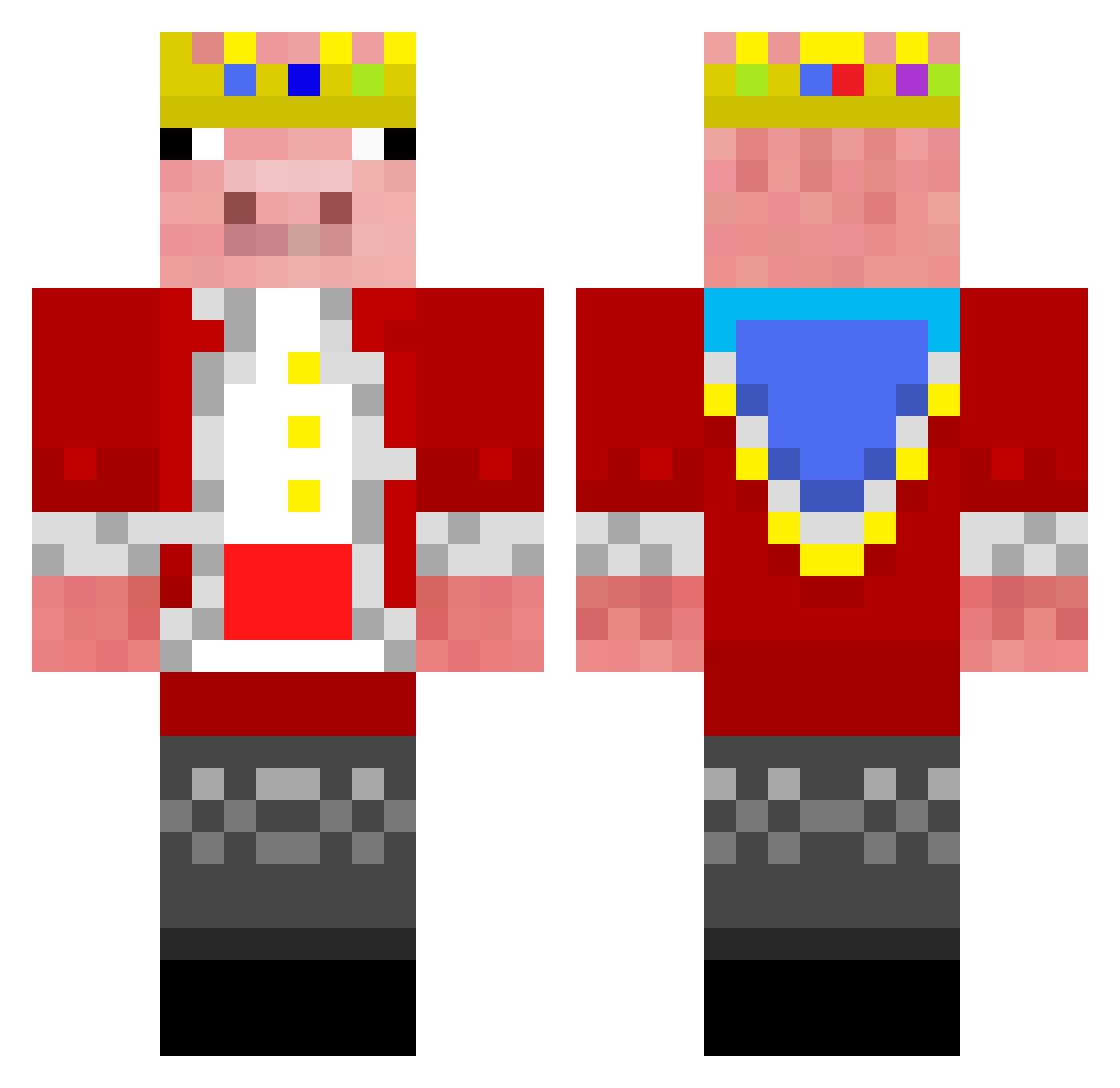
Current Minecraft skin of the player astroartem2015, loaded from the official Mojang API. Rotate the 3D model with your mouse or finger, then download the skin as a PNG file and use it in Minecraft: Bedrock Edition or Java Edition for free. When astroartem2015 changes their skin, this page updates automatically and the old skin stays in the history below.
Other players with this skin (292)
astroartem2015 was the 278th player we have seen with this skin, first spotted on 27.10.2026. The same skin was seen on these players. Open a nickname to see their current skin and skin history.
 Apfelsaft4491 skipskepp drlx chaoji_tuolu gravycatma FoggyStone9780 shelikes_it airball_ty MikeyButSmiley 6ti OBS_231509 YungCocoPops _IFS_ Eldvinge11 NotLuciferBorne JeTy_UA ESkelett AMBERLOU58 Sauerberg93 MarinusCraft salahguy D0NTHATE0NPR0S CAOSBLADE44 oBraboChegou TempoMinecraft4 BlunderingBozo ThanksTechno bucketguy12 OnlyMyRailgun DaWeirdone Aabhiudhay tltyman98 cha5tiful Samuraisam1 Coolingatol3332 TheoB4 Ocja13 Virgoan BobbieIsBuilding dfwm3do matmat_777 Stablr Viilua DaIsimsiz axcident ayadaisuki instictiv kaydenplaysgames AgoCSuram Suliman_50 MLGsHotDog StykeDc Coolguy770 Vampire32K WojanTeam1234 x23d BRUSPULLO BlahCruel Technoblade_0318 TheOttomeme
More Pig Minecraft skins
How to install the astroartem2015 skin
- Press the Download button above to save the skin as a PNG file.
- Minecraft: Bedrock Edition (PE): open the Dressing Room from the main menu (or tap your character → Edit Character), go to Classic Skins → Owned, press the + (new skin) button, choose the downloaded PNG and pick the Classic (Steve) model. Works on PC and mobile; consoles cannot import custom skins.
- Minecraft: Java Edition: open the Minecraft Launcher, go to the Skins tab, click New Skin, load the PNG, pick the Classic (Steve) model and press Save & Use. You can also upload it at minecraft.net → Profile → Change Skin.
The skin does not show up after import - what should I do?
Restart Minecraft and open the Dressing Room again - imported skins sometimes appear only after a restart. Also make sure you selected the imported skin and picked the Classic (Steve) model.
Which model should I choose, Classic or Slim?
This skin is designed for the Classic (Steve) model. If you pick the wrong model, the arms of the skin will look stretched or squeezed.
Is the skin of astroartem2015 free to download?
Yes. Press Download, save the PNG file and use it in Minecraft: Bedrock Edition or Java Edition - no payment or registration needed. The skin also works on multiplayer servers and Realms.
More skins
Looking for more? Go back to all Minecraft skins and check the top skins of the week, month and all time, or find any player's skin by nickname.