
astraaalll - Minecraft Skins & Skin History
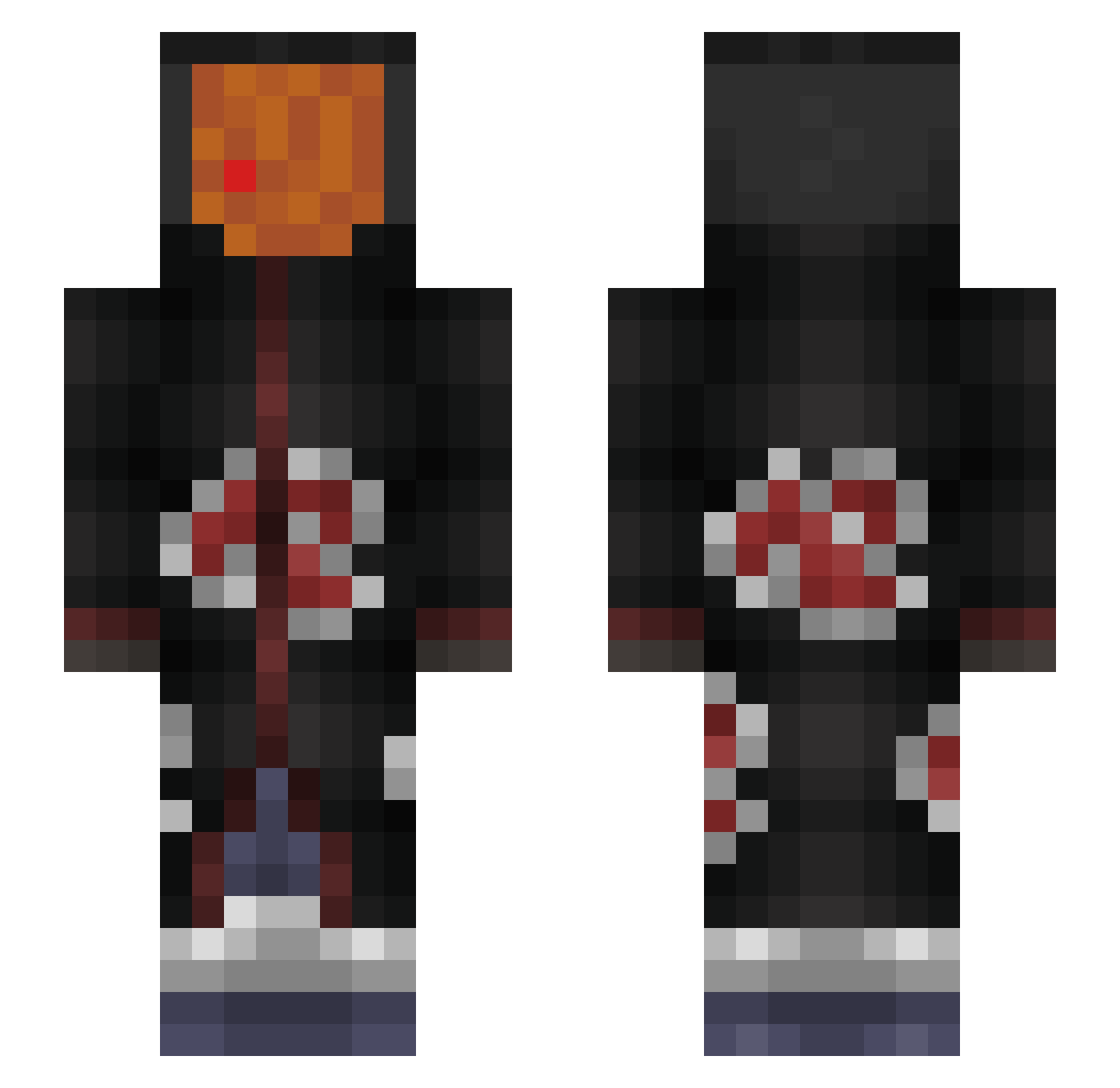
Current Minecraft skin of the player astraaalll, loaded from the official Mojang API. Rotate the 3D model with your mouse or finger, then download the skin as a PNG file and use it in Minecraft: Bedrock Edition or Java Edition for free. When astraaalll changes their skin, this page updates automatically and the old skin stays in the history below.
Other players with this skin (235)
astraaalll was the 75th player we have seen with this skin, first spotted on 30.08.2026. The same skin was seen on these players. Open a nickname to see their current skin and skin history.
 tori123tori AlexTm97 blockstar2k Bosnien_Booty Shanking Black_Rinji emiliobaez1 Charmdragon12 Qushush Vloggnik Ankzzz officersalmon _thalrukt GabNrv Johnny_test_the2 Bastianxxt BigShotRaab BOT_GKL Couper26 Khalifa1312 LordBeereHD Twezzz Valle131 Geno33 RayaneTks BottomKitten wkey_ToXin test123ddfdfd Midolina Erdemis Astrient SezAk47 Yxtsuki Serenaaaa Drexx35 _WonderBoy ttengodepresion zrys_ astarotth_ Nacevkata16 TorrieDog xirfanewq ZerefDragneelFT trilipuper FRO00g Dantabeldp zGonaa
 KingMirajYT07 LeDucDeChaumont gimmeweight Tr165Eagle bary_be_boolin Montii_988 Velineon01 Reilipe69
 BL4CKLIZT3D PoempelBoy CptSurfinBird ITCHY_10 TheS0rr0w_
More Obito Uchiha Minecraft skins
See all 156 Obito Uchiha skins
How to install the astraaalll skin
- Press the Download button above to save the skin as a PNG file.
- Minecraft: Bedrock Edition (PE): open the Dressing Room from the main menu (or tap your character → Edit Character), go to Classic Skins → Owned, press the + (new skin) button, choose the downloaded PNG and pick the Slim (Alex) model. Works on PC and mobile; consoles cannot import custom skins.
- Minecraft: Java Edition: open the Minecraft Launcher, go to the Skins tab, click New Skin, load the PNG, pick the Slim (Alex) model and press Save & Use. You can also upload it at minecraft.net → Profile → Change Skin.
The skin does not show up after import - what should I do?
Restart Minecraft and open the Dressing Room again - imported skins sometimes appear only after a restart. Also make sure you selected the imported skin and picked the Slim (Alex) model.
Which model should I choose, Classic or Slim?
This skin is designed for the Slim (Alex) model. If you pick the wrong model, the arms of the skin will look stretched or squeezed.
Is the skin of astraaalll free to download?
Yes. Press Download, save the PNG file and use it in Minecraft: Bedrock Edition or Java Edition - no payment or registration needed. The skin also works on multiplayer servers and Realms.
More skins
Looking for more? Go back to all Minecraft skins and check the top skins of the week, month and all time, or find any player's skin by nickname.