
angyumm - Minecraft Skins & Skin History
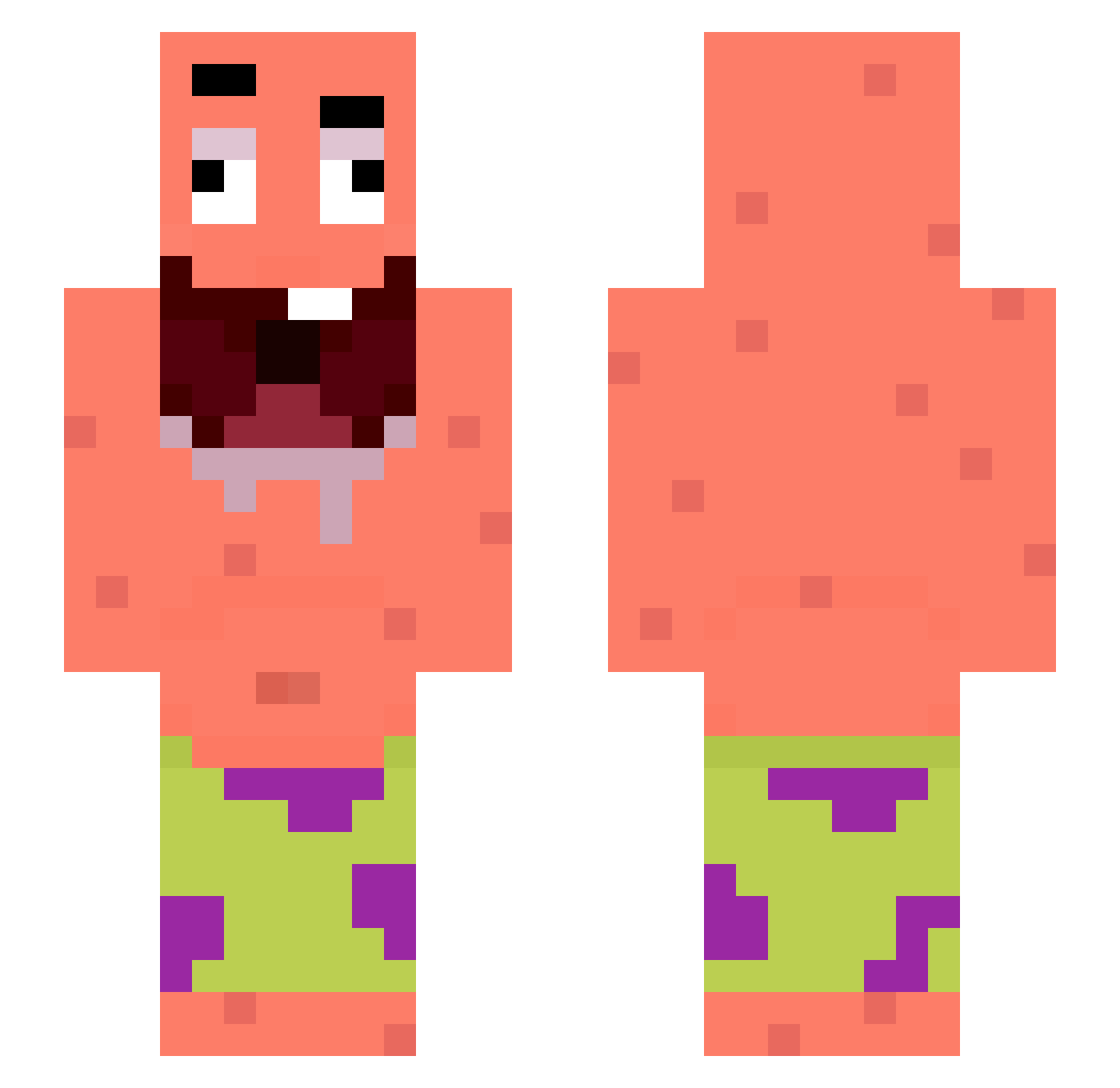
Current Minecraft skin of the player angyumm, loaded from the official Mojang API. Rotate the 3D model with your mouse or finger, then download the skin as a PNG file and use it in Minecraft: Bedrock Edition or Java Edition for free. When angyumm changes their skin, this page updates automatically and the old skin stays in the history below.
Other players with this skin (269)
angyumm was the 28th player we have seen with this skin, first spotted on 04.08.2026. The same skin was seen on these players. Open a nickname to see their current skin and skin history.
 justin_130224
 KAREEE313 Fisherok Itzzz_Tolzzzz Beeee724 Harbingersama Leopold83 _Kevinos_ yyitsu 1480254409 Shadow234Scout JTom2012 7ired hyuck_U Olus3s isalliossuruk washedNoGirls_ Brogerexx Ende_god WedsonTom LIU__ Marcase Adamsdfs spongebobpooptv NateZany SH01K shim1004 raynickzz NutellaEarth RzTrue wnsn123
 kratos_3 Lzfy_ Insurname GeezyDee koppig_
 q2on GarkTheSloppy mikaeel009 Angelo21z blixxxten Meh8417 swqsdfg
 hecu6 ioniv1 Kitek2014
 Orzel_Nik Nigth_ger tomchaog Riickyy420 Lemurrumel1 tatorskill MOMMYNICKY freefilsk1 JeroldW_ Yeethunter284 ClikBaww FordFiestaST2018
 Ati2841 AloneDark1801
More Patrick Star Minecraft skins
See all 612 Patrick Star skins
How to install the angyumm skin
- Press the Download button above to save the skin as a PNG file.
- Minecraft: Bedrock Edition (PE): open the Dressing Room from the main menu (or tap your character → Edit Character), go to Classic Skins → Owned, press the + (new skin) button, choose the downloaded PNG and pick the Slim (Alex) model. Works on PC and mobile; consoles cannot import custom skins.
- Minecraft: Java Edition: open the Minecraft Launcher, go to the Skins tab, click New Skin, load the PNG, pick the Slim (Alex) model and press Save & Use. You can also upload it at minecraft.net → Profile → Change Skin.
The skin does not show up after import - what should I do?
Restart Minecraft and open the Dressing Room again - imported skins sometimes appear only after a restart. Also make sure you selected the imported skin and picked the Slim (Alex) model.
Which model should I choose, Classic or Slim?
This skin is designed for the Slim (Alex) model. If you pick the wrong model, the arms of the skin will look stretched or squeezed.
Is the skin of angyumm free to download?
Yes. Press Download, save the PNG file and use it in Minecraft: Bedrock Edition or Java Edition - no payment or registration needed. The skin also works on multiplayer servers and Realms.
More skins
Looking for more? Go back to all Minecraft skins and check the top skins of the week, month and all time, or find any player's skin by nickname.