
amsal4444 - Minecraft Skins & Skin History
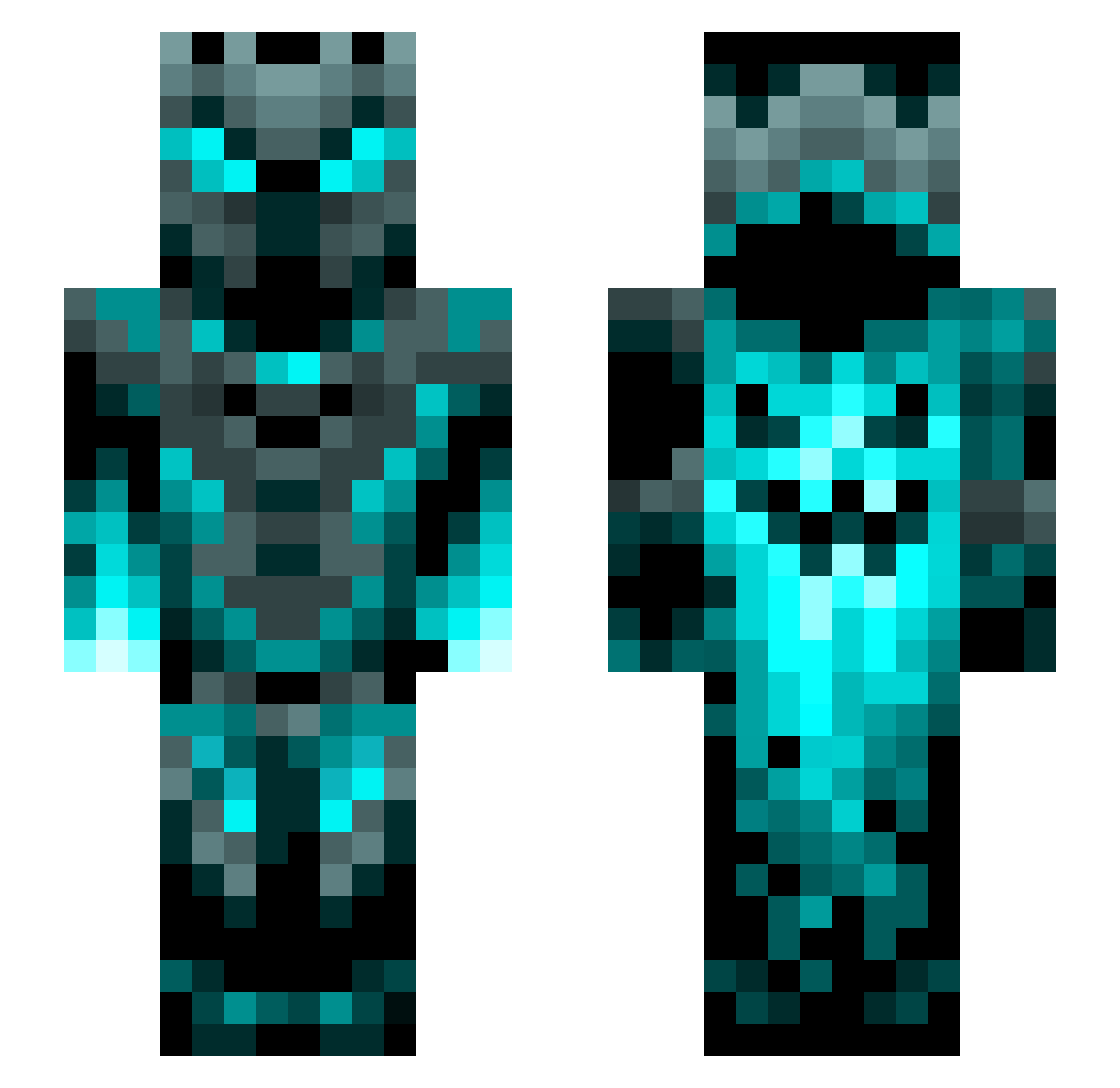
Current Minecraft skin of the player amsal4444, loaded from the official Mojang API. Rotate the 3D model with your mouse or finger, then download the skin as a PNG file and use it in Minecraft: Bedrock Edition or Java Edition for free. When amsal4444 changes their skin, this page updates automatically and the old skin stays in the history below.
Other players with this skin (1452)
amsal4444 was the 1438th player we have seen with this skin, first spotted on 18.11.2026. The same skin was seen on these players. Open a nickname to see their current skin and skin history.
 Dratonix shadiwek nicklego ElMareachi Chemical_Yoshi satvir waternewt7 MysteriousBoson Laze47 dragon_DUDE12 TheChrisWolf D1abet0 Celebeithel CosmicRocket21 Yarro55 Dipl_Ing Cool_kid535 Scardiio Not_Chasmy BlackWolf82 Legame35 Coltonater29 Sampojokinen9 zilver123 ChaosXCrystal MLGPRO2196 _metalher0_ Midknightrydr W0rdyKarma47 Zomvyx GamerJimBob highspace_333 BUBBAxBUCK BingBangBlip Maukku1 carlos_guapo fayyadhea bobzy16 HenioWoz SelimT8 Gekowen LargeAllhG8r466 Breaker264 xXTurboBabkaXx Brolylord Julianstik Jordan27147 RobotNinjaUK Thor530 GSKJACKE23 LaDeli Keeperofthedoge Pooping_P3anut Perojuroslav Heopeo112 xXAnime_ThighsXx Thiago2015 eggaster Simlovet pangkt18
More Phantom Minecraft skins
How to install the amsal4444 skin
- Press the Download button above to save the skin as a PNG file.
- Minecraft: Bedrock Edition (PE): open the Dressing Room from the main menu (or tap your character → Edit Character), go to Classic Skins → Owned, press the + (new skin) button, choose the downloaded PNG and pick the Slim (Alex) model. Works on PC and mobile; consoles cannot import custom skins.
- Minecraft: Java Edition: open the Minecraft Launcher, go to the Skins tab, click New Skin, load the PNG, pick the Slim (Alex) model and press Save & Use. You can also upload it at minecraft.net → Profile → Change Skin.
The skin does not show up after import - what should I do?
Restart Minecraft and open the Dressing Room again - imported skins sometimes appear only after a restart. Also make sure you selected the imported skin and picked the Slim (Alex) model.
Which model should I choose, Classic or Slim?
This skin is designed for the Slim (Alex) model. If you pick the wrong model, the arms of the skin will look stretched or squeezed.
Is the skin of amsal4444 free to download?
Yes. Press Download, save the PNG file and use it in Minecraft: Bedrock Edition or Java Edition - no payment or registration needed. The skin also works on multiplayer servers and Realms.
More skins
Looking for more? Go back to all Minecraft skins and check the top skins of the week, month and all time, or find any player's skin by nickname.