
amir9198 - Minecraft Skins & Skin History
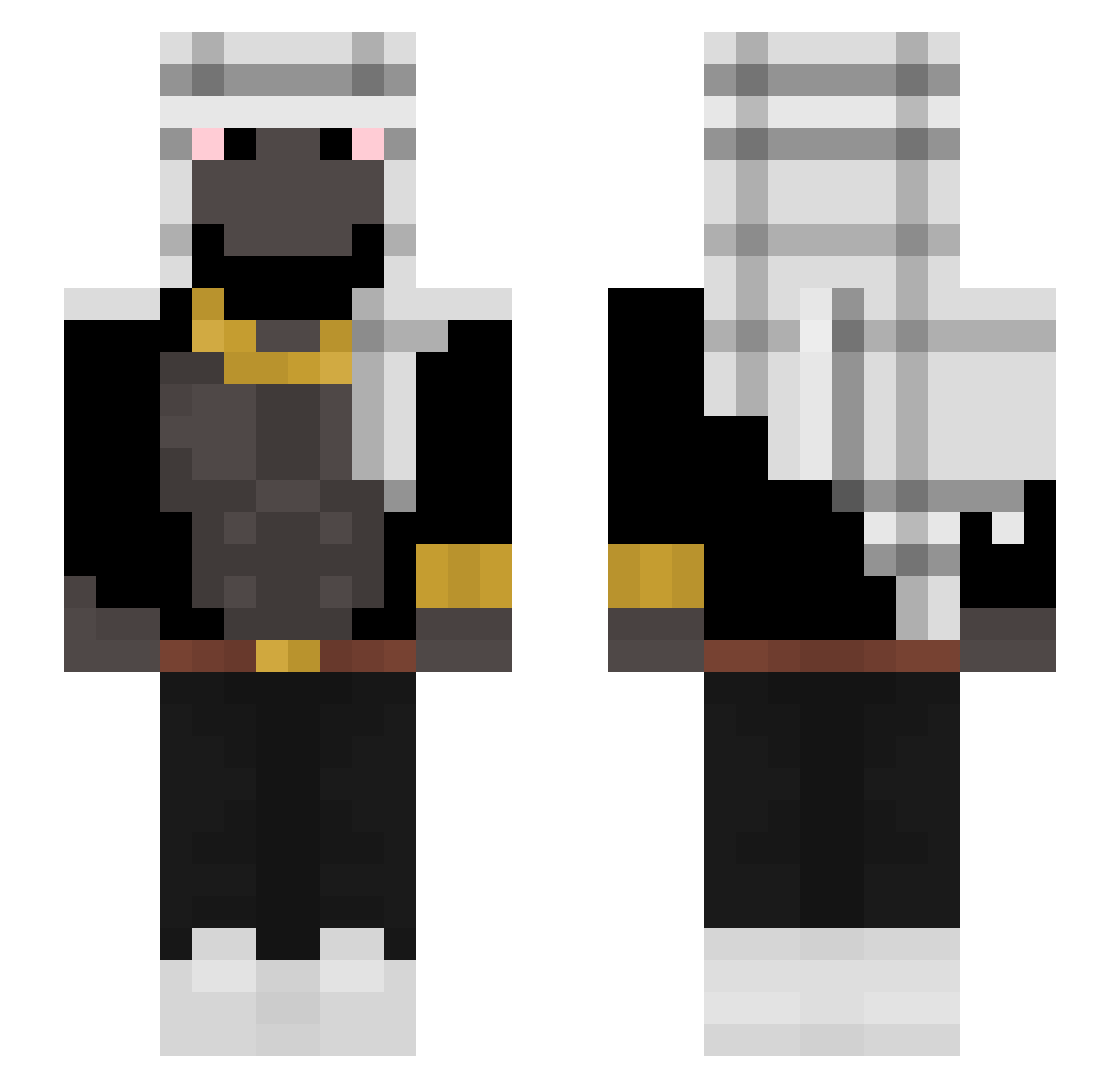
Current Minecraft skin of the player amir9198, loaded from the official Mojang API. Rotate the 3D model with your mouse or finger, then download the skin as a PNG file and use it in Minecraft: Bedrock Edition or Java Edition for free. When amir9198 changes their skin, this page updates automatically and the old skin stays in the history below.
Other players with this skin (297)
amir9198 was the 45th player we have seen with this skin, first spotted on 09.08.2026. The same skin was seen on these players. Open a nickname to see their current skin and skin history.
 Thakeruy MasonCSH 1BienBoi1 nilaskid TyZerHZ ingeniousness joemama277 Otiz123 Ordnings LAINAIGRO VitalGamezz DrPogge Atsukoji spacejay1 PhiloGHG GolabGangster inonu Bluekiller109 AvoiidMe GHOST_SAKAI Fahata YonfriGod Rafik1220
 tytan_mc27 vermegabbo marekekeke nefernightz zok_x FelizxYT niggiqlo FizzleDeez HectorBrave Marcmorris84 Gastrit Bunkys Opuxal MihaiSefu TalanBones922 ABDULLAHX0 HusnainTheGOAT PEDEFILEDIDDY S3creee BigOualid BloopSheep skatinhodededo12 ChlefKeef_ Trayse Matias62842 Melonengolem88 GinormousNut Imkaan1243 _Bestplayz_ dogbomb57 KonQ_OK cbhiroshi harmfulplayer123 sovamesta MissionLeader xqeer Jcnbros
More Shemagh Minecraft skins
How to install the amir9198 skin
- Press the Download button above to save the skin as a PNG file.
- Minecraft: Bedrock Edition (PE): open the Dressing Room from the main menu (or tap your character → Edit Character), go to Classic Skins → Owned, press the + (new skin) button, choose the downloaded PNG and pick the Slim (Alex) model. Works on PC and mobile; consoles cannot import custom skins.
- Minecraft: Java Edition: open the Minecraft Launcher, go to the Skins tab, click New Skin, load the PNG, pick the Slim (Alex) model and press Save & Use. You can also upload it at minecraft.net → Profile → Change Skin.
The skin does not show up after import - what should I do?
Restart Minecraft and open the Dressing Room again - imported skins sometimes appear only after a restart. Also make sure you selected the imported skin and picked the Slim (Alex) model.
Which model should I choose, Classic or Slim?
This skin is designed for the Slim (Alex) model. If you pick the wrong model, the arms of the skin will look stretched or squeezed.
Is the skin of amir9198 free to download?
Yes. Press Download, save the PNG file and use it in Minecraft: Bedrock Edition or Java Edition - no payment or registration needed. The skin also works on multiplayer servers and Realms.
More skins
Looking for more? Go back to all Minecraft skins and check the top skins of the week, month and all time, or find any player's skin by nickname.