
alt3rn4t0r - Minecraft Skins & Skin History
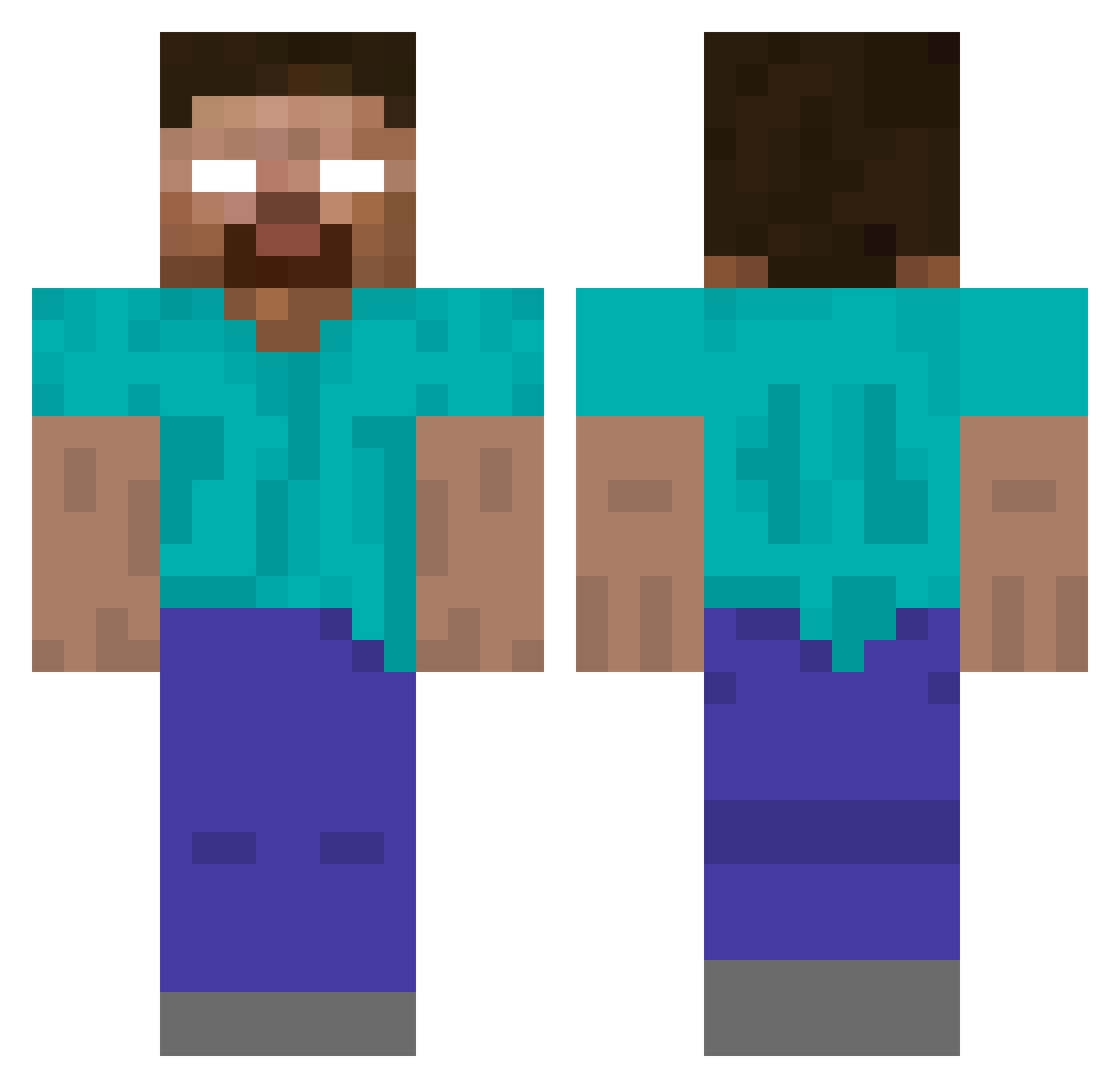
Current Minecraft skin of the player alt3rn4t0r, loaded from the official Mojang API. Rotate the 3D model with your mouse or finger, then download the skin as a PNG file and use it in Minecraft: Bedrock Edition or Java Edition for free. When alt3rn4t0r changes their skin, this page updates automatically and the old skin stays in the history below.
Other players with this skin (196)
alt3rn4t0r was the 155th player we have seen with this skin, first spotted on 20.10.2026. The same skin was seen on these players. Open a nickname to see their current skin and skin history.
 0kvb JustCallMeELIVS MaathBluee hakkaman07 karazafer _valdu Tax_Evader_Joe Kron_158 H3ROBRIIN3 AchiKonitta Dune9691 Sonic_3000 aurph _rhylie_ craharris DeepBlueRocket CNCS_Ninja3 KoRn_Fan2000 Freefs Skalin_spinner PourSilent JustProtocol pixel_chick spekiey Scrubs ImDedInside ssalih Marguamos RubenSicoo Shvueruto liaaamo_o Plusah iamKFCpeople Mikocuk HerobrineSeba Cattusso VonGrumble IAMDOONA Amtron MarckSolo allahsal rituols Loket08 Safadao_games33 TroneFlex 2cai JavierMartinez jennytaliaa Arxhue _mazsy_ AndyR TinkiWinkey Yusau chipp00 xFrosted Mister_Kamikaze unkluxooo Piccinini_ _e___ South_Park_
More Herobrine Minecraft skins
How to install the alt3rn4t0r skin
- Press the Download button above to save the skin as a PNG file.
- Minecraft: Bedrock Edition (PE): open the Dressing Room from the main menu (or tap your character → Edit Character), go to Classic Skins → Owned, press the + (new skin) button, choose the downloaded PNG and pick the Classic (Steve) model. Works on PC and mobile; consoles cannot import custom skins.
- Minecraft: Java Edition: open the Minecraft Launcher, go to the Skins tab, click New Skin, load the PNG, pick the Classic (Steve) model and press Save & Use. You can also upload it at minecraft.net → Profile → Change Skin.
The skin does not show up after import - what should I do?
Restart Minecraft and open the Dressing Room again - imported skins sometimes appear only after a restart. Also make sure you selected the imported skin and picked the Classic (Steve) model.
Which model should I choose, Classic or Slim?
This skin is designed for the Classic (Steve) model. If you pick the wrong model, the arms of the skin will look stretched or squeezed.
Is the skin of alt3rn4t0r free to download?
Yes. Press Download, save the PNG file and use it in Minecraft: Bedrock Edition or Java Edition - no payment or registration needed. The skin also works on multiplayer servers and Realms.
More skins
Looking for more? Go back to all Minecraft skins and check the top skins of the week, month and all time, or find any player's skin by nickname.