
alrocket58 - Minecraft Skins & Skin History
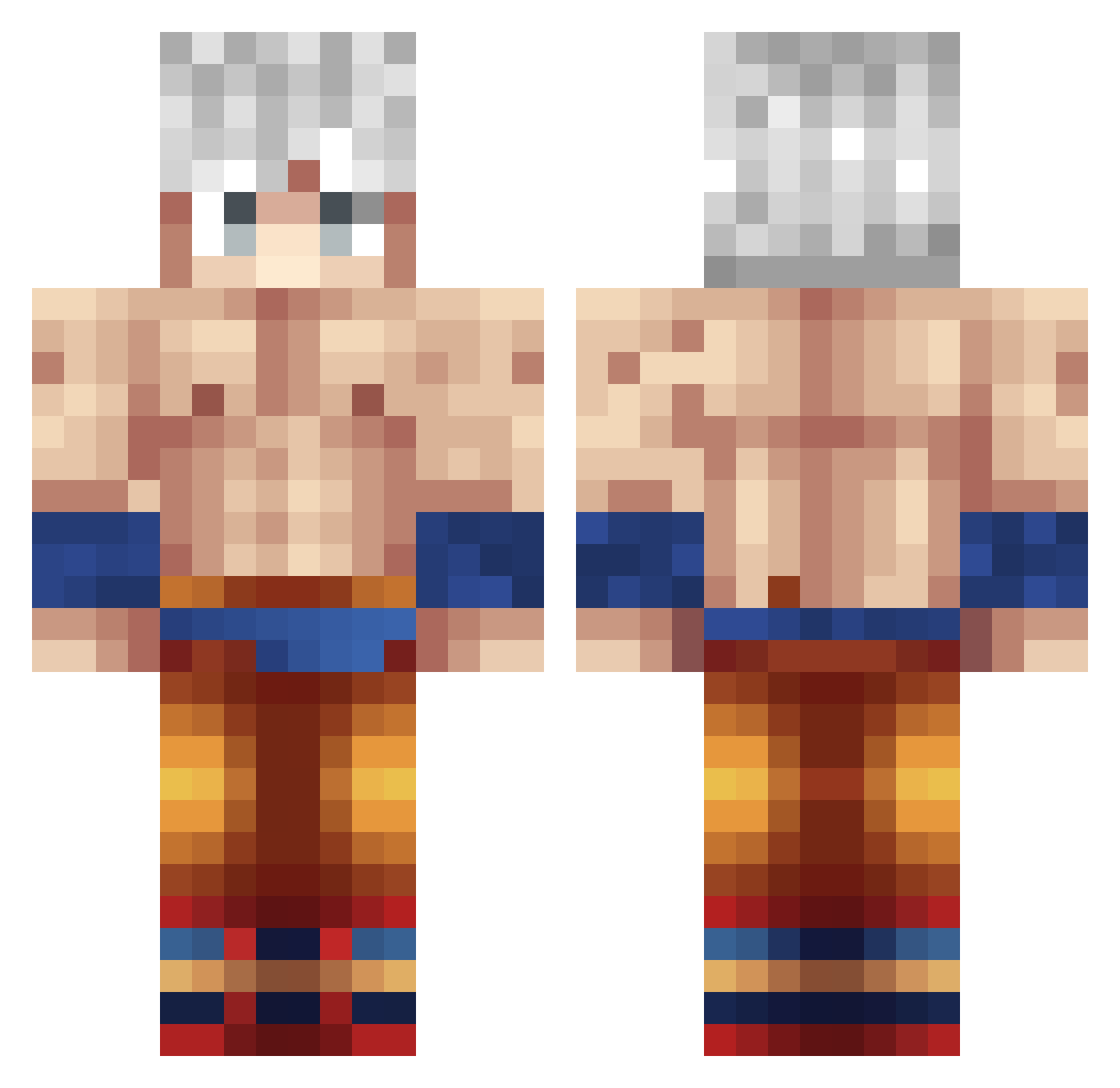
Current Minecraft skin of the player alrocket58, loaded from the official Mojang API. Rotate the 3D model with your mouse or finger, then download the skin as a PNG file and use it in Minecraft: Bedrock Edition or Java Edition for free. When alrocket58 changes their skin, this page updates automatically and the old skin stays in the history below.
Other players with this skin (376)
alrocket58 was the 24th player we have seen with this skin, first spotted on 02.08.2026. The same skin was seen on these players. Open a nickname to see their current skin and skin history.
 ImHouse_ Feilor so_1_6 DarthRyCer FIyingMaty minusde12 Bardock_ Its_Spider_Man CraneWu assaf19 LalaHaiH kongnoarbust TakeAChillPill7 walbebe EddieDesign Frenklin03 Voilenxe venom900 Dark_night87 RedCaptain21 MilesKirby7 Shdw71 E_Dawg42 SaiyajinDevid Snagltoothdragon Teen_Fighter LaRoseRougeee G0LDALTS_XraUxh gina8787 SonGokas Mamaco1848 Snoog94 flaosman OGidoD Monkey_D_sparoww NicolsKingYT Z19_s mateu__ iFaoZ XesarXXL U2_EZ_4ME Trabzzonlu iTzR3kManPvP laylay_fps SalimPro1332 termi69 Shezzz99 CHqSeR131 KopHe8 AlIm60 habibinator gustagm Gonzalito06 Pain52 Jakkisenpai fantastique2002 Yomita24h lilmzzz Elbossdelolo Raulelcrak
More Goku Minecraft skins
How to install the alrocket58 skin
- Press the Download button above to save the skin as a PNG file.
- Minecraft: Bedrock Edition (PE): open the Dressing Room from the main menu (or tap your character → Edit Character), go to Classic Skins → Owned, press the + (new skin) button, choose the downloaded PNG and pick the Classic (Steve) model. Works on PC and mobile; consoles cannot import custom skins.
- Minecraft: Java Edition: open the Minecraft Launcher, go to the Skins tab, click New Skin, load the PNG, pick the Classic (Steve) model and press Save & Use. You can also upload it at minecraft.net → Profile → Change Skin.
The skin does not show up after import - what should I do?
Restart Minecraft and open the Dressing Room again - imported skins sometimes appear only after a restart. Also make sure you selected the imported skin and picked the Classic (Steve) model.
Which model should I choose, Classic or Slim?
This skin is designed for the Classic (Steve) model. If you pick the wrong model, the arms of the skin will look stretched or squeezed.
Is the skin of alrocket58 free to download?
Yes. Press Download, save the PNG file and use it in Minecraft: Bedrock Edition or Java Edition - no payment or registration needed. The skin also works on multiplayer servers and Realms.
More skins
Looking for more? Go back to all Minecraft skins and check the top skins of the week, month and all time, or find any player's skin by nickname.