
alex2020free - Minecraft Skins & Skin History
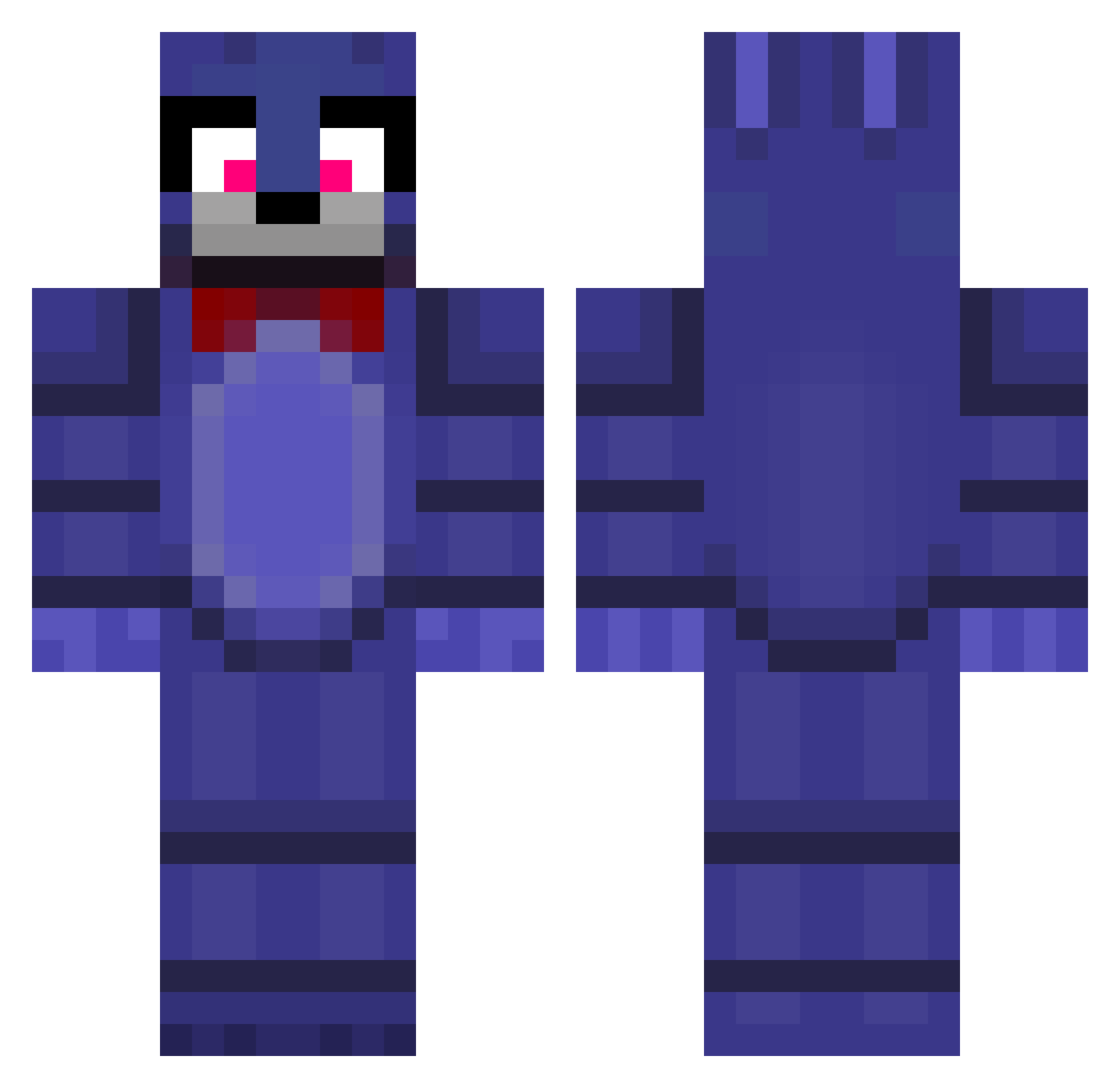
Current Minecraft skin of the player alex2020free, loaded from the official Mojang API. Rotate the 3D model with your mouse or finger, then download the skin as a PNG file and use it in Minecraft: Bedrock Edition or Java Edition for free. When alex2020free changes their skin, this page updates automatically and the old skin stays in the history below.
Other players with this skin (246)
alex2020free was the 238th player we have seen with this skin, first spotted on 12.11.2026. The same skin was seen on these players. Open a nickname to see their current skin and skin history.
 GALACTICfish21 pualao Lulu384000 keywee__ relapse_Lynx_qu4 SantoPante0n nagi_1761 zraaggg Bonniecs kingcalvin dizociado deedangel Phunki_ speoon zen065321 Goofyminion gray_sun12 arnoraats robroxian JustJanJo wiktor69 OdyseeyGamer frocmor121 xXDolboYasherXx d00d159 Jude_Low_gg JaJa58 madrantex deropa_scm AL3nze knnybnny loveris jllyfishie Cool_Bois Filip_Knecht123 _H4shejk_ abominablenesses Amoguus2236 Khoa28NM bbblankkk Mrrkoka fallen0981 DamooAMG Prosa24 es5c4w0 RickSter_Za SmileyEgg89 crystalblade_pvp TinyBlueDog_ osyos ROBLOX_MASTER374 FrappeLop vyto9 jasammihailo geevix vorqal dingus_enjoyer iamapeopleright Game260850 L9rix
More Bonnie Minecraft skins
How to install the alex2020free skin
- Press the Download button above to save the skin as a PNG file.
- Minecraft: Bedrock Edition (PE): open the Dressing Room from the main menu (or tap your character → Edit Character), go to Classic Skins → Owned, press the + (new skin) button, choose the downloaded PNG and pick the Classic (Steve) model. Works on PC and mobile; consoles cannot import custom skins.
- Minecraft: Java Edition: open the Minecraft Launcher, go to the Skins tab, click New Skin, load the PNG, pick the Classic (Steve) model and press Save & Use. You can also upload it at minecraft.net → Profile → Change Skin.
The skin does not show up after import - what should I do?
Restart Minecraft and open the Dressing Room again - imported skins sometimes appear only after a restart. Also make sure you selected the imported skin and picked the Classic (Steve) model.
Which model should I choose, Classic or Slim?
This skin is designed for the Classic (Steve) model. If you pick the wrong model, the arms of the skin will look stretched or squeezed.
Is the skin of alex2020free free to download?
Yes. Press Download, save the PNG file and use it in Minecraft: Bedrock Edition or Java Edition - no payment or registration needed. The skin also works on multiplayer servers and Realms.
More skins
Looking for more? Go back to all Minecraft skins and check the top skins of the week, month and all time, or find any player's skin by nickname.