
akon1011 - Minecraft Skins & Skin History
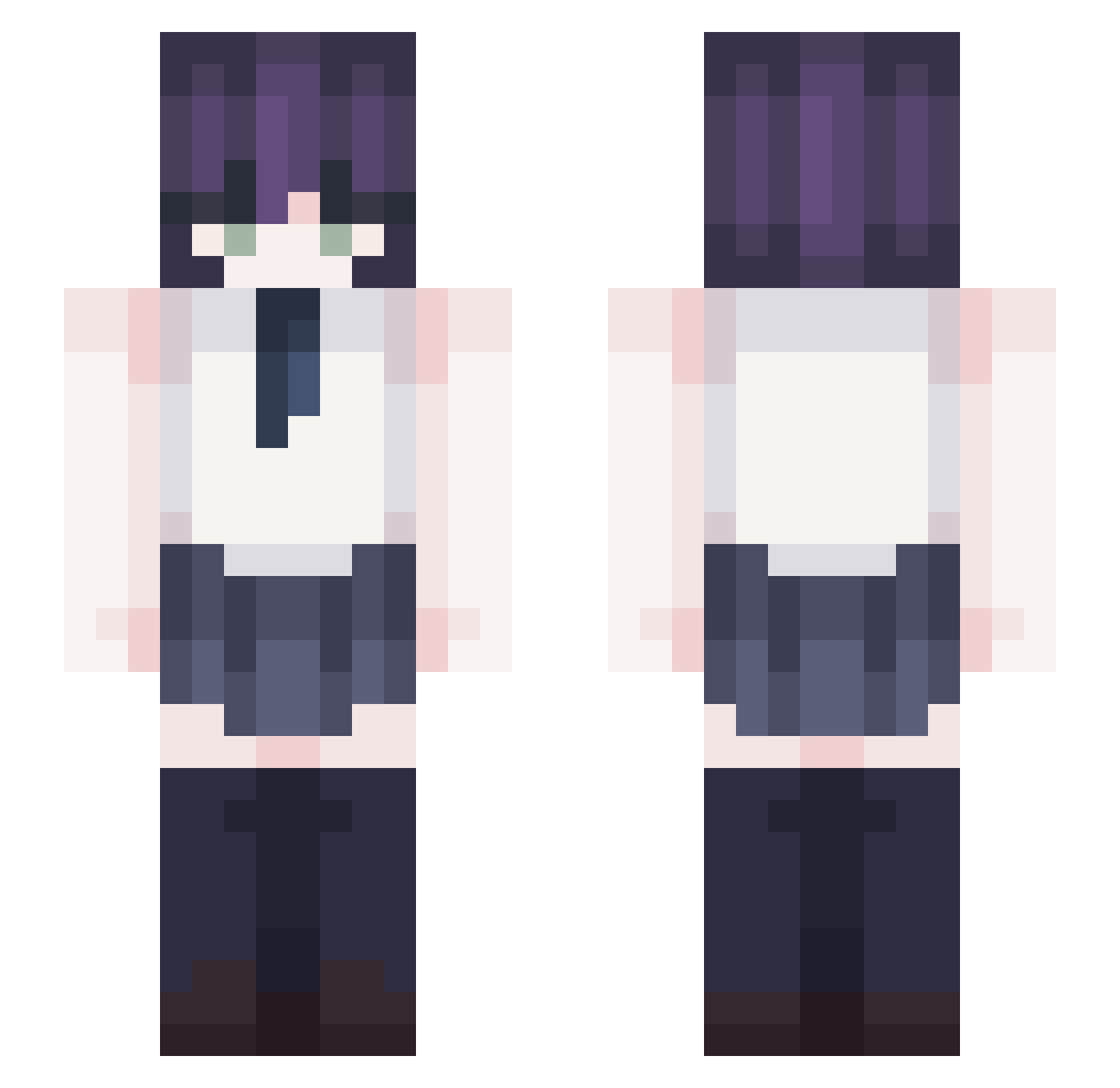
Current Minecraft skin of the player akon1011, loaded from the official Mojang API. Rotate the 3D model with your mouse or finger, then download the skin as a PNG file and use it in Minecraft: Bedrock Edition or Java Edition for free. When akon1011 changes their skin, this page updates automatically and the old skin stays in the history below.
Other players with this skin (353)
akon1011 was the 324th player we have seen with this skin, first spotted on 24.10.2026. The same skin was seen on these players. Open a nickname to see their current skin and skin history.
 raiixx Srampashi Systemmie NTSTAR ANAN1014 young0006 shynneee Yul____ vaisoul1 Furina_de _vidity jovemmago bennybibi k4wy Saaay_ fathercarmen HTufann Hay0ung_ elchucho89 sangwoocity UWUlakako BajaBianca M1nche CoreLag Andex2455 young2001 TheOrderr Voyuhh HERO05160916 _Loquaciouss MotivateN BeyondCrim Darku0_0 kimparkchoisuyon yunyunchang0415 wjdrmf Larien29 Kilzux PrimeHeitor Sr_Dantrex _VoiD_x Megumiiuwu ySu1n Stinkoh sutupit NeloeR Stay4Me tarobobacat ye0n_hoking _mushroomy loslos_b CollapseDeep MPR666 daidai_0628 Nether7546 QSXDRGBHUK sehobbang Spillner_ ATongzi Viczzzka
More School Uniform Minecraft skins
See all 6639 School Uniform skins
How to install the akon1011 skin
- Press the Download button above to save the skin as a PNG file.
- Minecraft: Bedrock Edition (PE): open the Dressing Room from the main menu (or tap your character → Edit Character), go to Classic Skins → Owned, press the + (new skin) button, choose the downloaded PNG and pick the Slim (Alex) model. Works on PC and mobile; consoles cannot import custom skins.
- Minecraft: Java Edition: open the Minecraft Launcher, go to the Skins tab, click New Skin, load the PNG, pick the Slim (Alex) model and press Save & Use. You can also upload it at minecraft.net → Profile → Change Skin.
The skin does not show up after import - what should I do?
Restart Minecraft and open the Dressing Room again - imported skins sometimes appear only after a restart. Also make sure you selected the imported skin and picked the Slim (Alex) model.
Which model should I choose, Classic or Slim?
This skin is designed for the Slim (Alex) model. If you pick the wrong model, the arms of the skin will look stretched or squeezed.
Is the skin of akon1011 free to download?
Yes. Press Download, save the PNG file and use it in Minecraft: Bedrock Edition or Java Edition - no payment or registration needed. The skin also works on multiplayer servers and Realms.
More skins
Looking for more? Go back to all Minecraft skins and check the top skins of the week, month and all time, or find any player's skin by nickname.