
akdenddj123 - Minecraft Skins & Skin History
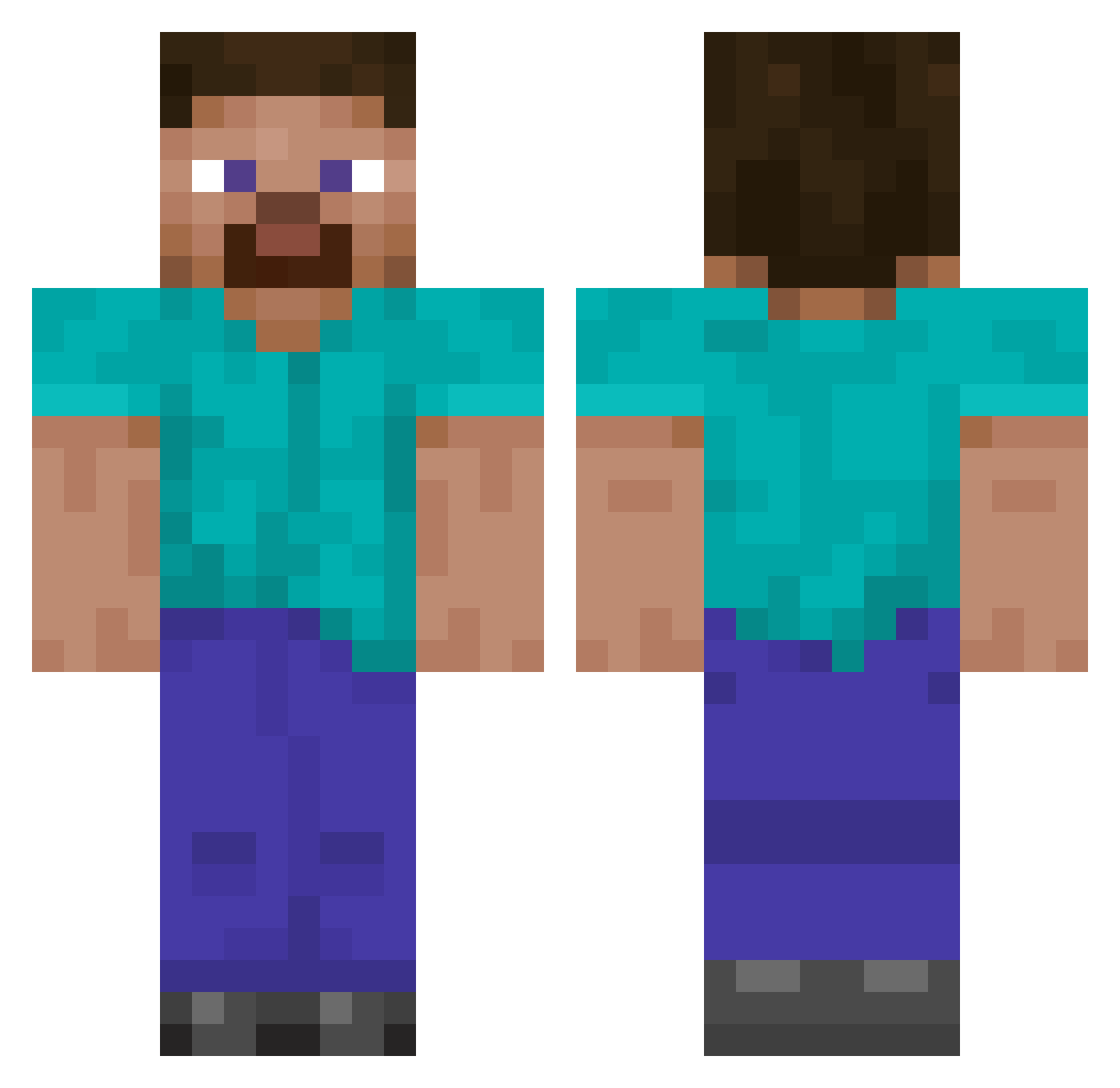
Current Minecraft skin of the player akdenddj123, loaded from the official Mojang API. Rotate the 3D model with your mouse or finger, then download the skin as a PNG file and use it in Minecraft: Bedrock Edition or Java Edition for free. When akdenddj123 changes their skin, this page updates automatically and the old skin stays in the history below.
Other players with this skin (132)
akdenddj123 was the 113th player we have seen with this skin, first spotted on 08.10.2026. The same skin was seen on these players. Open a nickname to see their current skin and skin history.
 Beladiva TheMightyJeeb Landway LazerToe paradosso_69 Snow_Man_777 Gulp_DragonDawn Trusina SuperBed juggernurt_40k MinAbol _Cytryneq1 Blimbing MaShier aplewy MeinKraft1943 ItsMeNinjaCaba28 HGeol Gengie Excrete _Enzoo_ albatroscyber DanJClark Zuzed SercanHD Lcmelton5 Gwuenora aFAVELADA Skortlez ChunkyMonkeyZeke dequesosss LeighInception SorDeaD LeConnie chavogda TruthSeekerStar Flix1239 JohnDuNutte 2Peenz C0lemak Hexalo MrYooMan slimbi Outwit_ ratman0879 KidIndigo_ SanniTheBeast Abigail13 ClownEzz starch5310 kar90000 teerabbit craftingfever GustavTheMiner patrickspine duprownik DatBoyRaiman LeGG53 LOOKNOSKILLS xdlol1234
How to install the akdenddj123 skin
- Press the Download button above to save the skin as a PNG file.
- Minecraft: Bedrock Edition (PE): open the Dressing Room from the main menu (or tap your character → Edit Character), go to Classic Skins → Owned, press the + (new skin) button, choose the downloaded PNG and pick the Classic (Steve) model. Works on PC and mobile; consoles cannot import custom skins.
- Minecraft: Java Edition: open the Minecraft Launcher, go to the Skins tab, click New Skin, load the PNG, pick the Classic (Steve) model and press Save & Use. You can also upload it at minecraft.net → Profile → Change Skin.
The skin does not show up after import - what should I do?
Restart Minecraft and open the Dressing Room again - imported skins sometimes appear only after a restart. Also make sure you selected the imported skin and picked the Classic (Steve) model.
Which model should I choose, Classic or Slim?
This skin is designed for the Classic (Steve) model. If you pick the wrong model, the arms of the skin will look stretched or squeezed.
Is the skin of akdenddj123 free to download?
Yes. Press Download, save the PNG file and use it in Minecraft: Bedrock Edition or Java Edition - no payment or registration needed. The skin also works on multiplayer servers and Realms.
More skins
Looking for more? Go back to all Minecraft skins and check the top skins of the week, month and all time, or find any player's skin by nickname.