
aitor1709 - Minecraft Skins & Skin History
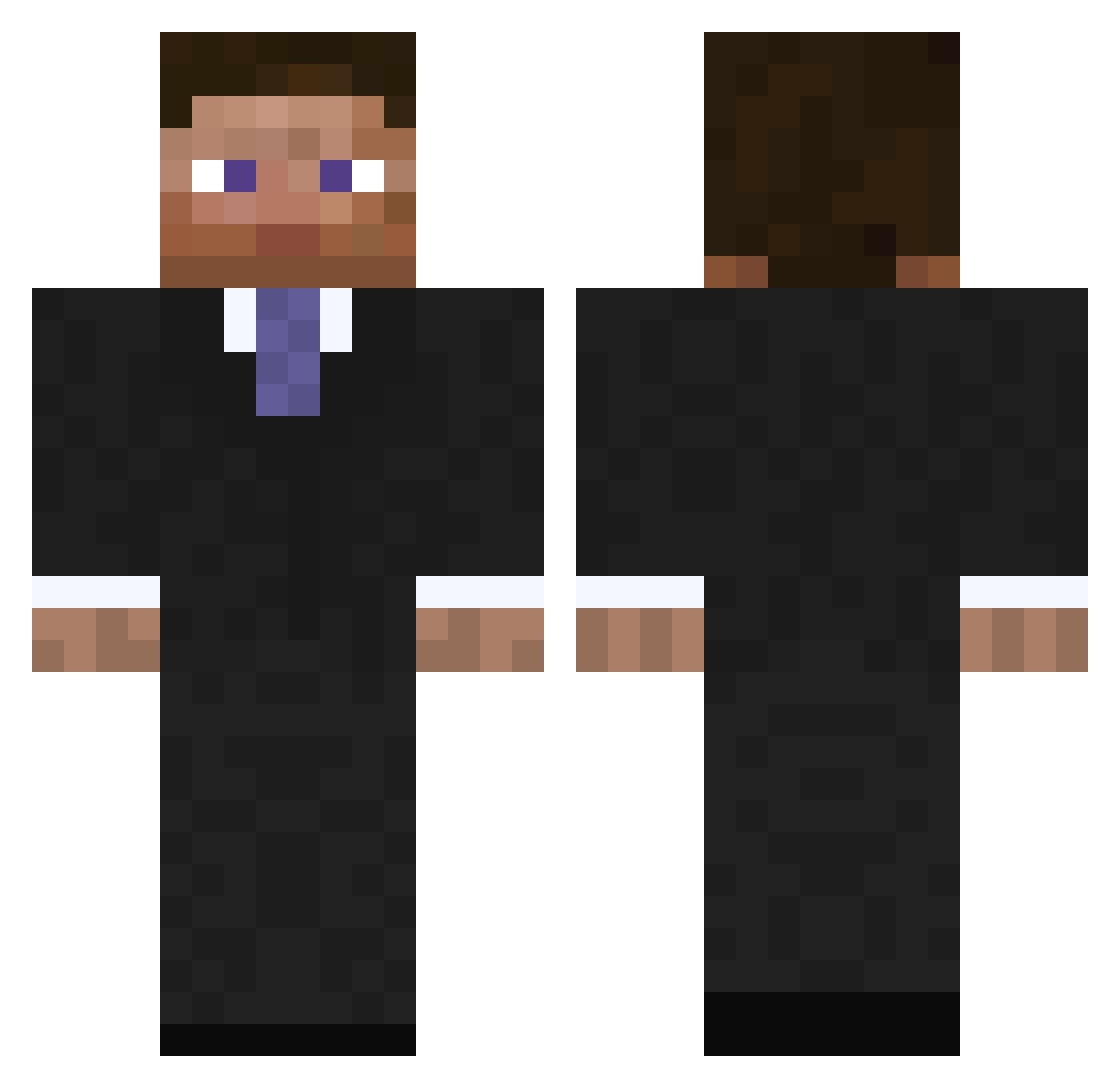
Current Minecraft skin of the player aitor1709, loaded from the official Mojang API. Rotate the 3D model with your mouse or finger, then download the skin as a PNG file and use it in Minecraft: Bedrock Edition or Java Edition for free. When aitor1709 changes their skin, this page updates automatically and the old skin stays in the history below.
Other players with this skin (297)
aitor1709 was the 1st player we have seen with this skin, first spotted on 21.07.2026. The same skin was seen on these players. Open a nickname to see their current skin and skin history.
 salatus tlofty73 guan339 primeB00M bossimcoming MrNguyen Xelteksen ToiletPaper1577 Lzy5842 guys_up YoshimotoYolo251 Danjoerd Watermelon_Catt PinpointOdyssey 4Mango_ Rofaf2 nnnnnnate JudgeTeeps Atiee rensh007 Codeninja1001 connorishurt Okeo_ Maxf3tz kajetanp SiameseMango OguzmenJR seclud3d haz_L treboreds FatNerdIRL StylaFknGang MinesteinTV bido123 xX_Elsa_Xx HHuni VED05200 Per39 CanBoBer Scrimith Palakie Imgres Lucashcp iMac941 JRoxNemesis masterduck6534 ss_unique Daboijack FAJENDD Printer_8MyPaper PiousChad59 LuluOnCaffein aimusix Gordei Paul_Volcker v3lb chasblakemore CYZ320 floch104 MeowMix206
More Businessman Minecraft skins
See all 6733 Businessman skins
How to install the aitor1709 skin
- Press the Download button above to save the skin as a PNG file.
- Minecraft: Bedrock Edition (PE): open the Dressing Room from the main menu (or tap your character → Edit Character), go to Classic Skins → Owned, press the + (new skin) button, choose the downloaded PNG and pick the Classic (Steve) model. Works on PC and mobile; consoles cannot import custom skins.
- Minecraft: Java Edition: open the Minecraft Launcher, go to the Skins tab, click New Skin, load the PNG, pick the Classic (Steve) model and press Save & Use. You can also upload it at minecraft.net → Profile → Change Skin.
The skin does not show up after import - what should I do?
Restart Minecraft and open the Dressing Room again - imported skins sometimes appear only after a restart. Also make sure you selected the imported skin and picked the Classic (Steve) model.
Which model should I choose, Classic or Slim?
This skin is designed for the Classic (Steve) model. If you pick the wrong model, the arms of the skin will look stretched or squeezed.
Is the skin of aitor1709 free to download?
Yes. Press Download, save the PNG file and use it in Minecraft: Bedrock Edition or Java Edition - no payment or registration needed. The skin also works on multiplayer servers and Realms.
More skins
Looking for more? Go back to all Minecraft skins and check the top skins of the week, month and all time, or find any player's skin by nickname.