
africanrainfrogs - Minecraft Skins & Skin History
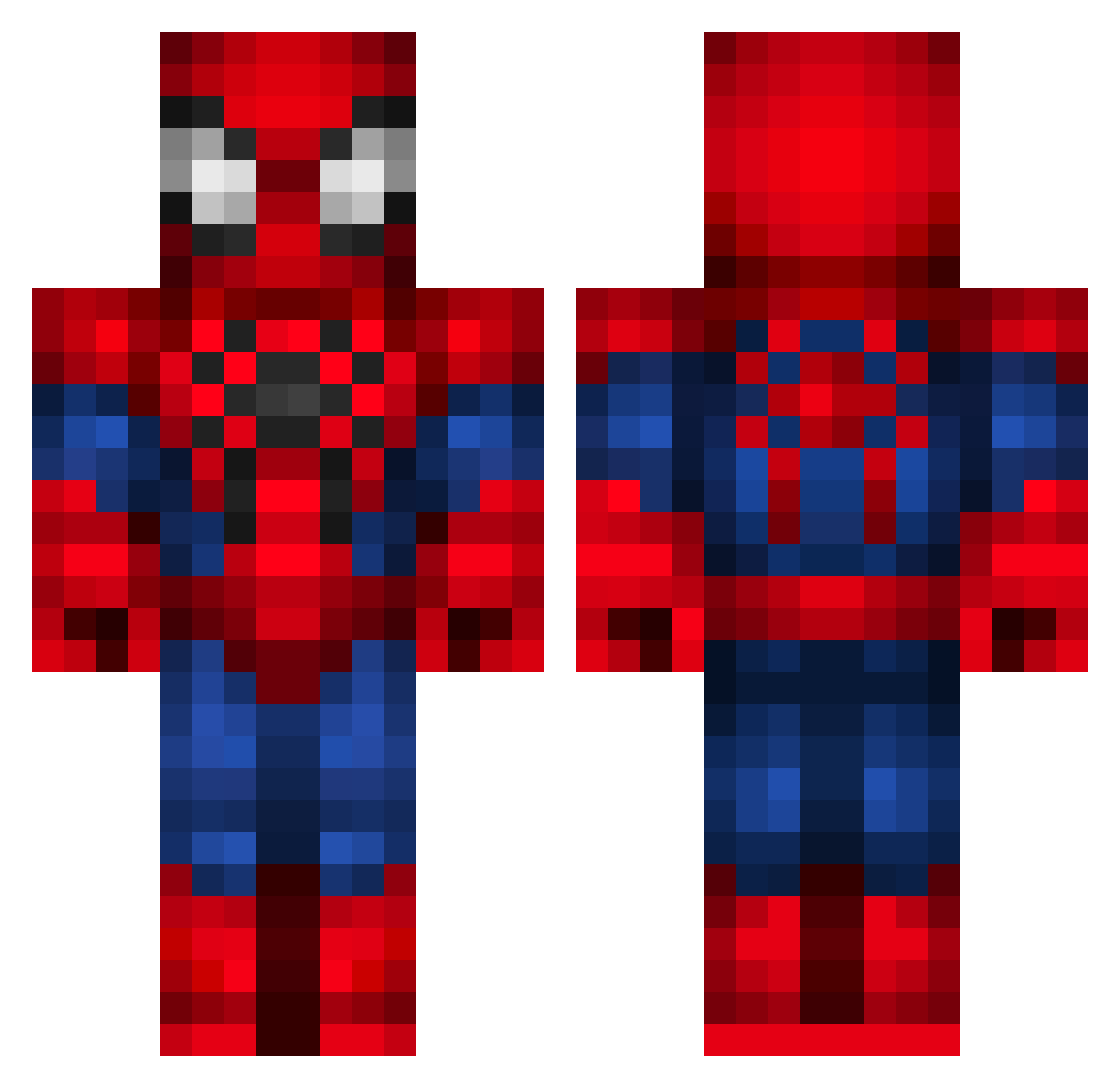
Current Minecraft skin of the player africanrainfrogs, loaded from the official Mojang API. Rotate the 3D model with your mouse or finger, then download the skin as a PNG file and use it in Minecraft: Bedrock Edition or Java Edition for free. When africanrainfrogs changes their skin, this page updates automatically and the old skin stays in the history below.
Other players with this skin (352)
africanrainfrogs was the 163rd player we have seen with this skin, first spotted on 17.09.2026. The same skin was seen on these players. Open a nickname to see their current skin and skin history.
 HamiltonRicardo Lucas_11Arg RandonsPlay Evanbomb11 Amy_Lou_22 Faarofa katkeenan MuratYigit GBob3ll0 evanaaa KXAXIIX Savioo0 7Bl4ck Jullan654 bob11226 Mirineu welchen Yov_hwan affan1 SuwooJoJo Alcocer817 necrolific DebileTarsier52 HURII MarkDobrov001 lino1011 WjojoW ilymelvin waternose KingAntony Losotier Samthis6 RohbbieFN raybuza_Br Sman2King Proxyo Adamos_Sigma val_tkat ThunderingKevin ess2905 KubilayDark lilkiane Deadzert Elmbro Ashremmers Neruzzz AkosBarath PrincessSarah616 Anloma jazzplasticola Luisfersol cheguevara34 PedroValente atahang Poiroth_Gamer oswaldo0811 EduardoEiji SpikeMaster11 CmonBruhll lulu2004X
More Spider-Man Minecraft skins
How to install the africanrainfrogs skin
- Press the Download button above to save the skin as a PNG file.
- Minecraft: Bedrock Edition (PE): open the Dressing Room from the main menu (or tap your character → Edit Character), go to Classic Skins → Owned, press the + (new skin) button, choose the downloaded PNG and pick the Classic (Steve) model. Works on PC and mobile; consoles cannot import custom skins.
- Minecraft: Java Edition: open the Minecraft Launcher, go to the Skins tab, click New Skin, load the PNG, pick the Classic (Steve) model and press Save & Use. You can also upload it at minecraft.net → Profile → Change Skin.
The skin does not show up after import - what should I do?
Restart Minecraft and open the Dressing Room again - imported skins sometimes appear only after a restart. Also make sure you selected the imported skin and picked the Classic (Steve) model.
Which model should I choose, Classic or Slim?
This skin is designed for the Classic (Steve) model. If you pick the wrong model, the arms of the skin will look stretched or squeezed.
Is the skin of africanrainfrogs free to download?
Yes. Press Download, save the PNG file and use it in Minecraft: Bedrock Edition or Java Edition - no payment or registration needed. The skin also works on multiplayer servers and Realms.
More skins
Looking for more? Go back to all Minecraft skins and check the top skins of the week, month and all time, or find any player's skin by nickname.