
adrenaLin - Minecraft Skins & Skin History
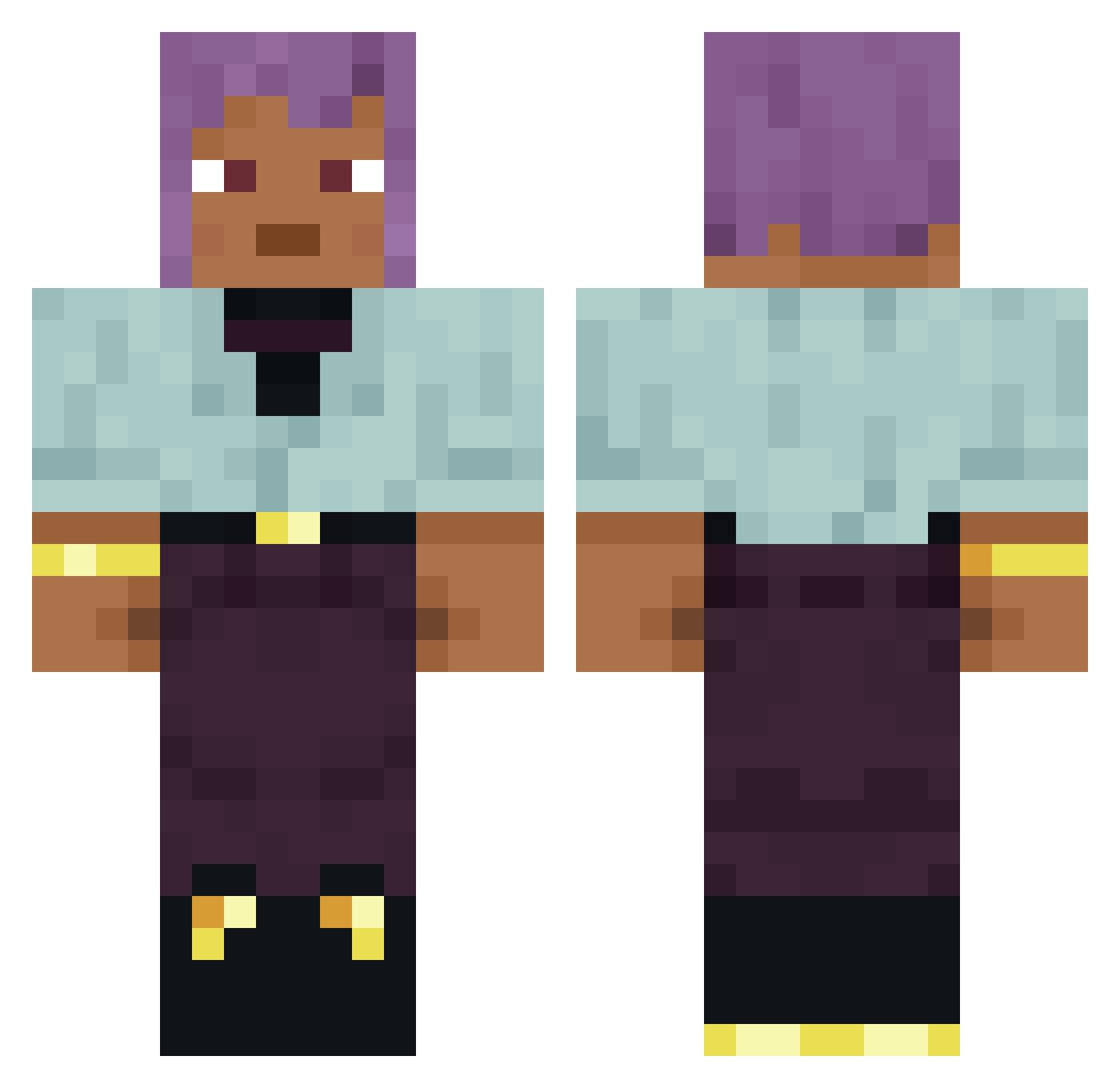
Current Minecraft skin of the player adrenaLin, loaded from the official Mojang API. Rotate the 3D model with your mouse or finger, then download the skin as a PNG file and use it in Minecraft: Bedrock Edition or Java Edition for free. When adrenaLin changes their skin, this page updates automatically and the old skin stays in the history below.
Other players with this skin (747)
adrenaLin was the 88th player we have seen with this skin, first spotted on 04.08.2026. The same skin was seen on these players. Open a nickname to see their current skin and skin history.
 Skeens toitoi Deepfreezing Digitoxin DANDADAN forstare Overseeing Amarillo clouted Crowberry somber KeyAverage13685 surtt Affirmable Pythian Cranverry RODKnight azOn3 Mining_King tuinman923 theREalbobloc Slavicism upcountry Lictor
 GRUBASNYYY128121 Jamalthenine Slanguage NoBody22333 reticulate Providance seoirse ANACard Doormat BaHu_ diegoalemao henpeck M0US Tabooda Argosy clarifies hojdoopacycki xXGodNergalXx wetshapes Dissipates disiplined Regreet Crib Gelt Vomitory Suttener unitedly Philomel sleyer deaDemetra _OnixC chalupachomper Thorem Iterance Scog fermal26
How to install the adrenaLin skin
- Press the Download button above to save the skin as a PNG file.
- Minecraft: Bedrock Edition (PE): open the Dressing Room from the main menu (or tap your character → Edit Character), go to Classic Skins → Owned, press the + (new skin) button, choose the downloaded PNG and pick the Classic (Steve) model. Works on PC and mobile; consoles cannot import custom skins.
- Minecraft: Java Edition: open the Minecraft Launcher, go to the Skins tab, click New Skin, load the PNG, pick the Classic (Steve) model and press Save & Use. You can also upload it at minecraft.net → Profile → Change Skin.
The skin does not show up after import - what should I do?
Restart Minecraft and open the Dressing Room again - imported skins sometimes appear only after a restart. Also make sure you selected the imported skin and picked the Classic (Steve) model.
Which model should I choose, Classic or Slim?
This skin is designed for the Classic (Steve) model. If you pick the wrong model, the arms of the skin will look stretched or squeezed.
Is the skin of adrenaLin free to download?
Yes. Press Download, save the PNG file and use it in Minecraft: Bedrock Edition or Java Edition - no payment or registration needed. The skin also works on multiplayer servers and Realms.
More skins
Looking for more? Go back to all Minecraft skins and check the top skins of the week, month and all time, or find any player's skin by nickname.