
aaalvaaroo11 - Minecraft Skins & Skin History
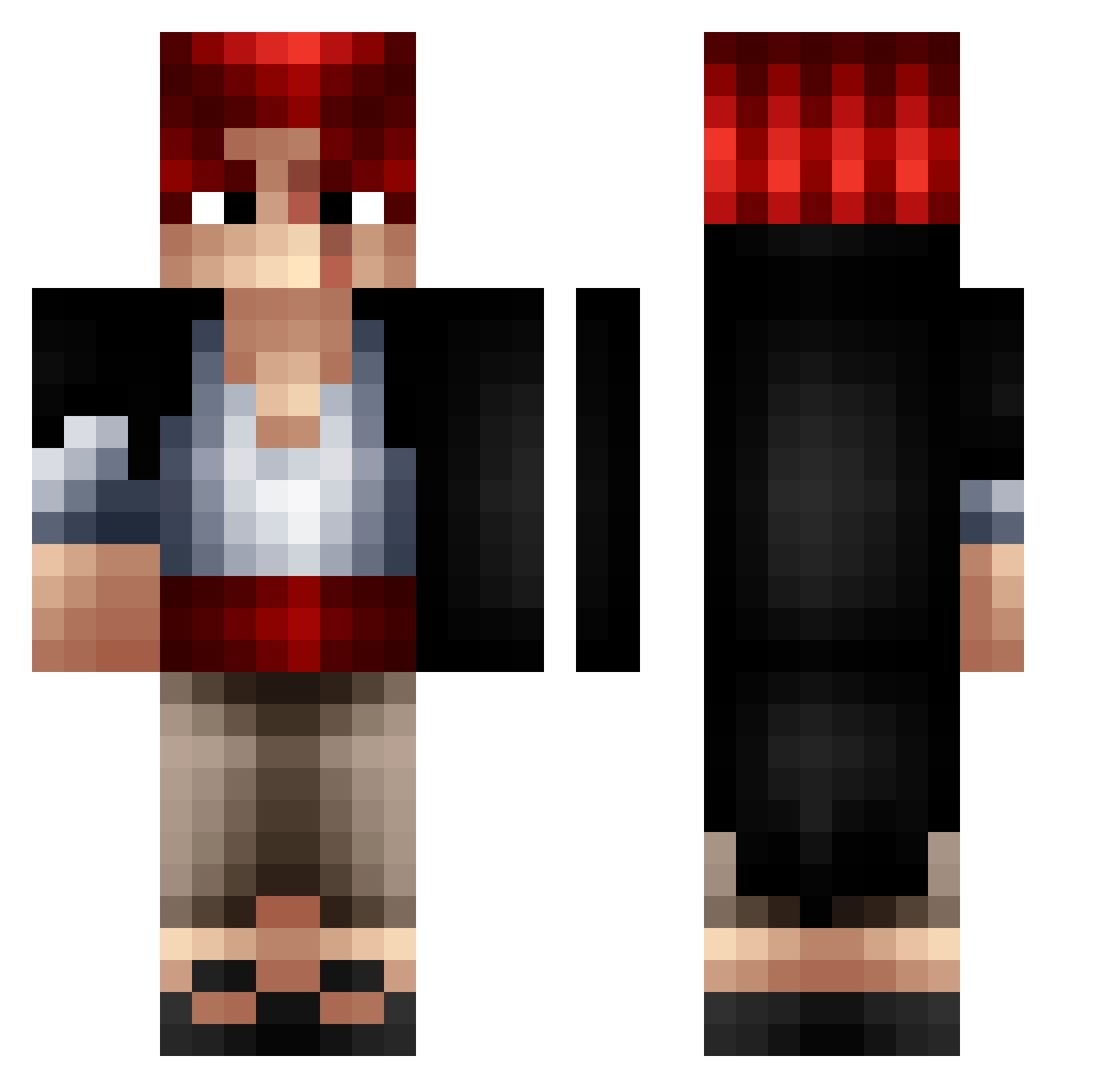
Current Minecraft skin of the player aaalvaaroo11, loaded from the official Mojang API. Rotate the 3D model with your mouse or finger, then download the skin as a PNG file and use it in Minecraft: Bedrock Edition or Java Edition for free. When aaalvaaroo11 changes their skin, this page updates automatically and the old skin stays in the history below.
Other players with this skin (307)
aaalvaaroo11 was the 127th player we have seen with this skin, first spotted on 01.09.2026. The same skin was seen on these players. Open a nickname to see their current skin and skin history.
 Delaahoya sea_cloud Adeyyt baf_msmc_2ta Madox28 Nayru0 0LiV3iR4 Neykoteos joaquinox zyloxhp ClassifiedPro Froosssttt Angathond Clicker257 TITOPORTERITO ronaldopp Xirash edu7351 mubarak123 ArthurCase yiitistaken CaptainSturmbart xandereh Shanks5734 saikyo25 NoviceJay Azeeeks
 Scutee SirTalal attackattack306 vicentepoto cherong Chrono_Zeus MonkeyDJulux Dyabolical76 Magiikoo LucasVicente lgl666 Kawal1 TheHighGround18 Brutus77 Kristoverr Very_Iso gabriel_10211 Leortz1 kinggflak gye__oul Lamy9000 Lapras1X qzzxzzz MIRAelSEBAS YousafDiff Thisma5063 krukudai gunbang7 Arxidompalas Filieri13 modin4358 clemso00
 Pagnotta_02
More Shanks Minecraft skins
How to install the aaalvaaroo11 skin
- Press the Download button above to save the skin as a PNG file.
- Minecraft: Bedrock Edition (PE): open the Dressing Room from the main menu (or tap your character → Edit Character), go to Classic Skins → Owned, press the + (new skin) button, choose the downloaded PNG and pick the Classic (Steve) model. Works on PC and mobile; consoles cannot import custom skins.
- Minecraft: Java Edition: open the Minecraft Launcher, go to the Skins tab, click New Skin, load the PNG, pick the Classic (Steve) model and press Save & Use. You can also upload it at minecraft.net → Profile → Change Skin.
The skin does not show up after import - what should I do?
Restart Minecraft and open the Dressing Room again - imported skins sometimes appear only after a restart. Also make sure you selected the imported skin and picked the Classic (Steve) model.
Which model should I choose, Classic or Slim?
This skin is designed for the Classic (Steve) model. If you pick the wrong model, the arms of the skin will look stretched or squeezed.
Is the skin of aaalvaaroo11 free to download?
Yes. Press Download, save the PNG file and use it in Minecraft: Bedrock Edition or Java Edition - no payment or registration needed. The skin also works on multiplayer servers and Realms.
More skins
Looking for more? Go back to all Minecraft skins and check the top skins of the week, month and all time, or find any player's skin by nickname.