
_trnX - Minecraft Skins & Skin History
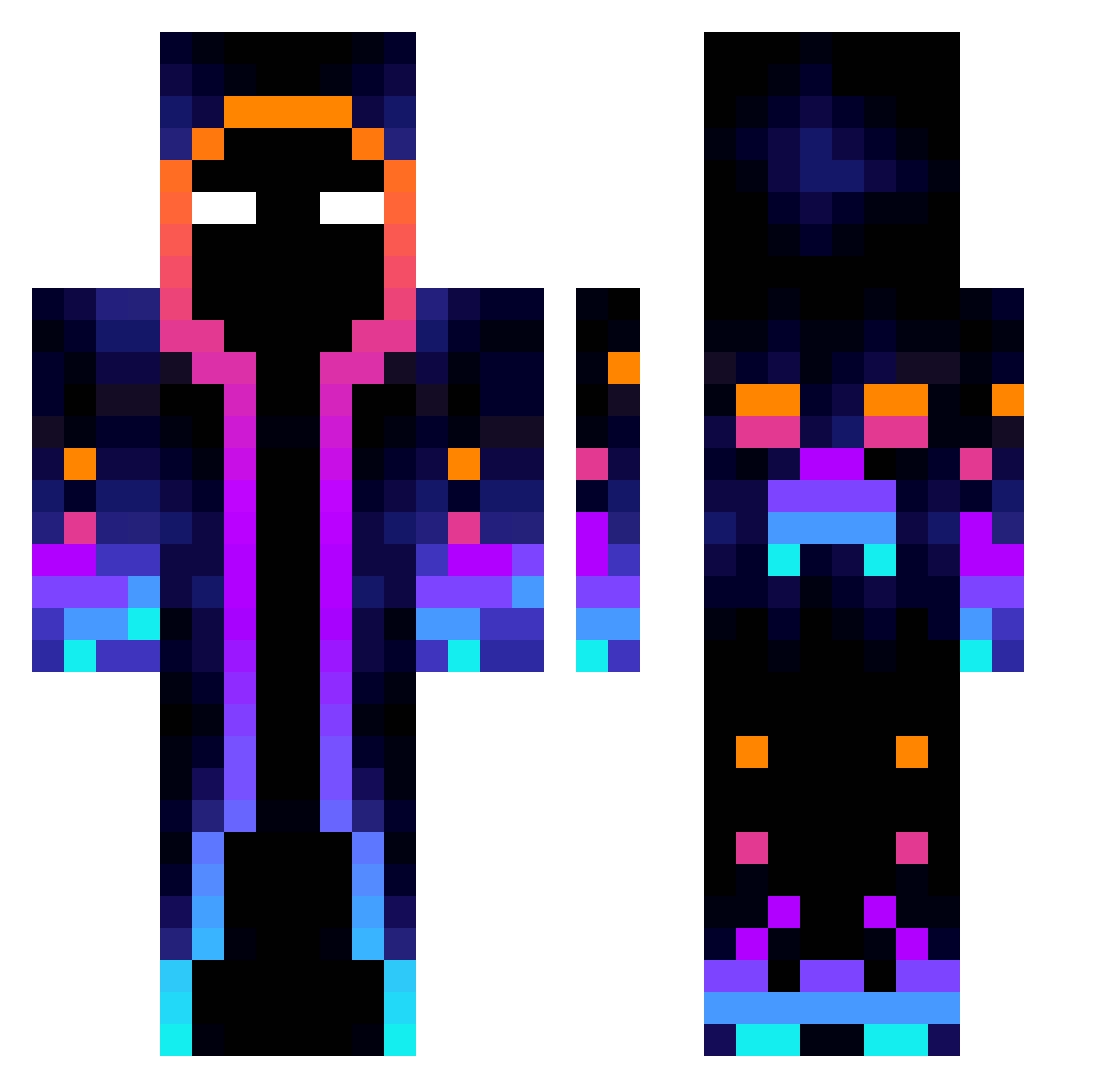
Current Minecraft skin of the player _trnX, loaded from the official Mojang API. Rotate the 3D model with your mouse or finger, then download the skin as a PNG file and use it in Minecraft: Bedrock Edition or Java Edition for free. When _trnX changes their skin, this page updates automatically and the old skin stays in the history below.
Other players with this skin (814)
_trnX was the 157th player we have seen with this skin, first spotted on 15.08.2026. The same skin was seen on these players. Open a nickname to see their current skin and skin history.
 moonstrucklove12 feuAtomique Fluidoval_ pisarenkoas xXTheMisterxXx Witchdok02 Nobody_1015 Prplesnow_03 RockTheRed7334 Baseys Killiastro
 SirDumpy70 AlexOnexX Vantyisawesome particle20000 diskleymer franaranda7 DestruyeVenecas 107daba DragonhunterQ GiuDonuts TROY_0109 Aleksand882 FENix344 nhoitng WaveyTech Aliastesla wildoil6941 LSJQRrr kumpel100 dmarco74 SandyCZ 923ce8 Raifuryu NimKachu sandwich45 Zvarsa LCCheng0608 KennethLCY Marcino1252 LiMing034 E4ch Chelsy_Rz JarheadK StallBlue josiahiq TruenoT basti1511 VictorTH1 _Linrond_ DENVERMAX1 MarcCreepy_YT Gogolift AweareAxei5 Maselnica LowlyDuck Let_me_Fly12 FrancoTheYeetGod TEMALERAT Rivveq
More Galaxy Minecraft skins
How to install the _trnX skin
- Press the Download button above to save the skin as a PNG file.
- Minecraft: Bedrock Edition (PE): open the Dressing Room from the main menu (or tap your character → Edit Character), go to Classic Skins → Owned, press the + (new skin) button, choose the downloaded PNG and pick the Classic (Steve) model. Works on PC and mobile; consoles cannot import custom skins.
- Minecraft: Java Edition: open the Minecraft Launcher, go to the Skins tab, click New Skin, load the PNG, pick the Classic (Steve) model and press Save & Use. You can also upload it at minecraft.net → Profile → Change Skin.
The skin does not show up after import - what should I do?
Restart Minecraft and open the Dressing Room again - imported skins sometimes appear only after a restart. Also make sure you selected the imported skin and picked the Classic (Steve) model.
Which model should I choose, Classic or Slim?
This skin is designed for the Classic (Steve) model. If you pick the wrong model, the arms of the skin will look stretched or squeezed.
Is the skin of _trnX free to download?
Yes. Press Download, save the PNG file and use it in Minecraft: Bedrock Edition or Java Edition - no payment or registration needed. The skin also works on multiplayer servers and Realms.
More skins
Looking for more? Go back to all Minecraft skins and check the top skins of the week, month and all time, or find any player's skin by nickname.