
_kerchoo_ - Minecraft Skins & Skin History
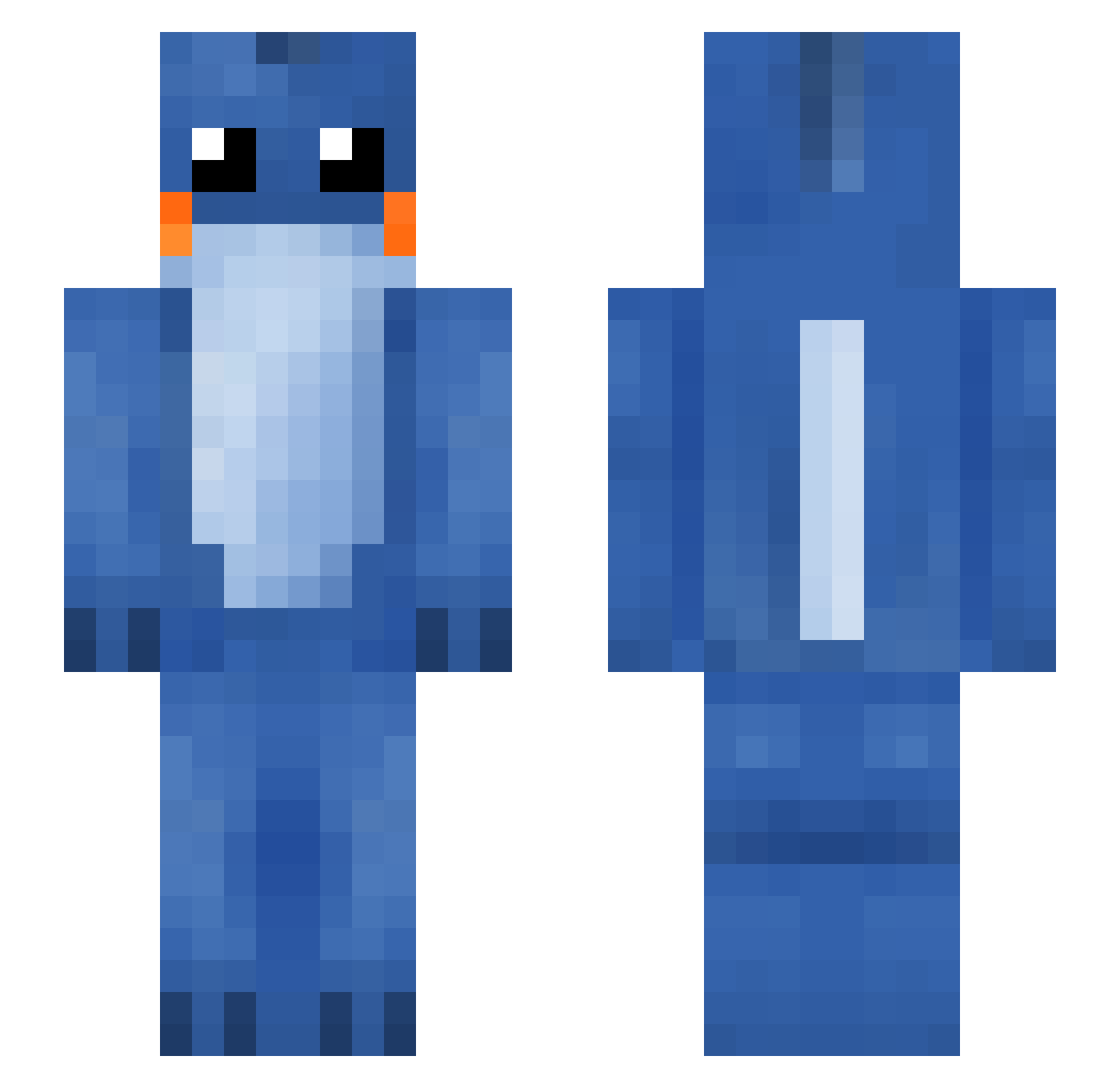
Current Minecraft skin of the player _kerchoo_, loaded from the official Mojang API. Rotate the 3D model with your mouse or finger, then download the skin as a PNG file and use it in Minecraft: Bedrock Edition or Java Edition for free. When _kerchoo_ changes their skin, this page updates automatically and the old skin stays in the history below.
Other players with this skin (119)
_kerchoo_ was the 89th player we have seen with this skin, first spotted on 04.10.2026. The same skin was seen on these players. Open a nickname to see their current skin and skin history.
 KT_Goals Deceitful_Mudkip 0ssuni Rimanden amoris69 Mutou549 Salamaceras Lucifer79 SpoopyToast Cucw Xien_Kakaru Ra1drops IcceTea syslashx Flyzox_02 MudkipTBL Nel_land KlintHustensaft jiubasi garden_hoes_ AverageNoot dimo42 masonross2907 G0ld_Ship Anakinii jaxolly Bhendyy2 Mayo0151 IkoriaIxalanMTG Schmuelvyn MACnoCHEESEx Caprireee Sang_zizi DjRamenBars hanaynaynay Vegetables_yes Teriri0328 bartle0122 SUZHI_Go RunLittleFishy Mysticfire666 XianYuShu yungjab LELLO__ QingTing_ Soapiez FallenAngel2232 migte DarkImpulsion jellypAck25 thebestname6 pieeen Staiyrnbel chaozhan blinkysaur ttune Davemaster300 MilasJ Retailcredit lonely666
More Lilo And Stitch Minecraft skins
See all 448 Lilo And Stitch skins
How to install the _kerchoo_ skin
- Press the Download button above to save the skin as a PNG file.
- Minecraft: Bedrock Edition (PE): open the Dressing Room from the main menu (or tap your character → Edit Character), go to Classic Skins → Owned, press the + (new skin) button, choose the downloaded PNG and pick the Slim (Alex) model. Works on PC and mobile; consoles cannot import custom skins.
- Minecraft: Java Edition: open the Minecraft Launcher, go to the Skins tab, click New Skin, load the PNG, pick the Slim (Alex) model and press Save & Use. You can also upload it at minecraft.net → Profile → Change Skin.
The skin does not show up after import - what should I do?
Restart Minecraft and open the Dressing Room again - imported skins sometimes appear only after a restart. Also make sure you selected the imported skin and picked the Slim (Alex) model.
Which model should I choose, Classic or Slim?
This skin is designed for the Slim (Alex) model. If you pick the wrong model, the arms of the skin will look stretched or squeezed.
Is the skin of _kerchoo_ free to download?
Yes. Press Download, save the PNG file and use it in Minecraft: Bedrock Edition or Java Edition - no payment or registration needed. The skin also works on multiplayer servers and Realms.
More skins
Looking for more? Go back to all Minecraft skins and check the top skins of the week, month and all time, or find any player's skin by nickname.