
_emu__ - Minecraft Skins & Skin History
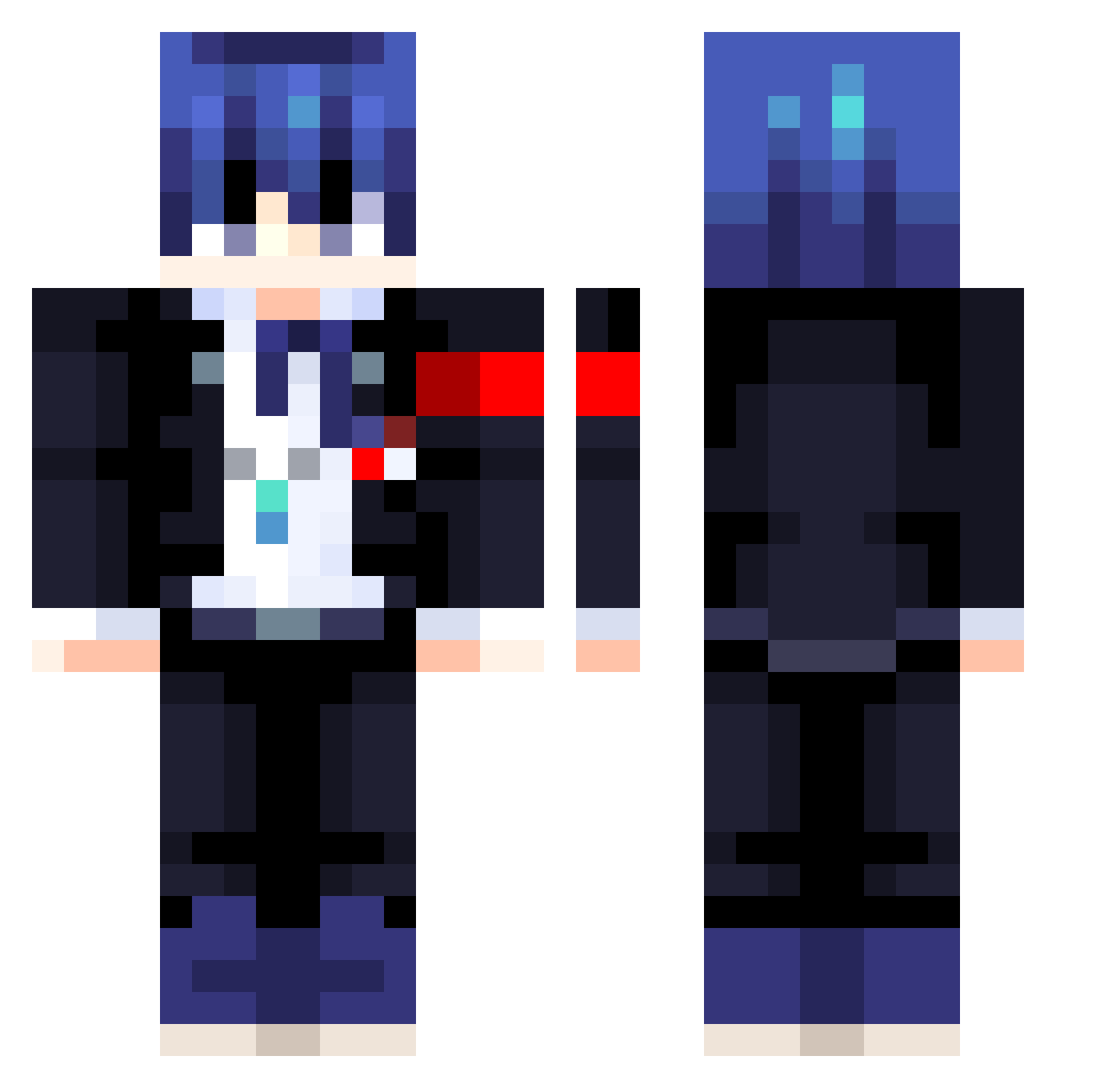
Current Minecraft skin of the player _emu__, loaded from the official Mojang API. Rotate the 3D model with your mouse or finger, then download the skin as a PNG file and use it in Minecraft: Bedrock Edition or Java Edition for free. When _emu__ changes their skin, this page updates automatically and the old skin stays in the history below.
Other players with this skin (413)
_emu__ was the 108th player we have seen with this skin, first spotted on 21.08.2026. The same skin was seen on these players. Open a nickname to see their current skin and skin history.
 Wyzztic narurato deymurka EIAC Tomoki__kuroki Rowbbyy radkoolguy zerothegreat123 Beanboy54 DarkShot147cz Sqns Yliky OmniPresley Sh0koto Liss8228 aethergis CGcosi88 kittykouture1 Zora0410 Diogenes777 Dripppppppp UnleashTheBears undeadparx WaterishAce20 Jacopo1309 ZeriVega Area51s03 o0cesar0o Papermlg21 mlmkanata NotFolha Legacy48 JD_The_Goat7 TheSubGamer Alvaro4777 nellsome LXII04 Mr_AEgir davalc Elunt Emptyset_ itsmevicky
 KusariGT NoxVoked Moplington Txts19 Aras69 saturnri Sighyanide Louvyn rakisan7 Caburi HaruKaito4 zkogachi Skulk_01 Robeneno sujirin qibli_craftmines Wallyx42 TechPotato0
More Makoto Naegi Minecraft skins
How to install the _emu__ skin
- Press the Download button above to save the skin as a PNG file.
- Minecraft: Bedrock Edition (PE): open the Dressing Room from the main menu (or tap your character → Edit Character), go to Classic Skins → Owned, press the + (new skin) button, choose the downloaded PNG and pick the Classic (Steve) model. Works on PC and mobile; consoles cannot import custom skins.
- Minecraft: Java Edition: open the Minecraft Launcher, go to the Skins tab, click New Skin, load the PNG, pick the Classic (Steve) model and press Save & Use. You can also upload it at minecraft.net → Profile → Change Skin.
The skin does not show up after import - what should I do?
Restart Minecraft and open the Dressing Room again - imported skins sometimes appear only after a restart. Also make sure you selected the imported skin and picked the Classic (Steve) model.
Which model should I choose, Classic or Slim?
This skin is designed for the Classic (Steve) model. If you pick the wrong model, the arms of the skin will look stretched or squeezed.
Is the skin of _emu__ free to download?
Yes. Press Download, save the PNG file and use it in Minecraft: Bedrock Edition or Java Edition - no payment or registration needed. The skin also works on multiplayer servers and Realms.
More skins
Looking for more? Go back to all Minecraft skins and check the top skins of the week, month and all time, or find any player's skin by nickname.