
_coping - Minecraft Skins & Skin History
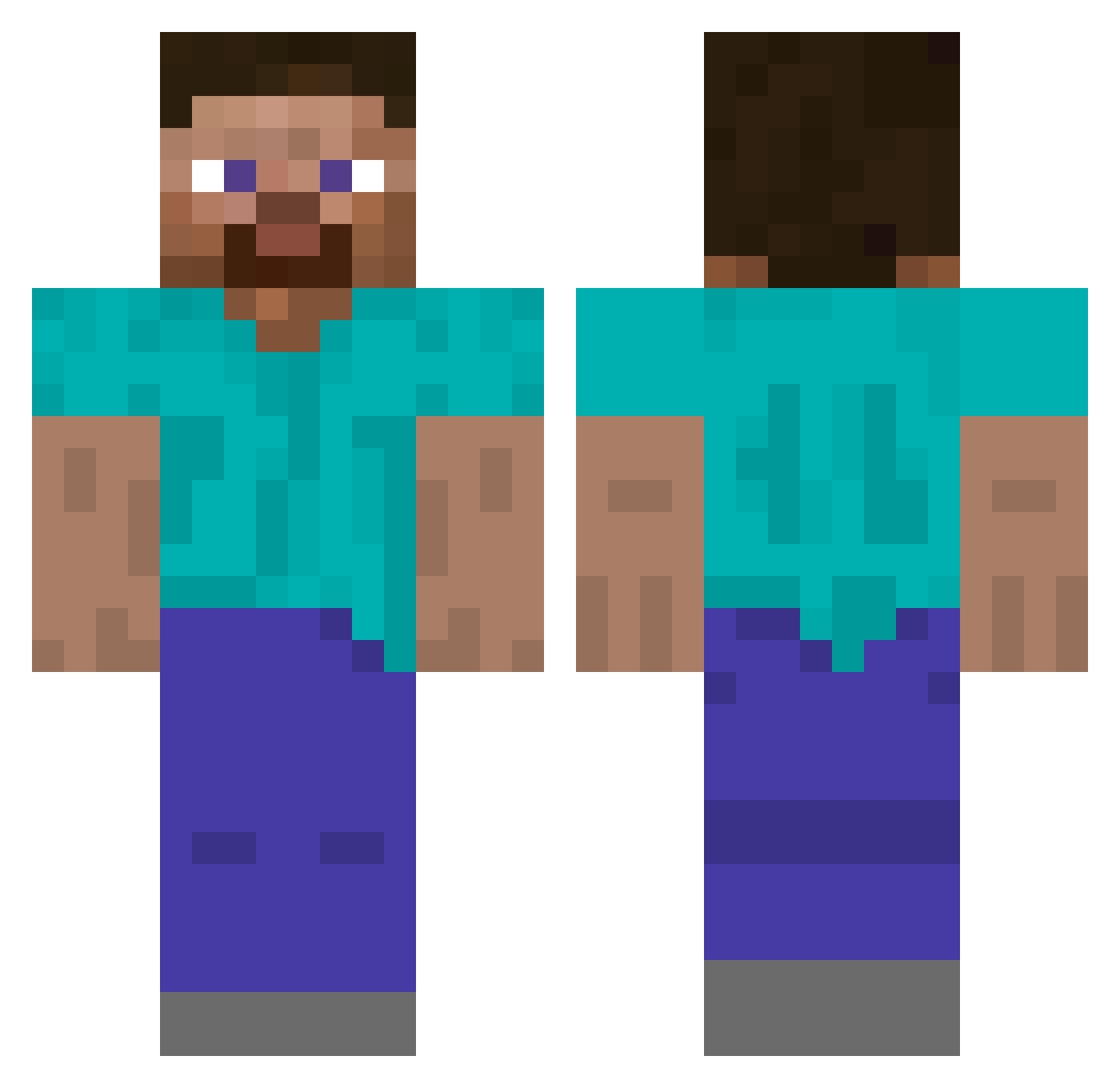
Current Minecraft skin of the player _coping, loaded from the official Mojang API. Rotate the 3D model with your mouse or finger, then download the skin as a PNG file and use it in Minecraft: Bedrock Edition or Java Edition for free. When _coping changes their skin, this page updates automatically and the old skin stays in the history below.
Other players with this skin (88)
_coping was the 42nd player we have seen with this skin, first spotted on 21.09.2026. The same skin was seen on these players. Open a nickname to see their current skin and skin history.
 Nikokem ProFootSmeller lememeass Antontale Gornin ramZio Beaner 93hz Vertar77 libimobiledevice santiqqqqqq Tifabo goattopo PrimusLegatus Pump3Diesel Bobasek2021
 Celly81 Cupant zulanu Carccu
 OliverDXX7712 Zulpluxx Sachieel mad231210 Entomophagan SourEagle Jusanekpl a1rrr game_game30 BeatoNoCap Muhabil xxbader07xx Th0mas__ ruffffian _muntaa_ zytrvi ContraOctave nikitakxxa
 ssoki_ densified artichainis Kratta Monkey_D_Luke unboludo LilHABIBI never_l0se H410 15ice _SGmazon_ IFtoo Ryxn7781 adrri0n Brick_Galaxy TeaYo0 orangesoda2k Weigher tishkanothappy vaxw anterior Maleny
How to install the _coping skin
- Press the Download button above to save the skin as a PNG file.
- Minecraft: Bedrock Edition (PE): open the Dressing Room from the main menu (or tap your character → Edit Character), go to Classic Skins → Owned, press the + (new skin) button, choose the downloaded PNG and pick the Classic (Steve) model. Works on PC and mobile; consoles cannot import custom skins.
- Minecraft: Java Edition: open the Minecraft Launcher, go to the Skins tab, click New Skin, load the PNG, pick the Classic (Steve) model and press Save & Use. You can also upload it at minecraft.net → Profile → Change Skin.
The skin does not show up after import - what should I do?
Restart Minecraft and open the Dressing Room again - imported skins sometimes appear only after a restart. Also make sure you selected the imported skin and picked the Classic (Steve) model.
Which model should I choose, Classic or Slim?
This skin is designed for the Classic (Steve) model. If you pick the wrong model, the arms of the skin will look stretched or squeezed.
Is the skin of _coping free to download?
Yes. Press Download, save the PNG file and use it in Minecraft: Bedrock Edition or Java Edition - no payment or registration needed. The skin also works on multiplayer servers and Realms.
More skins
Looking for more? Go back to all Minecraft skins and check the top skins of the week, month and all time, or find any player's skin by nickname.