
_capboy_ - Minecraft Skins & Skin History
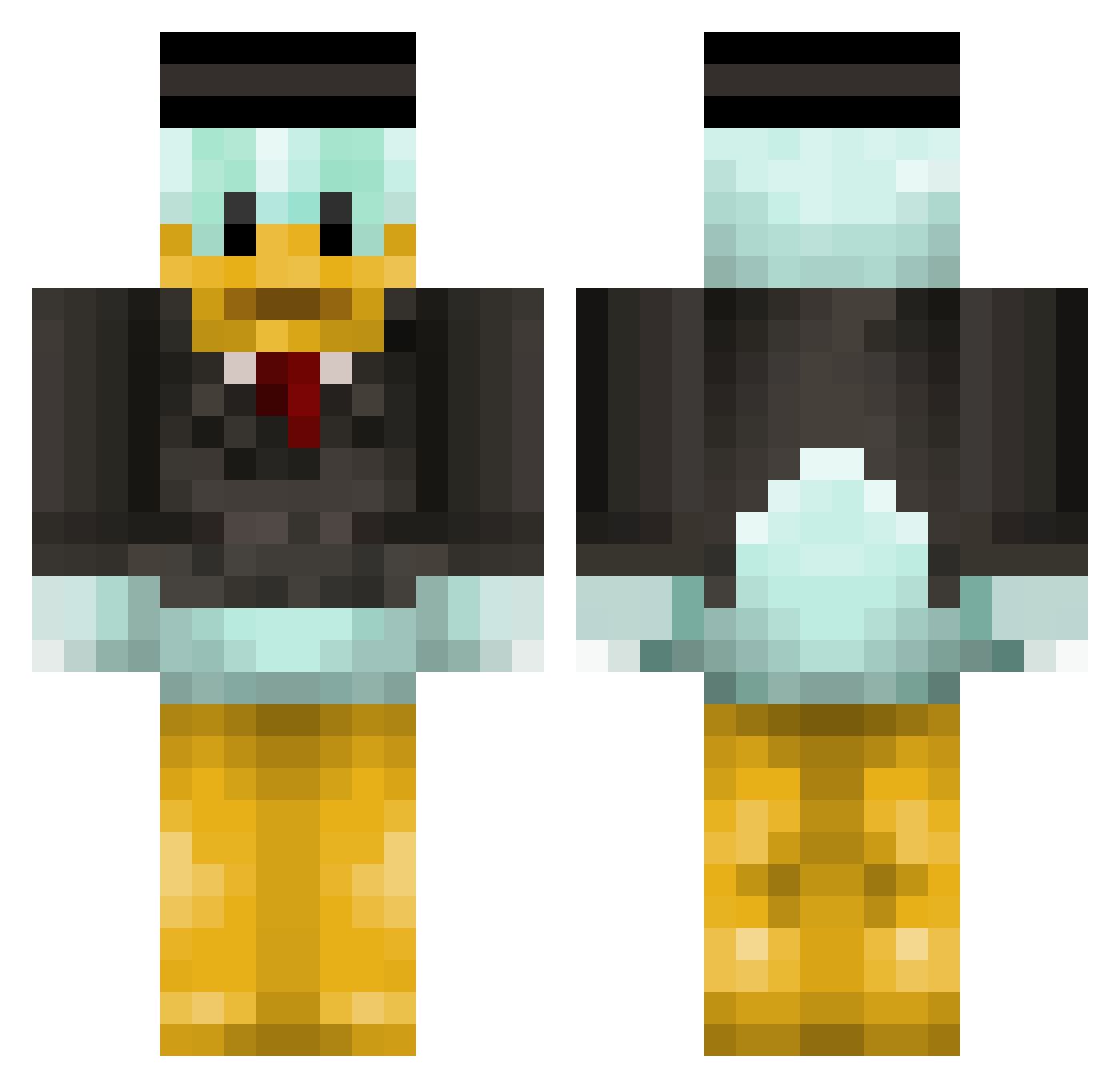
Current Minecraft skin of the player _capboy_, loaded from the official Mojang API. Rotate the 3D model with your mouse or finger, then download the skin as a PNG file and use it in Minecraft: Bedrock Edition or Java Edition for free. When _capboy_ changes their skin, this page updates automatically and the old skin stays in the history below.
Other players with this skin (149)
_capboy_ was the 112th player we have seen with this skin, first spotted on 22.10.2026. The same skin was seen on these players. Open a nickname to see their current skin and skin history.
 Vinet MonsterNeu NruDuck SovereignBot yellow2puffy1 Ren77 Sitting_Duck_25 Arnto993 ochDavid bruno7244 Ice_Tee_ miNemAnPvPr123 Super_hampe Rattinq stoffersJ OK_BONGO trollkarl02 Ender_Alan dummiee stianba DJ_Dolar Glimpsee LuLzzz_ WINEGUM seb1345 BBQwing Tahayasinkutlu Huleboer Kapelli jobiesaus56 tom271095 3J3 Antoi Patrickpro03 FriendlyDanny mikedawson rudals1125 Qlews Dodecadork MasterWizze AngelOfHell_ ThaRealTimo xJAGROplaysX Giel_Roeffen ETDN CraveJon Donalddankkk Ticain GaryGordon blackacke CaptainHDExtreme Canary_Meaty Brei_ HacksForFun Silasio dianerik2005 goofyalt Mistercrate ImTofiii jellepel
More Scrooge Mcduck Minecraft skins
See all 37 Scrooge Mcduck skins
How to install the _capboy_ skin
- Press the Download button above to save the skin as a PNG file.
- Minecraft: Bedrock Edition (PE): open the Dressing Room from the main menu (or tap your character → Edit Character), go to Classic Skins → Owned, press the + (new skin) button, choose the downloaded PNG and pick the Classic (Steve) model. Works on PC and mobile; consoles cannot import custom skins.
- Minecraft: Java Edition: open the Minecraft Launcher, go to the Skins tab, click New Skin, load the PNG, pick the Classic (Steve) model and press Save & Use. You can also upload it at minecraft.net → Profile → Change Skin.
The skin does not show up after import - what should I do?
Restart Minecraft and open the Dressing Room again - imported skins sometimes appear only after a restart. Also make sure you selected the imported skin and picked the Classic (Steve) model.
Which model should I choose, Classic or Slim?
This skin is designed for the Classic (Steve) model. If you pick the wrong model, the arms of the skin will look stretched or squeezed.
Is the skin of _capboy_ free to download?
Yes. Press Download, save the PNG file and use it in Minecraft: Bedrock Edition or Java Edition - no payment or registration needed. The skin also works on multiplayer servers and Realms.
More skins
Looking for more? Go back to all Minecraft skins and check the top skins of the week, month and all time, or find any player's skin by nickname.