
_angelaaa__ - Minecraft Skins & Skin History
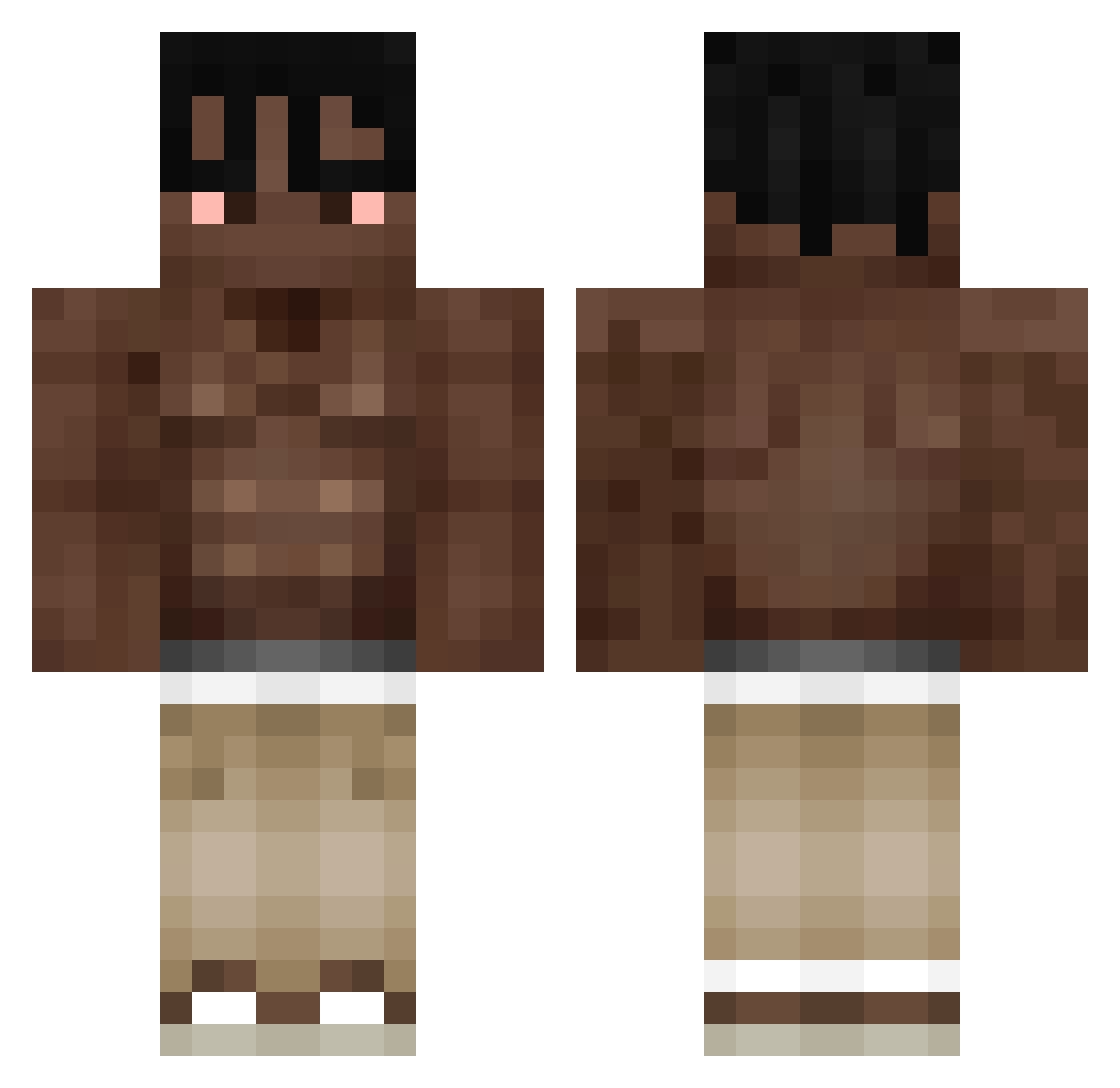
Current Minecraft skin of the player _angelaaa__, loaded from the official Mojang API. Rotate the 3D model with your mouse or finger, then download the skin as a PNG file and use it in Minecraft: Bedrock Edition or Java Edition for free. When _angelaaa__ changes their skin, this page updates automatically and the old skin stays in the history below.
Other players with this skin (442)
_angelaaa__ was the 443rd player we have seen with this skin, first spotted on 20.11.2026. The same skin was seen on these players. Open a nickname to see their current skin and skin history.
 Getsum_pl kvell22 zViceente YZERR13 a7paka prarib29 MoLLivaa ImNezz Jorge10Ag Swenziee megalomaurokaul dh4782 popkral iiGeaex Shanguz News_LV6 vrzc AmericanDoggo9 GYW258 Yu1soo 9BooKa ravenrai nowczak_svko GL0CK19 Wojtek4504 clatcer KO4EVNIK19 konzeption2 Vroun321 89bnjvv Kmikolak manuucaiccagnu jambe21 AndrewFraNetto wisdz _1nt derye arnkd Hedge6030 Lyx0_ muhlaysiuh Tutitam_cool hwan7272 DorqVader Bubalu7 mangoAsthma Kjellerup1 Mecoolboi cuequinhazx Eblanoyt Ahmetlans Airdh Sauve234 ShambsWarrior ALES276 landl69 madmike7939 ZeroPVP_ intzt Scherpenzeel
More Shirtless Minecraft skins
How to install the _angelaaa__ skin
- Press the Download button above to save the skin as a PNG file.
- Minecraft: Bedrock Edition (PE): open the Dressing Room from the main menu (or tap your character → Edit Character), go to Classic Skins → Owned, press the + (new skin) button, choose the downloaded PNG and pick the Classic (Steve) model. Works on PC and mobile; consoles cannot import custom skins.
- Minecraft: Java Edition: open the Minecraft Launcher, go to the Skins tab, click New Skin, load the PNG, pick the Classic (Steve) model and press Save & Use. You can also upload it at minecraft.net → Profile → Change Skin.
The skin does not show up after import - what should I do?
Restart Minecraft and open the Dressing Room again - imported skins sometimes appear only after a restart. Also make sure you selected the imported skin and picked the Classic (Steve) model.
Which model should I choose, Classic or Slim?
This skin is designed for the Classic (Steve) model. If you pick the wrong model, the arms of the skin will look stretched or squeezed.
Is the skin of _angelaaa__ free to download?
Yes. Press Download, save the PNG file and use it in Minecraft: Bedrock Edition or Java Edition - no payment or registration needed. The skin also works on multiplayer servers and Realms.
More skins
Looking for more? Go back to all Minecraft skins and check the top skins of the week, month and all time, or find any player's skin by nickname.