
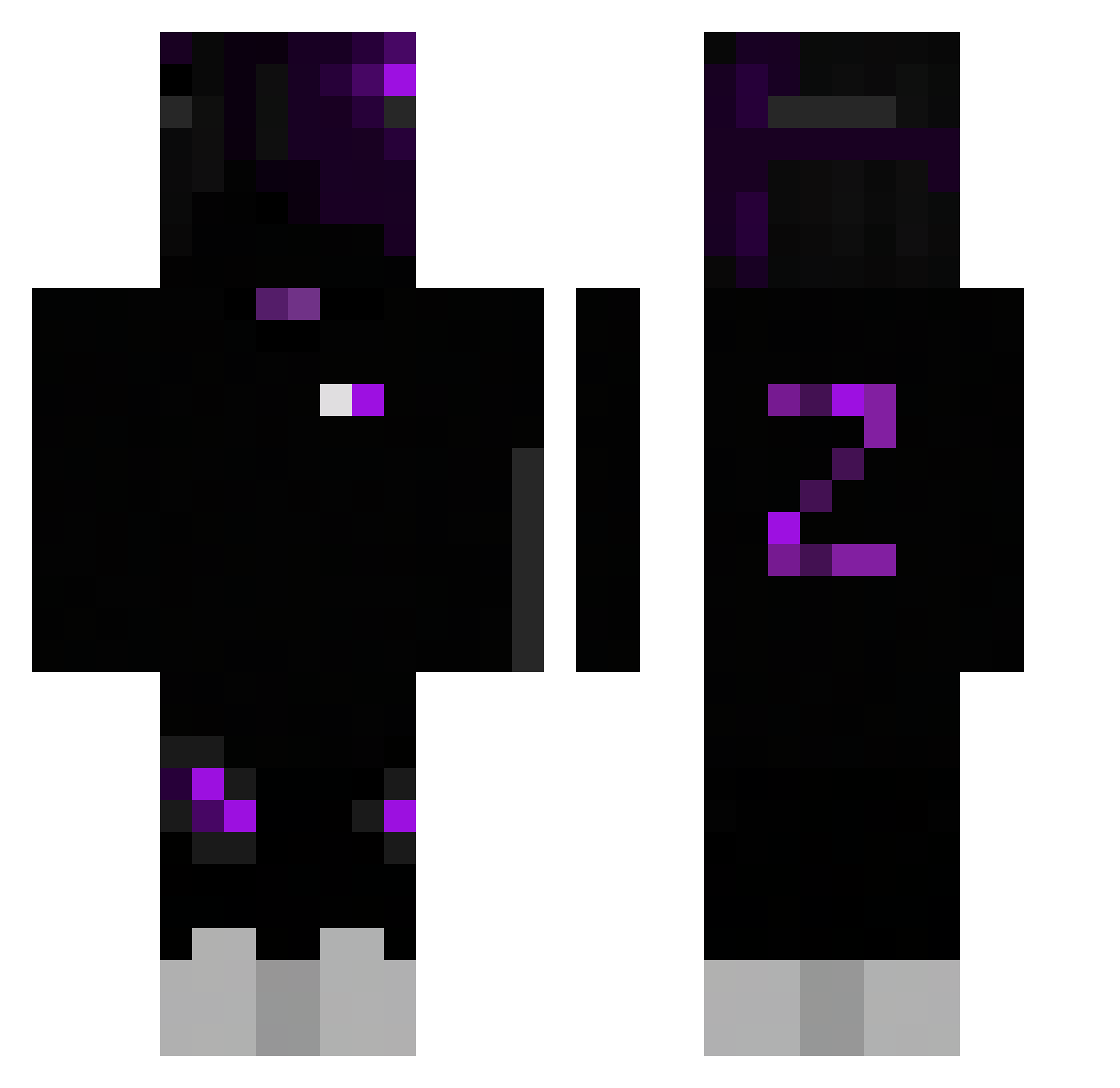
Current Minecraft skin of the player ___DeadInside___, loaded from the official Mojang API. Rotate the 3D model with your mouse or finger, then download the skin as a PNG file and use it in Minecraft: Bedrock Edition or Java Edition for free. When ___DeadInside___ changes their skin, this page updates automatically and the old skin stays in the history below.
Other players with this skin (246)
___DeadInside___ was the 210th player we have seen with this skin, first spotted on 07.10.2026. The same skin was seen on these players. Open a nickname to see their current skin and skin history.
 RaidenMain Gilloufcr30 dark_x_nova Crxstalx_ kucielowski0_0 Patron980 AKA_Hello TRACK_GODZ UnKnown6080 Azalee_on_ytb Bounty210 iustinbossu 7Sy3w LarryKing zNerfzadah ziko_z4 Rezer234kp Lucsch99 fabiDerKing lickingtoes67 nexziu ESZKETE khyreemckeen RuyaYontar TopAmogus jinhan6666 _Lera VerBliers Duka31 yakutylmzo MarekSkeleton LekkereSap felps1251 Ncat0322 Davipl stefixx Boogxz69 kugelek Nova__Playz poepertnick abdallah9859 LEO_WANG01 Legionofdeath08 APdaisy Lawin321 egorls Exited54 Senpai_Giges zatch951 ingyu_kim karlzen99 Enix0525 noah_sheeesh xX_Ruda_Xx _StyIix_ Alsimba jezuski67 ilyWiffo ManowTheusZica aidenaidenkid
How to install the ___DeadInside___ skin
- Press the Download button above to save the skin as a PNG file.
- Minecraft: Bedrock Edition (PE): open the Dressing Room from the main menu (or tap your character → Edit Character), go to Classic Skins → Owned, press the + (new skin) button, choose the downloaded PNG and pick the Classic (Steve) model. Works on PC and mobile; consoles cannot import custom skins.
- Minecraft: Java Edition: open the Minecraft Launcher, go to the Skins tab, click New Skin, load the PNG, pick the Classic (Steve) model and press Save & Use. You can also upload it at minecraft.net → Profile → Change Skin.
The skin does not show up after import - what should I do?
Restart Minecraft and open the Dressing Room again - imported skins sometimes appear only after a restart. Also make sure you selected the imported skin and picked the Classic (Steve) model.
Which model should I choose, Classic or Slim?
This skin is designed for the Classic (Steve) model. If you pick the wrong model, the arms of the skin will look stretched or squeezed.
Is the skin of ___DeadInside___ free to download?
Yes. Press Download, save the PNG file and use it in Minecraft: Bedrock Edition or Java Edition - no payment or registration needed. The skin also works on multiplayer servers and Realms.
More skins
Looking for more? Go back to all Minecraft skins and check the top skins of the week, month and all time, or find any player's skin by nickname.