
_Scaley_ - Minecraft Skins & Skin History
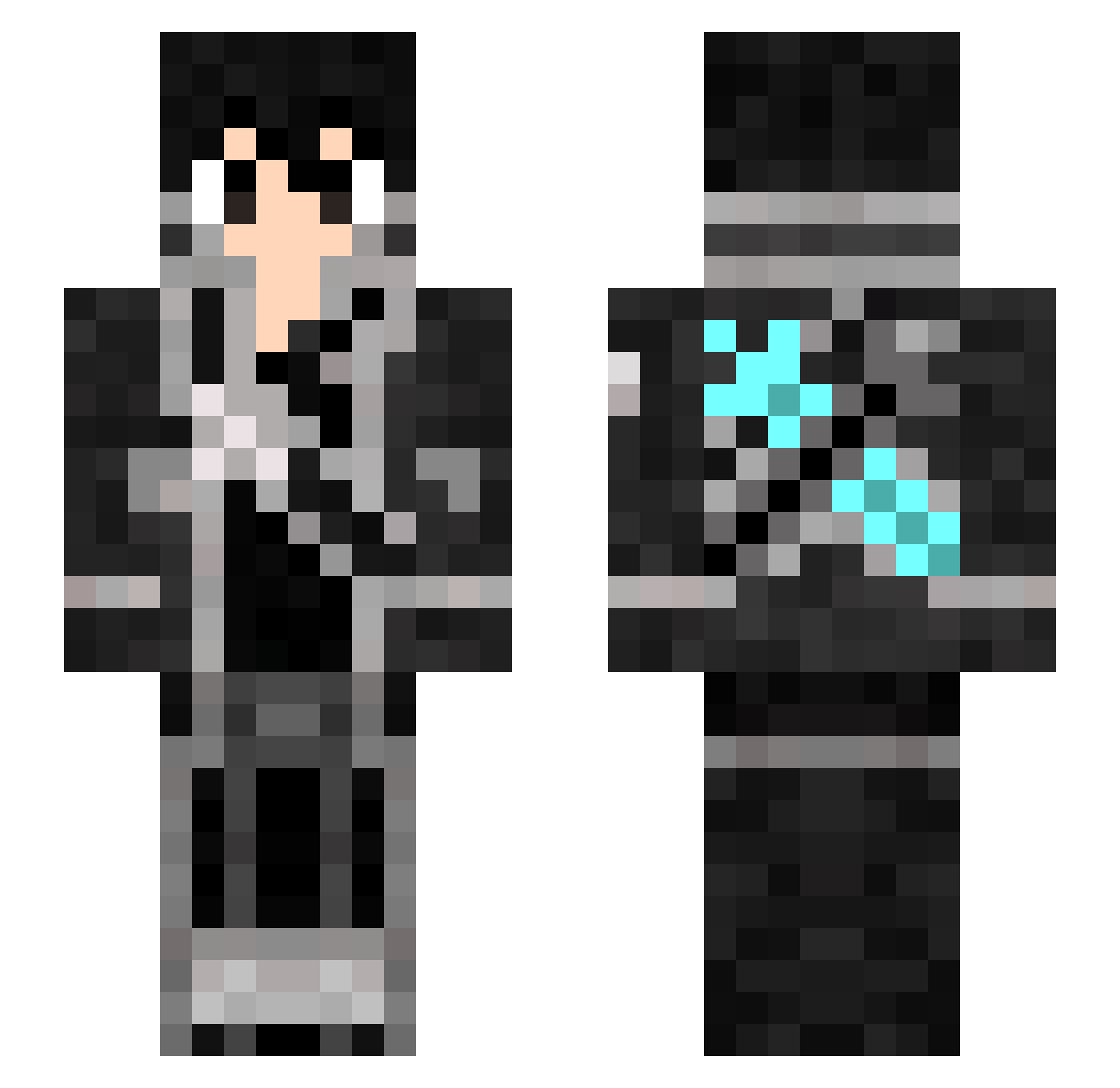
Current Minecraft skin of the player _Scaley_, loaded from the official Mojang API. Rotate the 3D model with your mouse or finger, then download the skin as a PNG file and use it in Minecraft: Bedrock Edition or Java Edition for free. When _Scaley_ changes their skin, this page updates automatically and the old skin stays in the history below.
Other players with this skin (317)
_Scaley_ was the 238th player we have seen with this skin, first spotted on 15.10.2026. The same skin was seen on these players. Open a nickname to see their current skin and skin history.
 Czarny_Szermierz ogoogo0210 Manju0326 J_Smallfry JustSpeedIt Zisis2k tamachasooo N0n7him LegendN NotTheRealTVZ knockback1579 Its_Xenon_ furumagi victor447 Harrow129 KingXerad GrandRizzard_ Ruhunq shelby2005 winnie2009 DkPlays07 IAmBlackkkk YEEMIAN Thanatos147 omizu1028 Sajtospizza sotya91 shen_xiaoke loulougi Furenzu Derpzilla1234 arrow1603 A_rinpq gibraltarr BadAndytaker Chinyo sniperscout_1 iSiriop Myfaith_Amiao TsukiYoMIRyu Pedroxhm StromDragon7 Pifen67 DarioRahim OGCloudB shoji0908 Angel_from_Void todinho1227 Misho1001 DarkManuel_ JsineD HARUKI414 Sunset125 Marty2015 joshieboy98 pnsxp Axio_S Ultimate_Know ASra2 Nautiz
More Kirito Minecraft skins
How to install the _Scaley_ skin
- Press the Download button above to save the skin as a PNG file.
- Minecraft: Bedrock Edition (PE): open the Dressing Room from the main menu (or tap your character → Edit Character), go to Classic Skins → Owned, press the + (new skin) button, choose the downloaded PNG and pick the Slim (Alex) model. Works on PC and mobile; consoles cannot import custom skins.
- Minecraft: Java Edition: open the Minecraft Launcher, go to the Skins tab, click New Skin, load the PNG, pick the Slim (Alex) model and press Save & Use. You can also upload it at minecraft.net → Profile → Change Skin.
The skin does not show up after import - what should I do?
Restart Minecraft and open the Dressing Room again - imported skins sometimes appear only after a restart. Also make sure you selected the imported skin and picked the Slim (Alex) model.
Which model should I choose, Classic or Slim?
This skin is designed for the Slim (Alex) model. If you pick the wrong model, the arms of the skin will look stretched or squeezed.
Is the skin of _Scaley_ free to download?
Yes. Press Download, save the PNG file and use it in Minecraft: Bedrock Edition or Java Edition - no payment or registration needed. The skin also works on multiplayer servers and Realms.
More skins
Looking for more? Go back to all Minecraft skins and check the top skins of the week, month and all time, or find any player's skin by nickname.