
_Ramsey - Minecraft Skins & Skin History
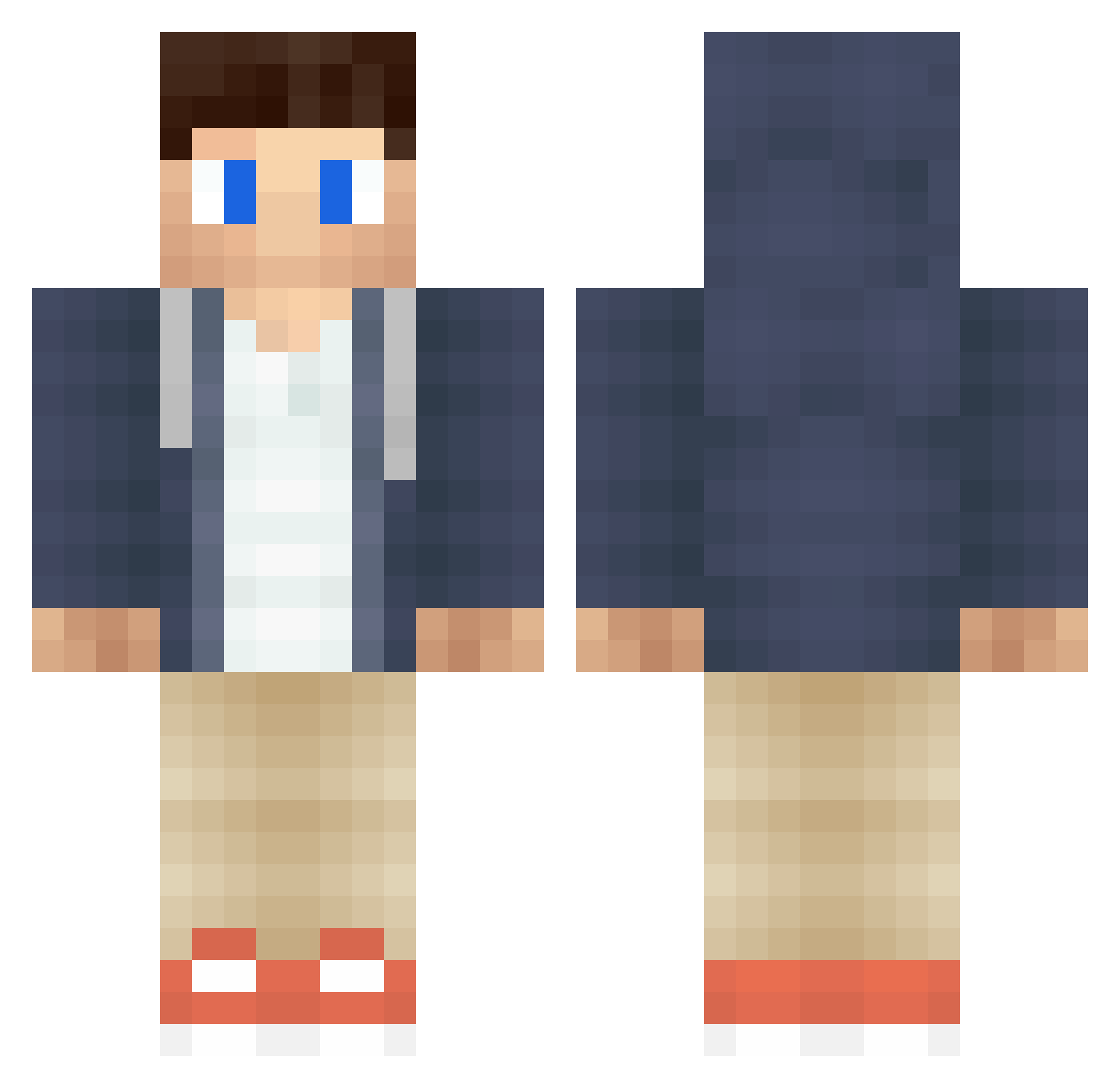
Current Minecraft skin of the player _Ramsey, loaded from the official Mojang API. Rotate the 3D model with your mouse or finger, then download the skin as a PNG file and use it in Minecraft: Bedrock Edition or Java Edition for free. When _Ramsey changes their skin, this page updates automatically and the old skin stays in the history below.
Other players with this skin (384)
_Ramsey was the 16th player we have seen with this skin, first spotted on 26.07.2026. The same skin was seen on these players. Open a nickname to see their current skin and skin history.
 clixx_reloadzz Teund7 iHaveNoNameXD LandonKailey MaxStreams michaelm1234 MonkeyV3 SuzetteAmaya sanderkb05 TimDaan55 Laurits98 Boisic grovymaxi AcidoCloridrico GamingBlakieBoo acasualfarmer MrPorcoDoido SimenPlaysYT Gunnslinger kaiser2001 Rutz JHubb30 AbdoWG__ Dylan_1996 II_Ryan_II LIMGWANGBIN danskuliini McCahillboys Mauricejo Zander000 JR21471 MasterShake_Zula Armin_ Dexter4
 StelleTheMan xXAlphaX Julius7802 Gigablock03 checker_jo MmimWasTaken Krillekeller saahil1505 Gwuap MyGayRainbow Emirates1998 theicmm ej_awesome_11 MCFerdi gold1131 pinole_77 itzopax simzinho Kaique_KD JustGaming200 AggieHomer Animal_Control samguppy luukkaduk WhosWLKO StarPixal
More Casual Minecraft skins
How to install the _Ramsey skin
- Press the Download button above to save the skin as a PNG file.
- Minecraft: Bedrock Edition (PE): open the Dressing Room from the main menu (or tap your character → Edit Character), go to Classic Skins → Owned, press the + (new skin) button, choose the downloaded PNG and pick the Classic (Steve) model. Works on PC and mobile; consoles cannot import custom skins.
- Minecraft: Java Edition: open the Minecraft Launcher, go to the Skins tab, click New Skin, load the PNG, pick the Classic (Steve) model and press Save & Use. You can also upload it at minecraft.net → Profile → Change Skin.
The skin does not show up after import - what should I do?
Restart Minecraft and open the Dressing Room again - imported skins sometimes appear only after a restart. Also make sure you selected the imported skin and picked the Classic (Steve) model.
Which model should I choose, Classic or Slim?
This skin is designed for the Classic (Steve) model. If you pick the wrong model, the arms of the skin will look stretched or squeezed.
Is the skin of _Ramsey free to download?
Yes. Press Download, save the PNG file and use it in Minecraft: Bedrock Edition or Java Edition - no payment or registration needed. The skin also works on multiplayer servers and Realms.
More skins
Looking for more? Go back to all Minecraft skins and check the top skins of the week, month and all time, or find any player's skin by nickname.