
_P3SanHez_ - Minecraft Skins & Skin History
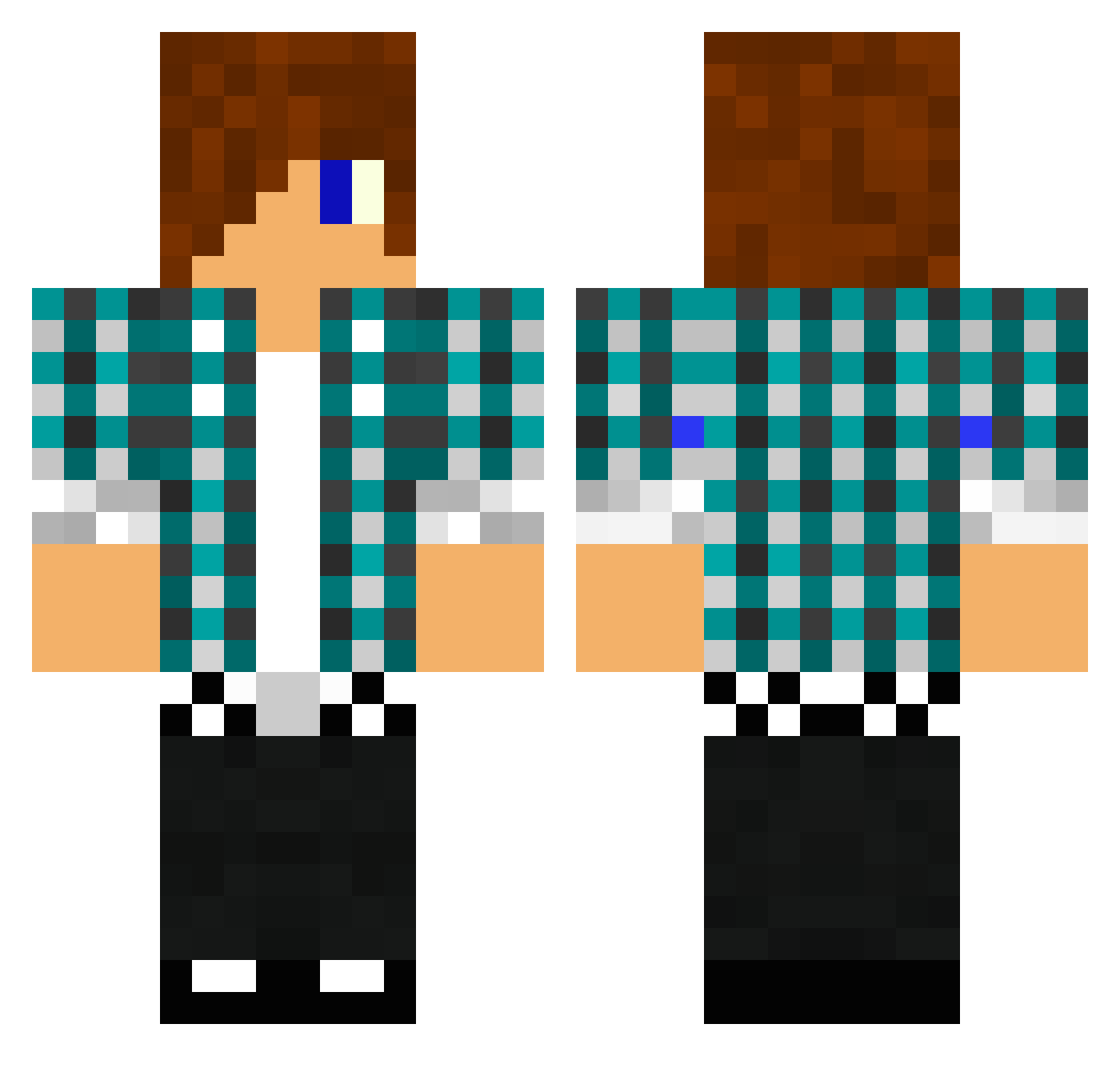
Current Minecraft skin of the player _P3SanHez_, loaded from the official Mojang API. Rotate the 3D model with your mouse or finger, then download the skin as a PNG file and use it in Minecraft: Bedrock Edition or Java Edition for free. When _P3SanHez_ changes their skin, this page updates automatically and the old skin stays in the history below.
Other players with this skin (1476)
_P3SanHez_ was the 956th player we have seen with this skin, first spotted on 09.10.2026. The same skin was seen on these players. Open a nickname to see their current skin and skin history.
 hyun0225 Hydroshrad fabian03 Raven263 emptyland0 lubobubo AlienSide nolu49 dboboss MrSportcraft CyberMan38 katzestupsi Weske76 xXcreeper1Xx shadowsoftime98 shaunmad bossetax polska_man01 GoldenBB Marky0411 bloxyguy2001 vykort11 summittx addeklon99 xMarcoCraftHDx xXfreshfighterXx knights8888 Leyend10x2 yankeemerc21 awsomeslyfox Sander1345 killerpancake drowningwalrus 8055pure blazian0 lurifaxxx zuko19987 markmac99 ProBer12 wiliamcool SmaugtM joesummers toadie02 burronnie Hudson_Hayden DerrrickStar04 reidos_237 alexo2001 sh0ck_wave971 Eradocator troyzan2001 SoulSlayer97 Animes_Fan Lire0o thehuntbrothers Mendozabeast Cookeh23 anders579 olivercool90 doddo1
More Emo Minecraft skins
How to install the _P3SanHez_ skin
- Press the Download button above to save the skin as a PNG file.
- Minecraft: Bedrock Edition (PE): open the Dressing Room from the main menu (or tap your character → Edit Character), go to Classic Skins → Owned, press the + (new skin) button, choose the downloaded PNG and pick the Classic (Steve) model. Works on PC and mobile; consoles cannot import custom skins.
- Minecraft: Java Edition: open the Minecraft Launcher, go to the Skins tab, click New Skin, load the PNG, pick the Classic (Steve) model and press Save & Use. You can also upload it at minecraft.net → Profile → Change Skin.
The skin does not show up after import - what should I do?
Restart Minecraft and open the Dressing Room again - imported skins sometimes appear only after a restart. Also make sure you selected the imported skin and picked the Classic (Steve) model.
Which model should I choose, Classic or Slim?
This skin is designed for the Classic (Steve) model. If you pick the wrong model, the arms of the skin will look stretched or squeezed.
Is the skin of _P3SanHez_ free to download?
Yes. Press Download, save the PNG file and use it in Minecraft: Bedrock Edition or Java Edition - no payment or registration needed. The skin also works on multiplayer servers and Realms.
More skins
Looking for more? Go back to all Minecraft skins and check the top skins of the week, month and all time, or find any player's skin by nickname.