
_LADAN_ - Minecraft Skins & Skin History
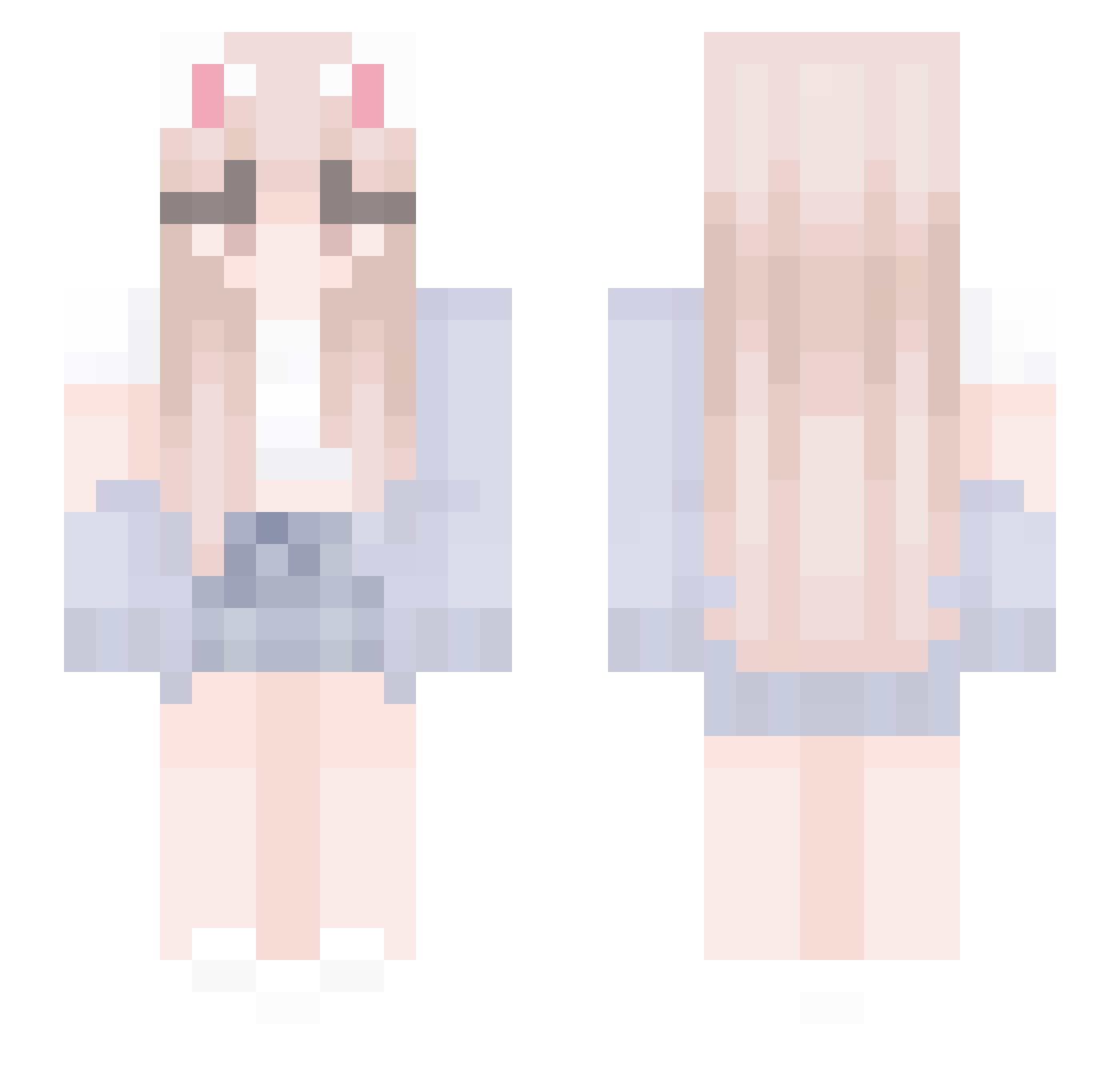
Current Minecraft skin of the player _LADAN_, loaded from the official Mojang API. Rotate the 3D model with your mouse or finger, then download the skin as a PNG file and use it in Minecraft: Bedrock Edition or Java Edition for free. When _LADAN_ changes their skin, this page updates automatically and the old skin stays in the history below.
Other players with this skin (438)
_LADAN_ was the 254th player we have seen with this skin, first spotted on 26.09.2026. The same skin was seen on these players. Open a nickname to see their current skin and skin history.
 aiyosetsu NickIsBURNING jojoxicewolf sparkleduck richmore0001 Youmakemeangry Teresa__ raina1025 nare1004 AllenVB 12one Taisiya Seulha_S2 TiaTheFairy kimkiwan pancakesauced LiTheNeko KKKLHHHHH 4lk0h0lik_ SupposedList EumNyang SHIROMASHYU MalangMalang0_0 hala12312 Trynnie Enahile alpycmsV2 Jeromadome __xiaosheng jumbopop5 paakutyan xiaozhi663 HSU318 liluzihrt dqnikd deyenoh Awesome_Yasmin Meliksy LeoNardoP1kachu lllyyy1 SmokingOnLDG rokorokovrc TaterTotGold zill00O0O0168305 ZClimber NovaTheGoat TerryO_O wogusl concq1120_tw bingeiler Rua_rua_ Zer0has0iq Haimian_didi Nat_TheCat LamHinShing Beauty_S2 o0_Bubbles_0o TanglingTexas49 AnnyBunny26 MxrcyWasTaken
More Cardigan Minecraft skins
How to install the _LADAN_ skin
- Press the Download button above to save the skin as a PNG file.
- Minecraft: Bedrock Edition (PE): open the Dressing Room from the main menu (or tap your character → Edit Character), go to Classic Skins → Owned, press the + (new skin) button, choose the downloaded PNG and pick the Slim (Alex) model. Works on PC and mobile; consoles cannot import custom skins.
- Minecraft: Java Edition: open the Minecraft Launcher, go to the Skins tab, click New Skin, load the PNG, pick the Slim (Alex) model and press Save & Use. You can also upload it at minecraft.net → Profile → Change Skin.
The skin does not show up after import - what should I do?
Restart Minecraft and open the Dressing Room again - imported skins sometimes appear only after a restart. Also make sure you selected the imported skin and picked the Slim (Alex) model.
Which model should I choose, Classic or Slim?
This skin is designed for the Slim (Alex) model. If you pick the wrong model, the arms of the skin will look stretched or squeezed.
Is the skin of _LADAN_ free to download?
Yes. Press Download, save the PNG file and use it in Minecraft: Bedrock Edition or Java Edition - no payment or registration needed. The skin also works on multiplayer servers and Realms.
More skins
Looking for more? Go back to all Minecraft skins and check the top skins of the week, month and all time, or find any player's skin by nickname.