
MxrcyWasTaken - Minecraft Skins & Skin History
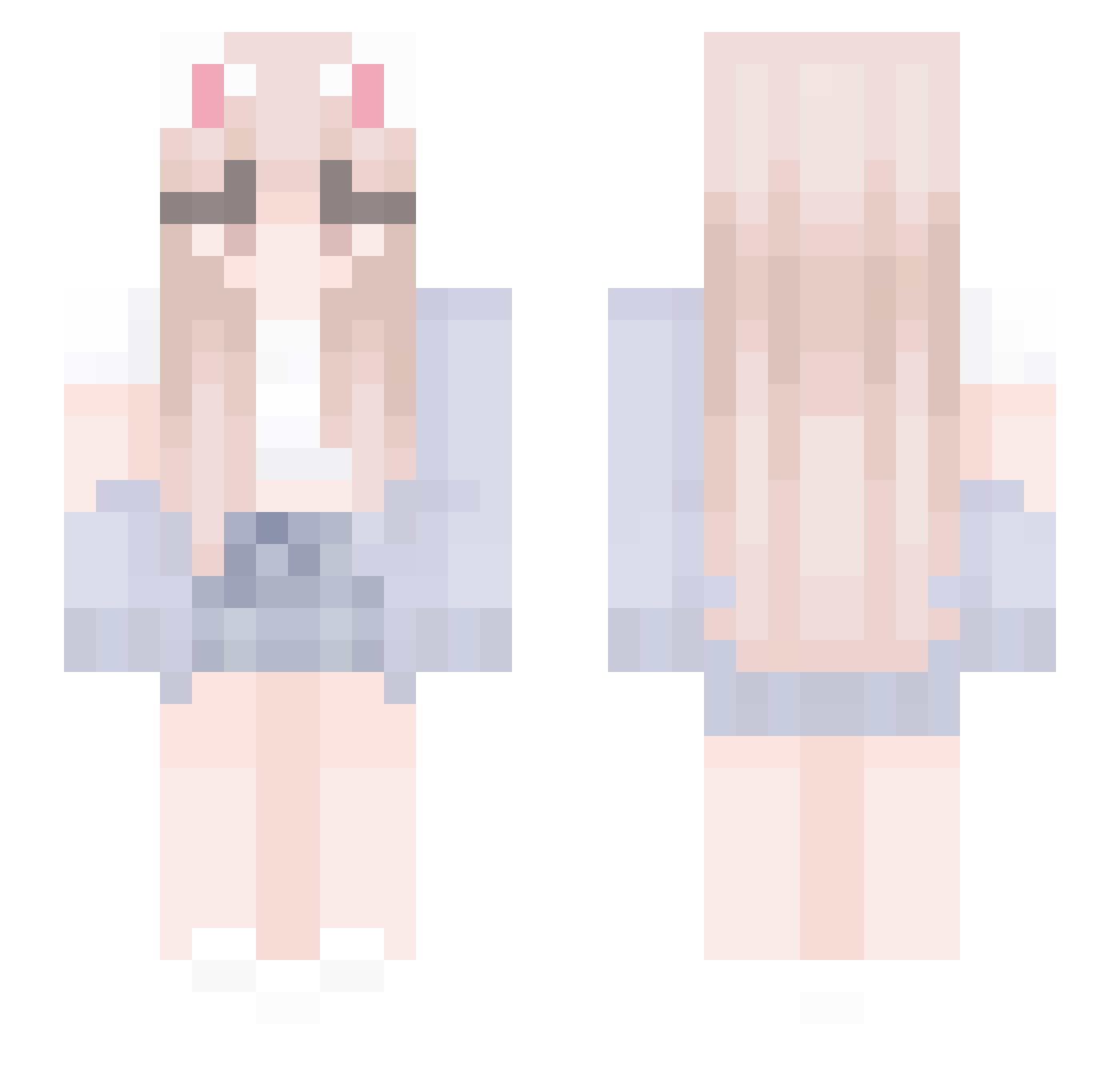
Current Minecraft skin of the player MxrcyWasTaken, loaded from the official Mojang API. Rotate the 3D model with your mouse or finger, then download the skin as a PNG file and use it in Minecraft: Bedrock Edition or Java Edition for free. When MxrcyWasTaken changes their skin, this page updates automatically and the old skin stays in the history below.
Other players with this skin (437)
MxrcyWasTaken was the 284th player we have seen with this skin, first spotted on 03.10.2026. The same skin was seen on these players. Open a nickname to see their current skin and skin history.
 suri0813 Dryadia488 _NightmorePVP_ Beauty_S2 LamHinShing oh_gang_98 Nat_TheCat Zer0has0iq GyeongS2 achtelnote dearwithcat Rua_rua_ Lalynjam wogusl yxin_ TerryO_O NovaTheGoat zill00O0O0168305 bdog296 rokorokovrc EinsLqix SenhoritaAle IamL1sto aquadolls Ryn1004 zYellowAngel Meliksy sacabam605 Yookk deyenoh LoveYY1314 dqnikd Paola_Zest HSU318 xiaozhi663 paakutyan slyrly _stray_cat YukiRin000 Enahile Trynnie fyxxxxxx MalangMalang0_0 Tinaaaa666 4lk0h0lik_ KKKLHHHHH QuaRu_ Daniel960509 Mello_H Flowers25 smallone_0922 kimkiwan skuukzkyb Seulha_S2 DracoSlayer08 Taisiya Alisara jisung_ 12one athenaafr
More Cardigan Minecraft skins
How to install the MxrcyWasTaken skin
- Press the Download button above to save the skin as a PNG file.
- Minecraft: Bedrock Edition (PE): open the Dressing Room from the main menu (or tap your character → Edit Character), go to Classic Skins → Owned, press the + (new skin) button, choose the downloaded PNG and pick the Slim (Alex) model. Works on PC and mobile; consoles cannot import custom skins.
- Minecraft: Java Edition: open the Minecraft Launcher, go to the Skins tab, click New Skin, load the PNG, pick the Slim (Alex) model and press Save & Use. You can also upload it at minecraft.net → Profile → Change Skin.
The skin does not show up after import - what should I do?
Restart Minecraft and open the Dressing Room again - imported skins sometimes appear only after a restart. Also make sure you selected the imported skin and picked the Slim (Alex) model.
Which model should I choose, Classic or Slim?
This skin is designed for the Slim (Alex) model. If you pick the wrong model, the arms of the skin will look stretched or squeezed.
Is the skin of MxrcyWasTaken free to download?
Yes. Press Download, save the PNG file and use it in Minecraft: Bedrock Edition or Java Edition - no payment or registration needed. The skin also works on multiplayer servers and Realms.
More skins
Looking for more? Go back to all Minecraft skins and check the top skins of the week, month and all time, or find any player's skin by nickname.