
_Eridor_ - Minecraft Skins & Skin History
Current Minecraft skin of the player _Eridor_, loaded from the official Mojang API. Rotate the 3D model with your mouse or finger, then download the skin as a PNG file and use it in Minecraft: Bedrock Edition or Java Edition for free. When _Eridor_ changes their skin, this page updates automatically and the old skin stays in the history below.
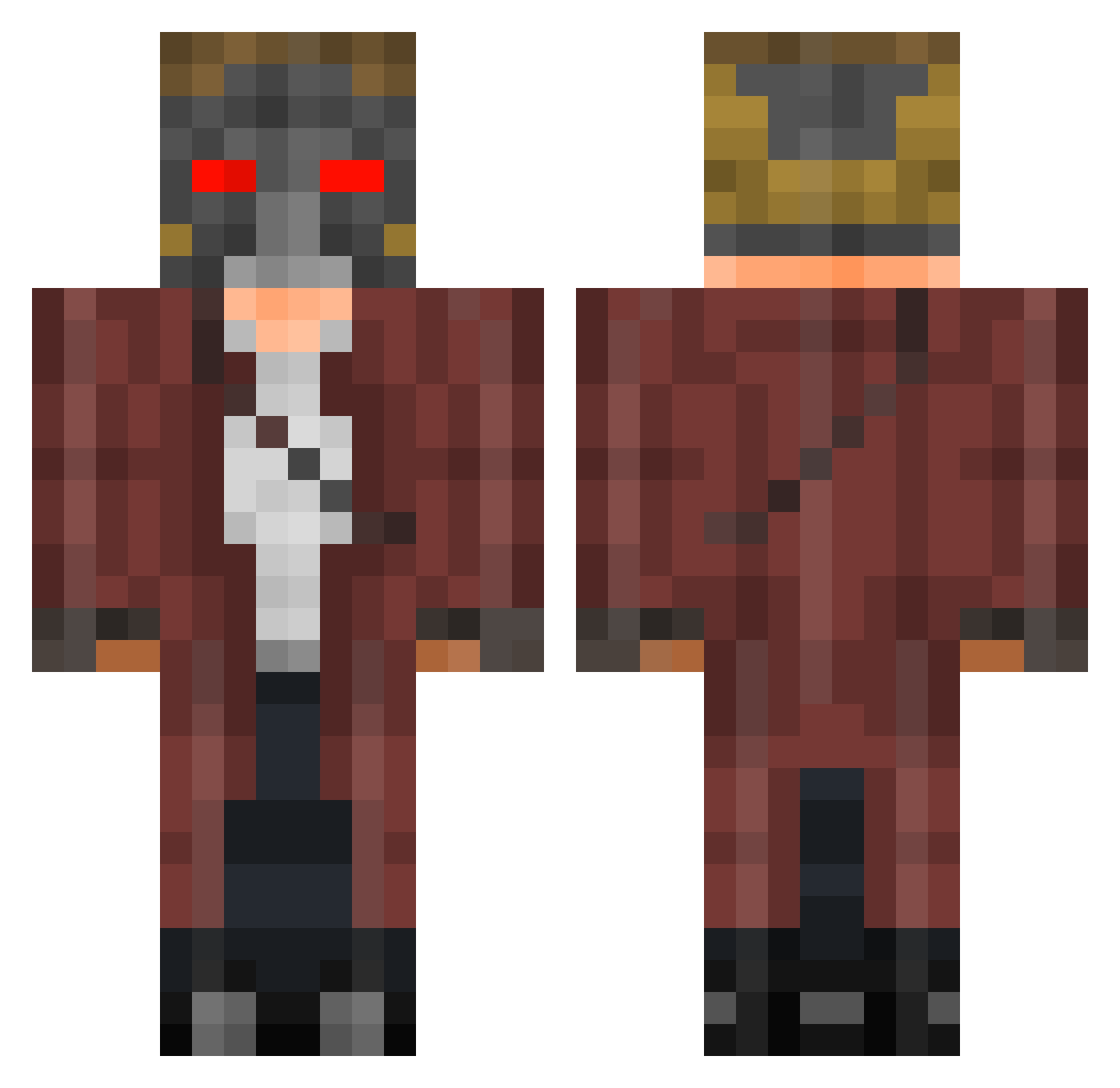
Other players with this skin (471)
_Eridor_ was the 436th player we have seen with this skin, first spotted on 08.11.2026. The same skin was seen on these players. Open a nickname to see their current skin and skin history.
 Tengi_Man Warabyss nittz78 Impericon GABARD0_0 SauceNotFound madrossification lidhoe zackthedwarf StarL0rd51 TeamPoolQ Dynamc8 Dutchcrusader quad5000 StarlordLP_1 Quickos_Neo Celnrey mr_sandwish NATHANSILLS youngmada5 XxBRODSTER2000xX AshCryptic FuzzyLittleKoala BaileyGreenwood maur72 Kaji15 Loganidus DoubleADoubleG Marc1017 seanandgaegerule jozator smittyishere ApathyCorps AryanPsycho luffy93120 Chirpell Izzno NukeninMGT DesertedPV Chewbacca_Killa Quincy2410 DrSlump21 RedadairM VerbalBasher Erisium_Azimute HelixHeretic NoodleStrike ChaoticAmerican AMERICA33 Bodkie SpacemanSpiff16 MrBengtson NINJ4mAn Tatoune72 Cmando012 ImJackk momo_999 blackshadow227 alex56982 Do_The_Dew_420
More Star-Lord Minecraft skins
How to install the _Eridor_ skin
- Press the Download button above to save the skin as a PNG file.
- Minecraft: Bedrock Edition (PE): open the Dressing Room from the main menu (or tap your character → Edit Character), go to Classic Skins → Owned, press the + (new skin) button, choose the downloaded PNG and pick the Classic (Steve) model. Works on PC and mobile; consoles cannot import custom skins.
- Minecraft: Java Edition: open the Minecraft Launcher, go to the Skins tab, click New Skin, load the PNG, pick the Classic (Steve) model and press Save & Use. You can also upload it at minecraft.net → Profile → Change Skin.
The skin does not show up after import - what should I do?
Restart Minecraft and open the Dressing Room again - imported skins sometimes appear only after a restart. Also make sure you selected the imported skin and picked the Classic (Steve) model.
Which model should I choose, Classic or Slim?
This skin is designed for the Classic (Steve) model. If you pick the wrong model, the arms of the skin will look stretched or squeezed.
Is the skin of _Eridor_ free to download?
Yes. Press Download, save the PNG file and use it in Minecraft: Bedrock Edition or Java Edition - no payment or registration needed. The skin also works on multiplayer servers and Realms.
More skins
Looking for more? Go back to all Minecraft skins and check the top skins of the week, month and all time, or find any player's skin by nickname.