
_CKD_ - Minecraft Skins & Skin History
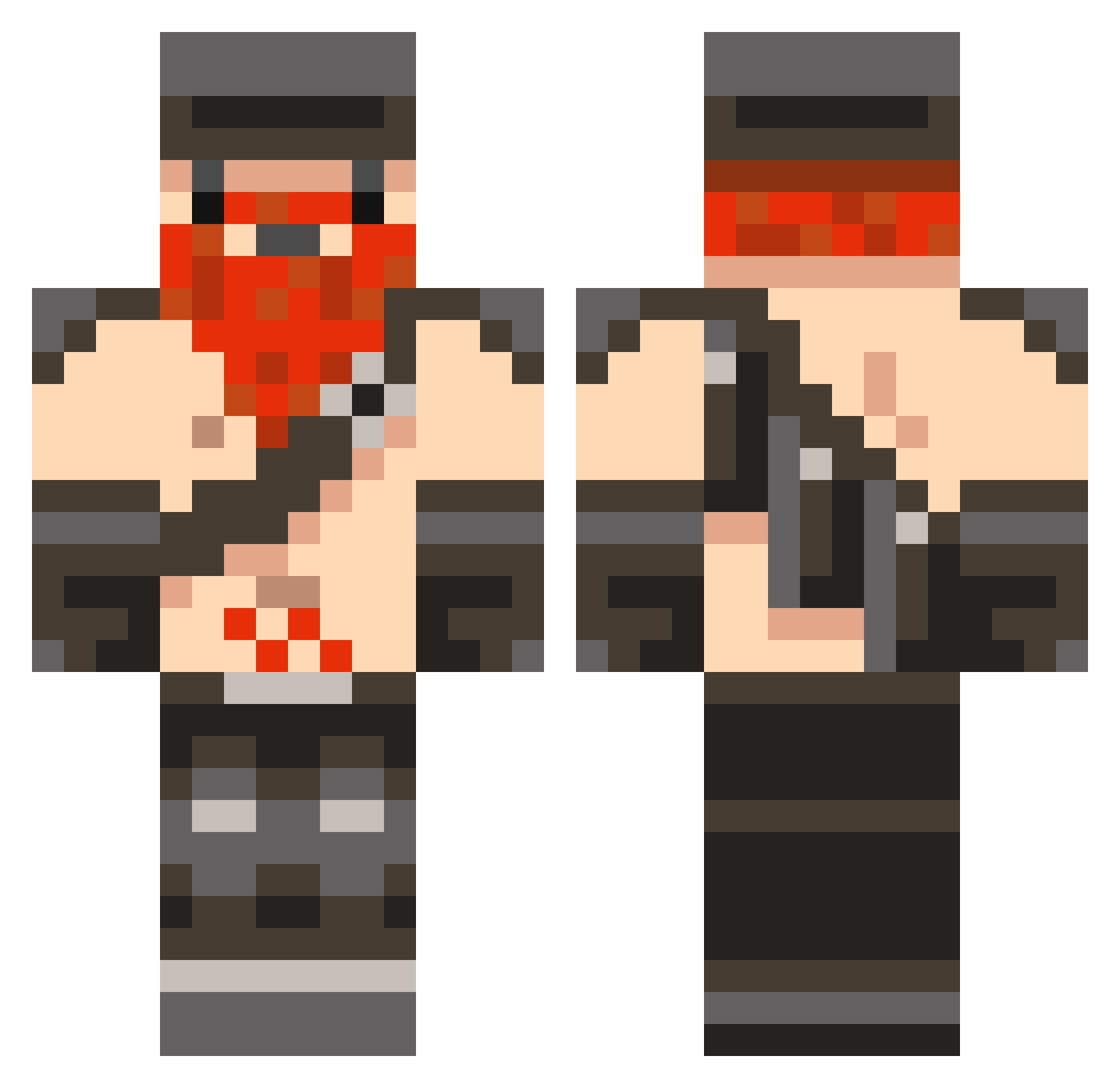
Current Minecraft skin of the player _CKD_, loaded from the official Mojang API. Rotate the 3D model with your mouse or finger, then download the skin as a PNG file and use it in Minecraft: Bedrock Edition or Java Edition for free. When _CKD_ changes their skin, this page updates automatically and the old skin stays in the history below.
Other players with this skin (1042)
_CKD_ was the 853rd player we have seen with this skin, first spotted on 01.11.2026. The same skin was seen on these players. Open a nickname to see their current skin and skin history.
 Naugnar AuspiciousCrane wol138 CommentedVPS SAGibbs SideShowGamer oddball93 subzerog2 willjb3000 MagicHam proka seanhe 1Chewy12 BeastoftheEast29 RusselJacob31 bazil246 lord_drago24 ghuiop vipero05 Bulldog_Murphy adamjwb DesertRooster machinehead19999 SkitteIz C15c DylanSpinks acdroid oppsan Schakal1658 Ro0ole3ex myfatfoot Rocket_Mail randyryan01 Matthiew165 Fraser981 IKamikazeNL B3rclaw bluebull2003 BigBoyClem Videinfra91 diggydwarf kennethOconner mastermine2000 maxbe someonezworld222 joshweiss44 turkeyman4 maltamo mrcjchaps Flawsphor Webb12 Jeremyhj1234 FknGhoosty robin8585 dboss7888 Franticall bobdehuisbaas123 Zayd767 AidanPR Joker0996
More Dwarf Minecraft skins
How to install the _CKD_ skin
- Press the Download button above to save the skin as a PNG file.
- Minecraft: Bedrock Edition (PE): open the Dressing Room from the main menu (or tap your character → Edit Character), go to Classic Skins → Owned, press the + (new skin) button, choose the downloaded PNG and pick the Classic (Steve) model. Works on PC and mobile; consoles cannot import custom skins.
- Minecraft: Java Edition: open the Minecraft Launcher, go to the Skins tab, click New Skin, load the PNG, pick the Classic (Steve) model and press Save & Use. You can also upload it at minecraft.net → Profile → Change Skin.
The skin does not show up after import - what should I do?
Restart Minecraft and open the Dressing Room again - imported skins sometimes appear only after a restart. Also make sure you selected the imported skin and picked the Classic (Steve) model.
Which model should I choose, Classic or Slim?
This skin is designed for the Classic (Steve) model. If you pick the wrong model, the arms of the skin will look stretched or squeezed.
Is the skin of _CKD_ free to download?
Yes. Press Download, save the PNG file and use it in Minecraft: Bedrock Edition or Java Edition - no payment or registration needed. The skin also works on multiplayer servers and Realms.
More skins
Looking for more? Go back to all Minecraft skins and check the top skins of the week, month and all time, or find any player's skin by nickname.