
Zygisss - Minecraft Skins & Skin History
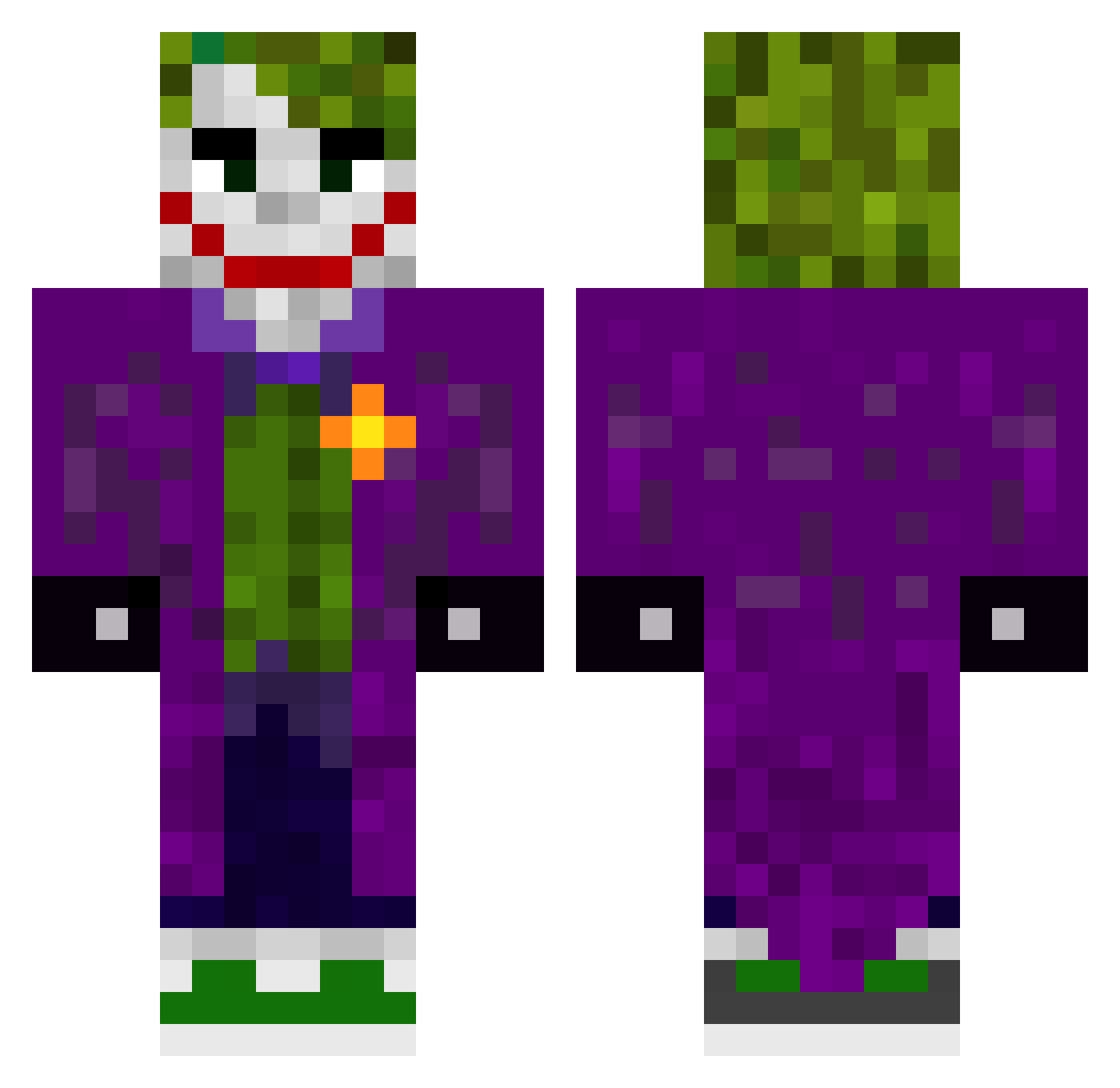
Current Minecraft skin of the player Zygisss, loaded from the official Mojang API. Rotate the 3D model with your mouse or finger, then download the skin as a PNG file and use it in Minecraft: Bedrock Edition or Java Edition for free. When Zygisss changes their skin, this page updates automatically and the old skin stays in the history below.
Other players with this skin (619)
Zygisss was the 597th player we have seen with this skin, first spotted on 15.11.2026. The same skin was seen on these players. Open a nickname to see their current skin and skin history.
 kdrizzy__ McDamien GuddyGud Glxyy6247 God_Of_3ar MahinIslive Scallycall MisterJ0k3r Raysikk WalkEmDownT JayBeezX KooLdooood3 kolorowytyp iEqualxty zeyaM_ LynToxx Th3Jok3rrr Nacie_ Math5so ArbysConnoissuer HAPPYPLAYS_YT FiskenIBurken mdzIan j0k3r514 ffzo_gaming Soricaru Swiftlemur69 ExtremeGamer_23 Metalystem EKJimmy Joker_4123 gerard9449 konsul70 fattaaaa ANTONIO228vv brenddinha Halseph0942 andre1xd Nicolas734 SuperB00ba Mategc realrbx Bravation_97 Badoree6969 AmanGilded JOK3RdaPOK3R Kenaii48 MATH8456 ILORT _elprimo_ mfths AvxryExE JimGunkie LLTJoker PIx02 majorjoker3794 NIKPS cursedvulture LordCord1 urtrx
More The Joker Minecraft skins
How to install the Zygisss skin
- Press the Download button above to save the skin as a PNG file.
- Minecraft: Bedrock Edition (PE): open the Dressing Room from the main menu (or tap your character → Edit Character), go to Classic Skins → Owned, press the + (new skin) button, choose the downloaded PNG and pick the Classic (Steve) model. Works on PC and mobile; consoles cannot import custom skins.
- Minecraft: Java Edition: open the Minecraft Launcher, go to the Skins tab, click New Skin, load the PNG, pick the Classic (Steve) model and press Save & Use. You can also upload it at minecraft.net → Profile → Change Skin.
The skin does not show up after import - what should I do?
Restart Minecraft and open the Dressing Room again - imported skins sometimes appear only after a restart. Also make sure you selected the imported skin and picked the Classic (Steve) model.
Which model should I choose, Classic or Slim?
This skin is designed for the Classic (Steve) model. If you pick the wrong model, the arms of the skin will look stretched or squeezed.
Is the skin of Zygisss free to download?
Yes. Press Download, save the PNG file and use it in Minecraft: Bedrock Edition or Java Edition - no payment or registration needed. The skin also works on multiplayer servers and Realms.
More skins
Looking for more? Go back to all Minecraft skins and check the top skins of the week, month and all time, or find any player's skin by nickname.