
Zxmmi3 - Minecraft Skins & Skin History
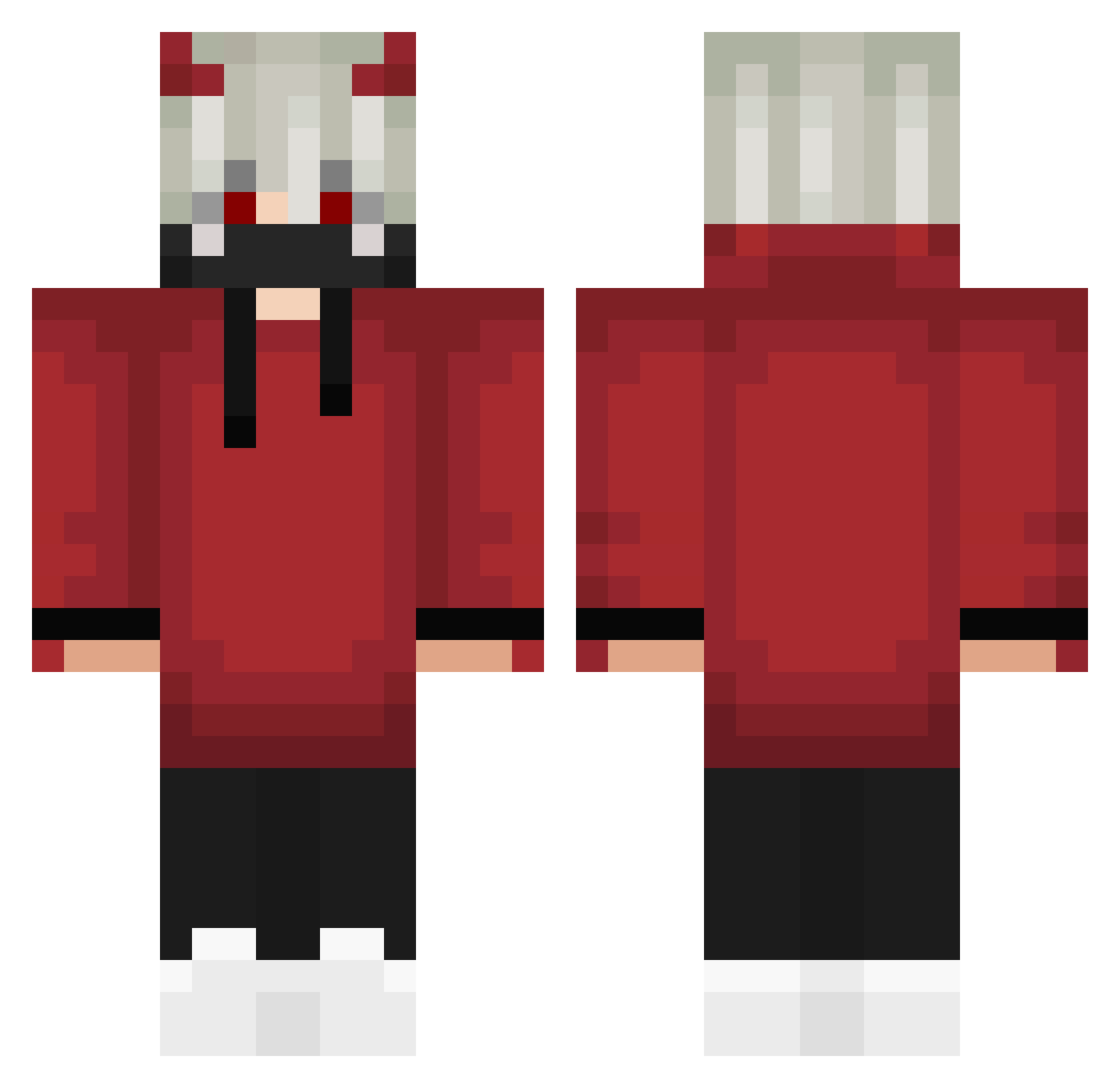
Current Minecraft skin of the player Zxmmi3, loaded from the official Mojang API. Rotate the 3D model with your mouse or finger, then download the skin as a PNG file and use it in Minecraft: Bedrock Edition or Java Edition for free. When Zxmmi3 changes their skin, this page updates automatically and the old skin stays in the history below.
Other players with this skin (303)
Zxmmi3 was the 162nd player we have seen with this skin, first spotted on 24.09.2026. The same skin was seen on these players. Open a nickname to see their current skin and skin history.
 Helios9545 PrimaoDaNight Itz_Mayank skoypaz _Soncio_ TrippleTread Kotenov Khle1s zdz2014 pepahrajeCZ099 SlRoNa krgameryt ToastyLith ZELADORA ebanaHatuuY frtona Vansh004 A2_Alpha fabulousBlack Komporo FoxyEnzo234 Schain Maksel636 shiketan sibilek Sneaky8068 Mevolver Wiilod McHero133 MakenzieSummer gam3rw0lf Skarket OsyLovesMens NOV07 Toshimurama DibBiddies Epo_cruz nekit0sik ryan270203 DemonicRasta D105q6 Protopug_ STEVESTEEN Vvimall _LiTtLe_P deorf Meteor5205 karlos6061 Horaa_ AngmonPlay eiru0201 shotot noobguysss xAndreass MHTPRO guribooo drago_titanico renackle StormClick2 Kyiryu
More Devil Minecraft skins
How to install the Zxmmi3 skin
- Press the Download button above to save the skin as a PNG file.
- Minecraft: Bedrock Edition (PE): open the Dressing Room from the main menu (or tap your character → Edit Character), go to Classic Skins → Owned, press the + (new skin) button, choose the downloaded PNG and pick the Classic (Steve) model. Works on PC and mobile; consoles cannot import custom skins.
- Minecraft: Java Edition: open the Minecraft Launcher, go to the Skins tab, click New Skin, load the PNG, pick the Classic (Steve) model and press Save & Use. You can also upload it at minecraft.net → Profile → Change Skin.
The skin does not show up after import - what should I do?
Restart Minecraft and open the Dressing Room again - imported skins sometimes appear only after a restart. Also make sure you selected the imported skin and picked the Classic (Steve) model.
Which model should I choose, Classic or Slim?
This skin is designed for the Classic (Steve) model. If you pick the wrong model, the arms of the skin will look stretched or squeezed.
Is the skin of Zxmmi3 free to download?
Yes. Press Download, save the PNG file and use it in Minecraft: Bedrock Edition or Java Edition - no payment or registration needed. The skin also works on multiplayer servers and Realms.
More skins
Looking for more? Go back to all Minecraft skins and check the top skins of the week, month and all time, or find any player's skin by nickname.