
ZoroR74 - Minecraft Skins & Skin History
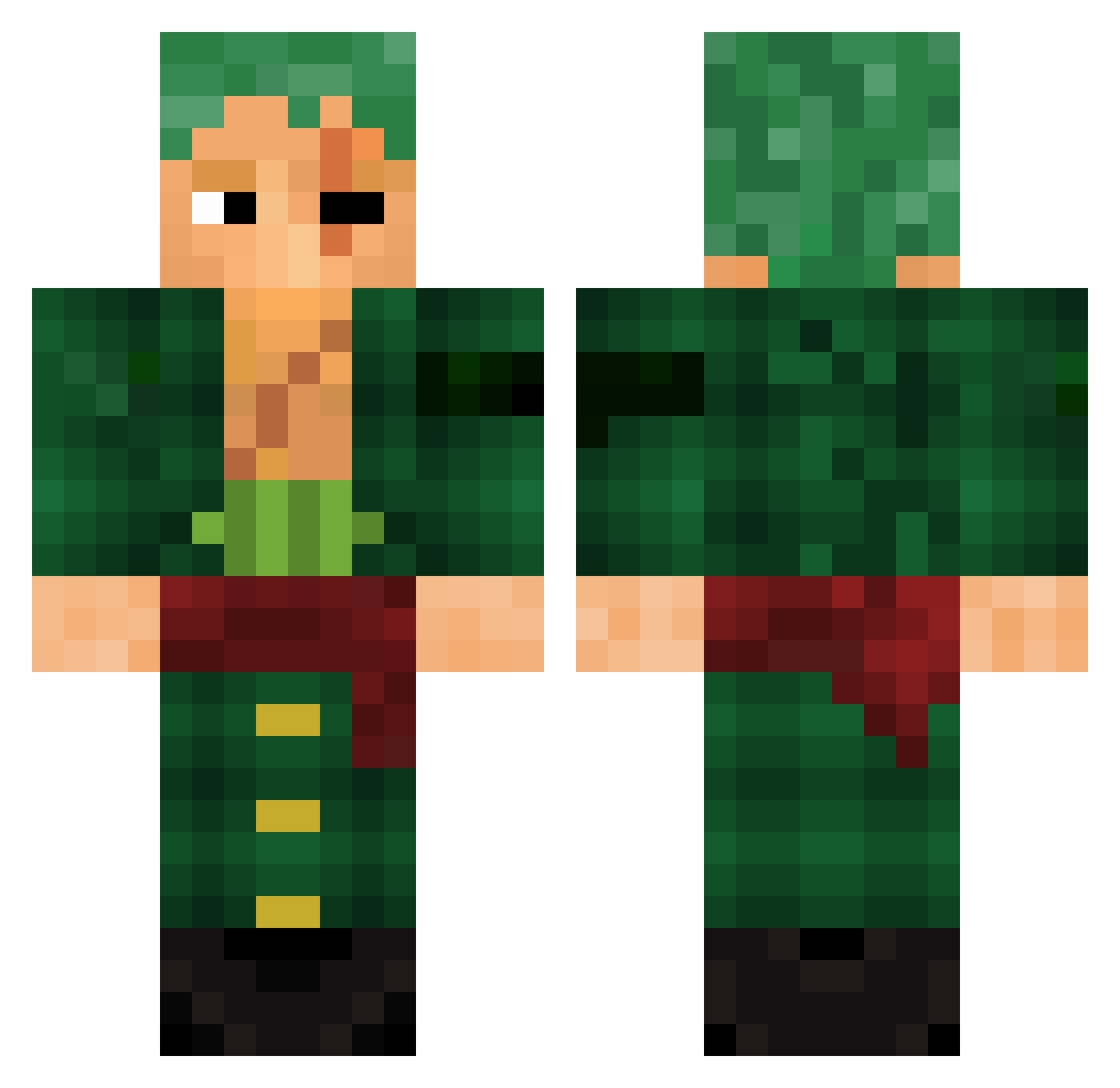
Current Minecraft skin of the player ZoroR74, loaded from the official Mojang API. Rotate the 3D model with your mouse or finger, then download the skin as a PNG file and use it in Minecraft: Bedrock Edition or Java Edition for free. When ZoroR74 changes their skin, this page updates automatically and the old skin stays in the history below.
Other players with this skin (782)
ZoroR74 was the 592nd player we have seen with this skin, first spotted on 03.10.2026. The same skin was seen on these players. Open a nickname to see their current skin and skin history.
 Monkeyyy1000 ameed312 Clvn6 Laurenf92 Gaass_ _EnderSky_ Mando729 VENOMNS beingInvincible Sirgifly shotbread yago2931 SINAY133 schokopapii henrrique6o soa0806 APersoNamedChris vmpdlls StrawHt zecihaci DuhoH Afiee Imsa06 thewaterwait Bwillys Killiann_7 Walkysoos Judge_King KPdose niickzyn HikoNard diablejambe1 Skoves PSK_Katsuki Poicarya Xahmos MinerKillerPT ONE_PEAK montasoraus Bora_Mete jittiry Crazy_Gui_Macedo RedHood Alihan_2244 speve1234 Mistah__7 smittydeuS ClixMyHero Last_Blood98 _Fabrizio_ Renji98 Breza_ Gubp1 Kingsweet7679 ahmed_zidane PayToGambleRobot hollary4 sygwoy Ahmadfl Barnett9393
More Roronoa Zoro Minecraft skins
See all 291 Roronoa Zoro skins
How to install the ZoroR74 skin
- Press the Download button above to save the skin as a PNG file.
- Minecraft: Bedrock Edition (PE): open the Dressing Room from the main menu (or tap your character → Edit Character), go to Classic Skins → Owned, press the + (new skin) button, choose the downloaded PNG and pick the Classic (Steve) model. Works on PC and mobile; consoles cannot import custom skins.
- Minecraft: Java Edition: open the Minecraft Launcher, go to the Skins tab, click New Skin, load the PNG, pick the Classic (Steve) model and press Save & Use. You can also upload it at minecraft.net → Profile → Change Skin.
The skin does not show up after import - what should I do?
Restart Minecraft and open the Dressing Room again - imported skins sometimes appear only after a restart. Also make sure you selected the imported skin and picked the Classic (Steve) model.
Which model should I choose, Classic or Slim?
This skin is designed for the Classic (Steve) model. If you pick the wrong model, the arms of the skin will look stretched or squeezed.
Is the skin of ZoroR74 free to download?
Yes. Press Download, save the PNG file and use it in Minecraft: Bedrock Edition or Java Edition - no payment or registration needed. The skin also works on multiplayer servers and Realms.
More skins
Looking for more? Go back to all Minecraft skins and check the top skins of the week, month and all time, or find any player's skin by nickname.