
Zoard09 - Minecraft Skins & Skin History
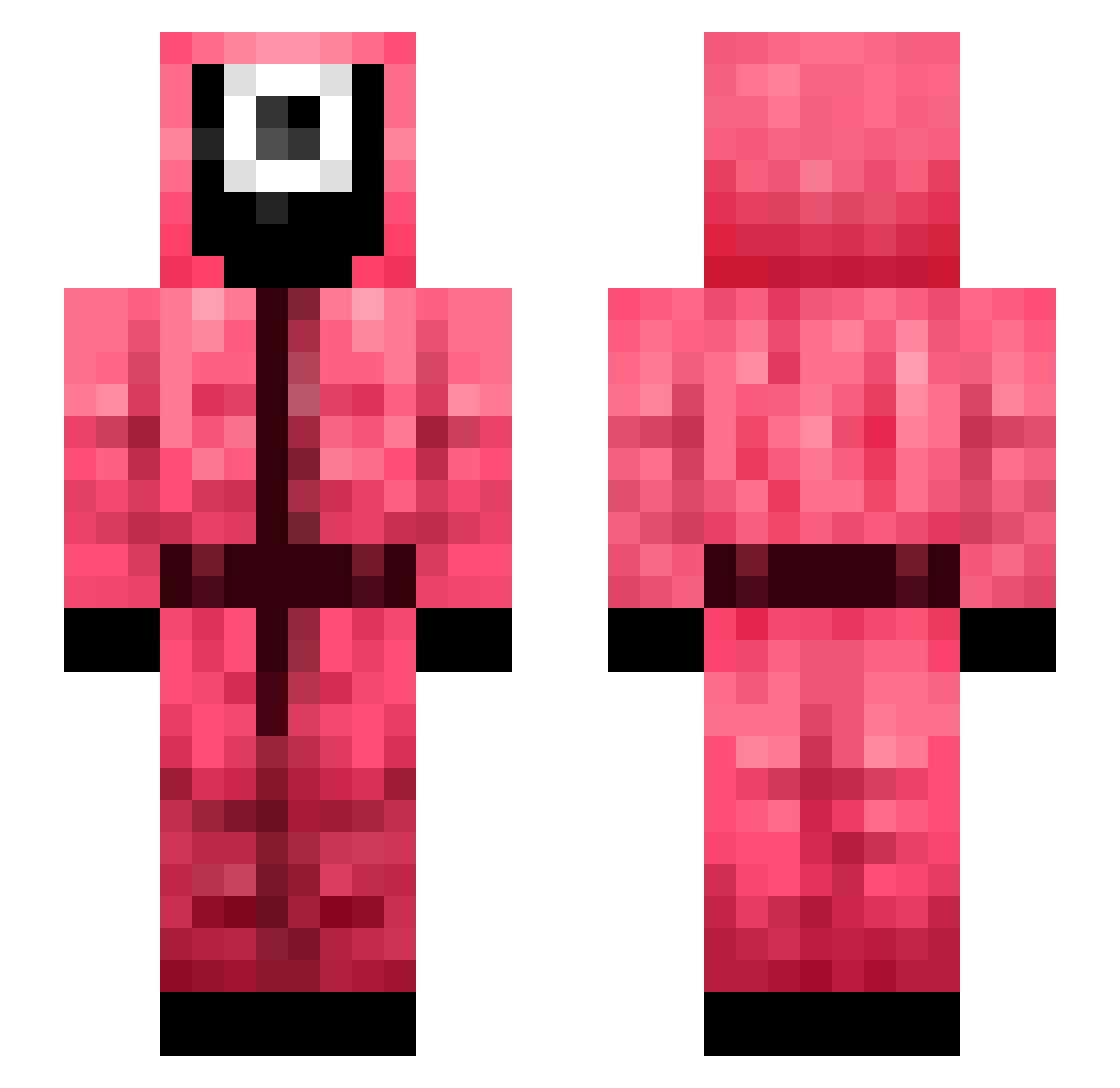
Current Minecraft skin of the player Zoard09, loaded from the official Mojang API. Rotate the 3D model with your mouse or finger, then download the skin as a PNG file and use it in Minecraft: Bedrock Edition or Java Edition for free. When Zoard09 changes their skin, this page updates automatically and the old skin stays in the history below.
Other players with this skin (330)
Zoard09 was the 143rd player we have seen with this skin, first spotted on 03.09.2026. The same skin was seen on these players. Open a nickname to see their current skin and skin history.
 Noeul_ ch1mek Sakureh G1G2boys NotOssan gomj0207 Unterrified Gerechti Iamsangjin shCkoNe bijlmer AriesZama Dragon_in burritoking555 Cykam05 NieAcs tw_6594 thelocke69 FouWenst Minishellll Medasko gumlnsu mine256 SquidG_23 Hawkmoon JustCosmic69 Michaels breakingmeik _Dug_ AjuntaX Minarijjing incabrain Dustin2465 ToniTester Dailooo w33dmicro
 bong9bong9 StampySkatergirl YEKINDAR71 AbuderFicker TEPE_exe Timoci _ohP hoepsiefloepsie AmongChaKay Exaldo SCANTEH eRat Mihai100 shinxy Yams_Beans LegoMind66 ilikechairs125 Joshii222 The1WhoKnocks95 shepherd48 FreezyBlade seongjun772 andyhung9574 BaconTheBoss
More Guard Minecraft skins
How to install the Zoard09 skin
- Press the Download button above to save the skin as a PNG file.
- Minecraft: Bedrock Edition (PE): open the Dressing Room from the main menu (or tap your character → Edit Character), go to Classic Skins → Owned, press the + (new skin) button, choose the downloaded PNG and pick the Slim (Alex) model. Works on PC and mobile; consoles cannot import custom skins.
- Minecraft: Java Edition: open the Minecraft Launcher, go to the Skins tab, click New Skin, load the PNG, pick the Slim (Alex) model and press Save & Use. You can also upload it at minecraft.net → Profile → Change Skin.
The skin does not show up after import - what should I do?
Restart Minecraft and open the Dressing Room again - imported skins sometimes appear only after a restart. Also make sure you selected the imported skin and picked the Slim (Alex) model.
Which model should I choose, Classic or Slim?
This skin is designed for the Slim (Alex) model. If you pick the wrong model, the arms of the skin will look stretched or squeezed.
Is the skin of Zoard09 free to download?
Yes. Press Download, save the PNG file and use it in Minecraft: Bedrock Edition or Java Edition - no payment or registration needed. The skin also works on multiplayer servers and Realms.
More skins
Looking for more? Go back to all Minecraft skins and check the top skins of the week, month and all time, or find any player's skin by nickname.