
Znapel - Minecraft Skins & Skin History
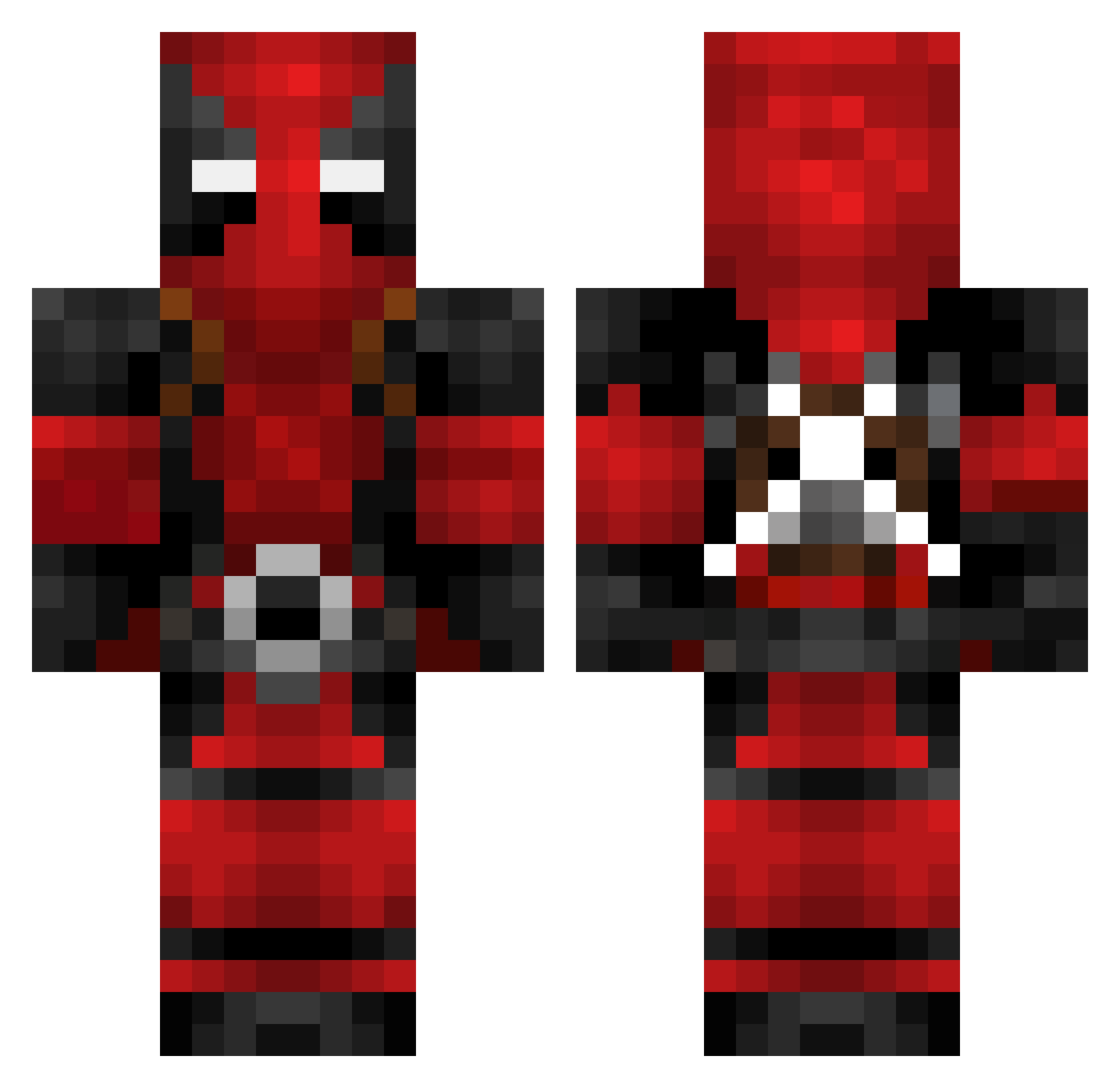
Current Minecraft skin of the player Znapel, loaded from the official Mojang API. Rotate the 3D model with your mouse or finger, then download the skin as a PNG file and use it in Minecraft: Bedrock Edition or Java Edition for free. When Znapel changes their skin, this page updates automatically and the old skin stays in the history below.
Other players with this skin (163)
Znapel was the 134th player we have seen with this skin, first spotted on 01.11.2026. The same skin was seen on these players. Open a nickname to see their current skin and skin history.
 Hike9422 ieatpuebes Sundung2 tuckerisgae veljko2304 valak21 gioxvanna claytonscomet MiloPogi Fulleraca BootyClapp3r AzMah_Ns rama_zzzz Valdezinator1234 turtleseattrees ItsJimil korean1127 Castro888 Jamoncio69 TankR89 mizuTuT BennyMcBoy LeftTricep Spilla_ Siggmarr Underhills xLocosus GhostPh0enixYT MandalorianPro GrandReaperR r3dninja05 XsqueezyX Vontemorde16 Klusto landwinner TescoMealDeal38 Paullaul04 yrokumata CrazyMonster867 Duncloudiscool MTBhero greenpeas3 Kaccz612 mercykiller_101 peluu24 Pizzaboi1944 NewUltima74 livingdeadg1rll Bshmurda YarexGaming04 Talhah_ Asenkata2013 Luca_barosan Ericson_M07 MagicShroomz7 HolySheetBalls Beck1925 TritonGamingAus Kooss21 Twofingers22
More Deadpool Minecraft skins
How to install the Znapel skin
- Press the Download button above to save the skin as a PNG file.
- Minecraft: Bedrock Edition (PE): open the Dressing Room from the main menu (or tap your character → Edit Character), go to Classic Skins → Owned, press the + (new skin) button, choose the downloaded PNG and pick the Classic (Steve) model. Works on PC and mobile; consoles cannot import custom skins.
- Minecraft: Java Edition: open the Minecraft Launcher, go to the Skins tab, click New Skin, load the PNG, pick the Classic (Steve) model and press Save & Use. You can also upload it at minecraft.net → Profile → Change Skin.
The skin does not show up after import - what should I do?
Restart Minecraft and open the Dressing Room again - imported skins sometimes appear only after a restart. Also make sure you selected the imported skin and picked the Classic (Steve) model.
Which model should I choose, Classic or Slim?
This skin is designed for the Classic (Steve) model. If you pick the wrong model, the arms of the skin will look stretched or squeezed.
Is the skin of Znapel free to download?
Yes. Press Download, save the PNG file and use it in Minecraft: Bedrock Edition or Java Edition - no payment or registration needed. The skin also works on multiplayer servers and Realms.
More skins
Looking for more? Go back to all Minecraft skins and check the top skins of the week, month and all time, or find any player's skin by nickname.