
Zeroh31 - Minecraft Skins & Skin History
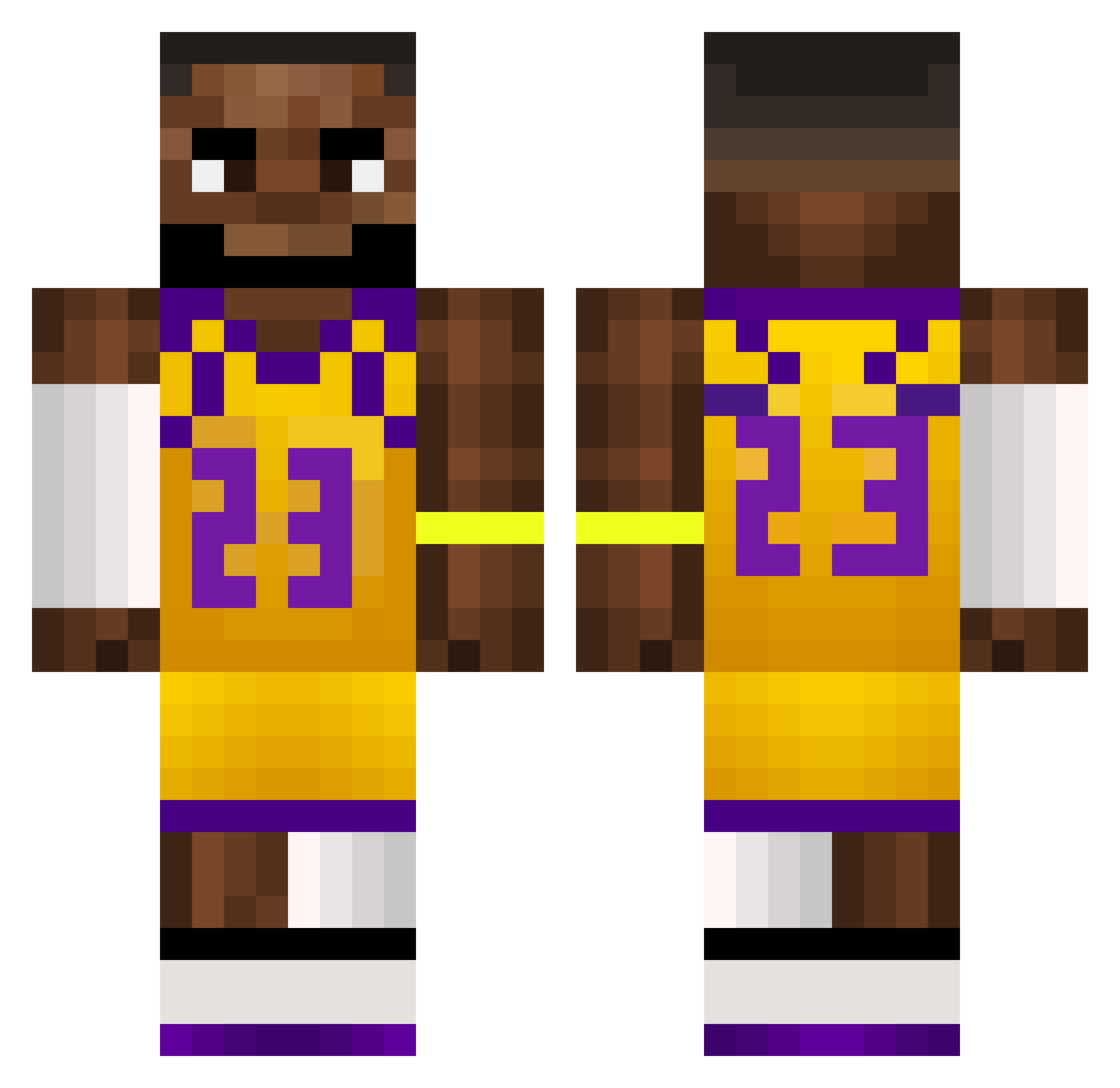
Current Minecraft skin of the player Zeroh31, loaded from the official Mojang API. Rotate the 3D model with your mouse or finger, then download the skin as a PNG file and use it in Minecraft: Bedrock Edition or Java Edition for free. When Zeroh31 changes their skin, this page updates automatically and the old skin stays in the history below.
Other players with this skin (498)
Zeroh31 was the 287th player we have seen with this skin, first spotted on 17.09.2026. The same skin was seen on these players. Open a nickname to see their current skin and skin history.
 XxmazekajavaxX Masxnyt valleigh vamplrd Bored_pvp Peterke0003 jeffbuck24 Nitero yslwilly FinnMcMissle75 Krqzle Trawa__ hallboy546 Tangwx77 ttvshushplayz12 MatTzzy1 FunkyMonkey0205 LeeXius19 NicOmegas_ GToz_ andi_ostfront1 HMMMMCHEESE Douginmotion n1jja lttmc ChVrruzu Purdiii jaysugat BNnxte Bazinga_W nicoox0 metint EFRN007 rwheel ZMUGIN123 Kikalomi321 LHorani SorrySorry1 JayRaso B1xnket Mdot7 FrostXVII Bokowoko bunsdabar k4ppaS CurysGaming rumen1234 brayofrey vecp23 BingChilling_00 M4rkubb Juntathan pedrogon_ Heilly20112 MrBearPear zhongrui04 teddzgaming KPARKY jerkmategooner rageu_47
More Lakers Minecraft skins
How to install the Zeroh31 skin
- Press the Download button above to save the skin as a PNG file.
- Minecraft: Bedrock Edition (PE): open the Dressing Room from the main menu (or tap your character → Edit Character), go to Classic Skins → Owned, press the + (new skin) button, choose the downloaded PNG and pick the Classic (Steve) model. Works on PC and mobile; consoles cannot import custom skins.
- Minecraft: Java Edition: open the Minecraft Launcher, go to the Skins tab, click New Skin, load the PNG, pick the Classic (Steve) model and press Save & Use. You can also upload it at minecraft.net → Profile → Change Skin.
The skin does not show up after import - what should I do?
Restart Minecraft and open the Dressing Room again - imported skins sometimes appear only after a restart. Also make sure you selected the imported skin and picked the Classic (Steve) model.
Which model should I choose, Classic or Slim?
This skin is designed for the Classic (Steve) model. If you pick the wrong model, the arms of the skin will look stretched or squeezed.
Is the skin of Zeroh31 free to download?
Yes. Press Download, save the PNG file and use it in Minecraft: Bedrock Edition or Java Edition - no payment or registration needed. The skin also works on multiplayer servers and Realms.
More skins
Looking for more? Go back to all Minecraft skins and check the top skins of the week, month and all time, or find any player's skin by nickname.