
ZeroSTG - Minecraft Skins & Skin History
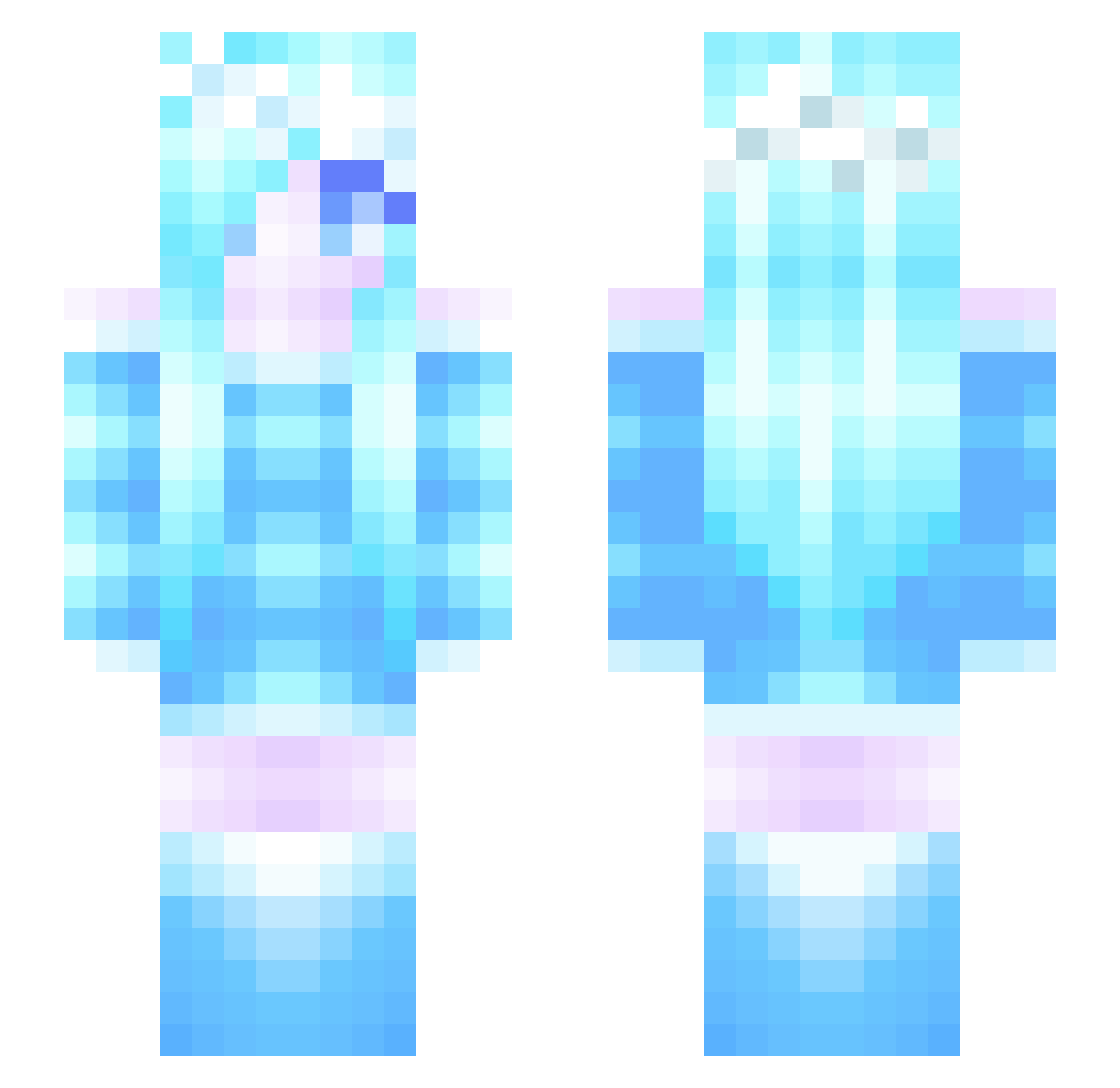
Current Minecraft skin of the player ZeroSTG, loaded from the official Mojang API. Rotate the 3D model with your mouse or finger, then download the skin as a PNG file and use it in Minecraft: Bedrock Edition or Java Edition for free. When ZeroSTG changes their skin, this page updates automatically and the old skin stays in the history below.
Other players with this skin (124)
ZeroSTG was the 54th player we have seen with this skin, first spotted on 16.09.2026. The same skin was seen on these players. Open a nickname to see their current skin and skin history.
 LMove33 Rachyury xanea 452735535445 Wings_of_ice00 FrostNebula piofiore Brangway Hana__Suzuki AmberCat0824 callu yhance kh8290 Isshin_Ashina627 MuChen980 windychilly yhdry2 Bella2683 Randiris Zero_Clarity niantong080525 sifaai1 Leonie824 FiresImc junedubu alusun1 Game_5048 Superluca_14 Nolopy jibannan hippoishere PearlCheetahhh SharonHYS FengYe_Ice Mzwd Pu_Xiao WDNMDCXKNMSL jupiter2329 yumo1223 chenxi_Baby Chrysalis1999 UnLock_S Strawberry_OVO AsianBarredOwle ___Fallen___ ccc_Lo CL0014 Ling_1235 Ness_beez RileyandHayden2 qingzhuoxi Ou_San233 lhn321 Reevee1 GentleLotus Talien kokodayoYYL Gogoing___ r3bast SIRIN6559
More Ice Minecraft skins
How to install the ZeroSTG skin
- Press the Download button above to save the skin as a PNG file.
- Minecraft: Bedrock Edition (PE): open the Dressing Room from the main menu (or tap your character → Edit Character), go to Classic Skins → Owned, press the + (new skin) button, choose the downloaded PNG and pick the Slim (Alex) model. Works on PC and mobile; consoles cannot import custom skins.
- Minecraft: Java Edition: open the Minecraft Launcher, go to the Skins tab, click New Skin, load the PNG, pick the Slim (Alex) model and press Save & Use. You can also upload it at minecraft.net → Profile → Change Skin.
The skin does not show up after import - what should I do?
Restart Minecraft and open the Dressing Room again - imported skins sometimes appear only after a restart. Also make sure you selected the imported skin and picked the Slim (Alex) model.
Which model should I choose, Classic or Slim?
This skin is designed for the Slim (Alex) model. If you pick the wrong model, the arms of the skin will look stretched or squeezed.
Is the skin of ZeroSTG free to download?
Yes. Press Download, save the PNG file and use it in Minecraft: Bedrock Edition or Java Edition - no payment or registration needed. The skin also works on multiplayer servers and Realms.
More skins
Looking for more? Go back to all Minecraft skins and check the top skins of the week, month and all time, or find any player's skin by nickname.