
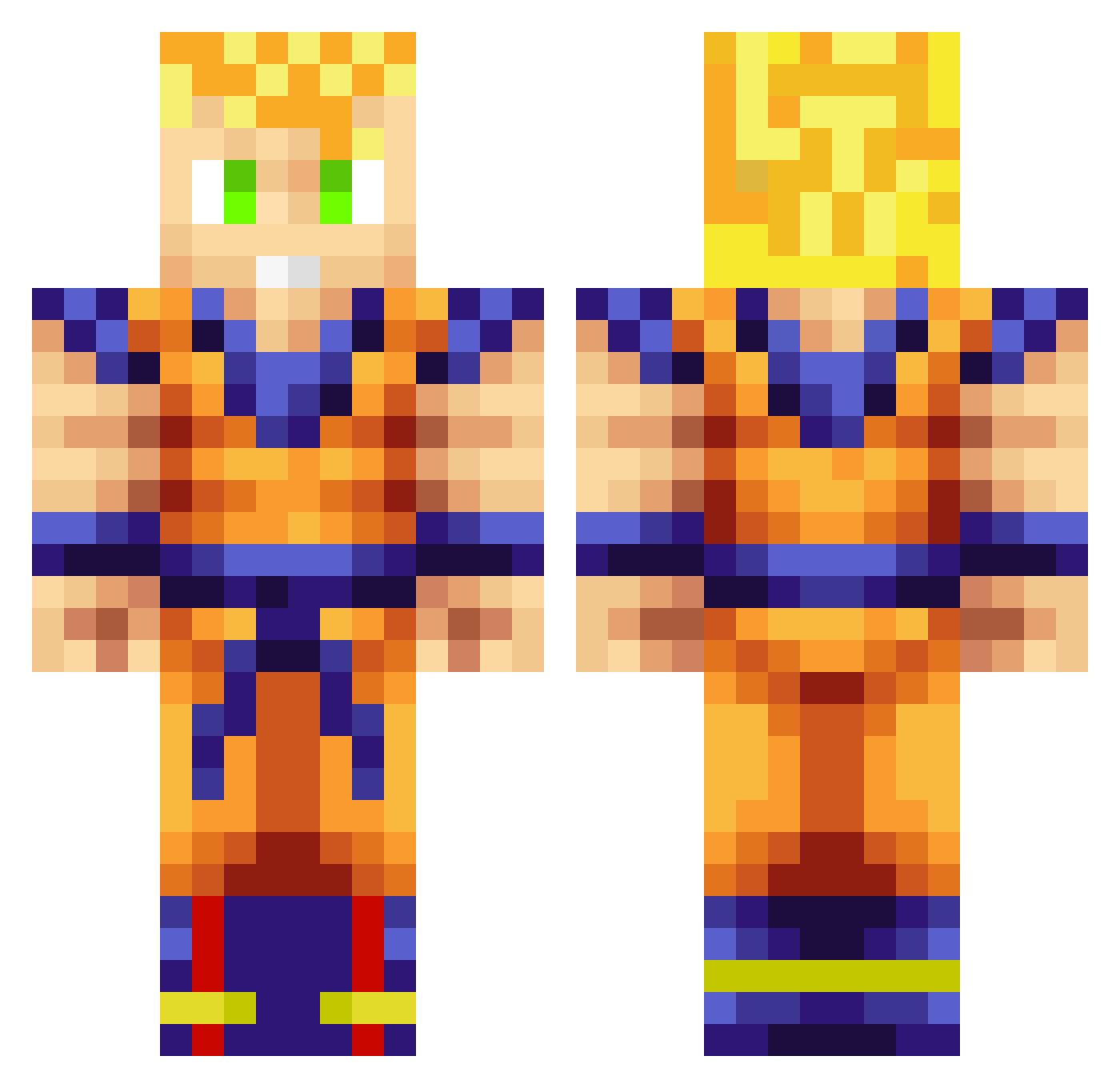
Current Minecraft skin of the player Zeoste, loaded from the official Mojang API. Rotate the 3D model with your mouse or finger, then download the skin as a PNG file and use it in Minecraft: Bedrock Edition or Java Edition for free. When Zeoste changes their skin, this page updates automatically and the old skin stays in the history below.
Other players with this skin (705)
Zeoste was the 182nd player we have seen with this skin, first spotted on 14.08.2026. The same skin was seen on these players. Open a nickname to see their current skin and skin history.
 xZemPr Wumbuoy ClassicMixUp Munch_Kiing Makz_ttv Gennessis B_Ball4Ever boom2929 RedEyeJediHI MasterShifu Ethmicram Teej22 Sir_Bacon_6969 hollowkeca Gymbo97 Dominyx burningdog Rodrickk rainingxxdeathx pikachu_salty Rahul007 TACMAN121 thesikthsmo xdeadsniper beastbro0 rocker1234567 poschi01 flammyboy dremred Manofwar_OD lpatrick86 nmilenko JadyRaff EfonzoTheGreat ojrocks912 realtexasplaya Donuthead_ Harjot5 Hamdrax98 TheAverageDan Big_Diddy_Daddy1 willdogdog PureBaby_ Paon67 T3ros_ Whitesox Paolone16 Rex34 Darkange59 PAAKOOO DeathWolfKills1 GhostKillerz64 dje4444 Codin68 tallman_brandon Thraelyl PoWeRcAt2002 itsyaboybrookie xan9001 H075H07
More Goku Minecraft skins
How to install the Zeoste skin
- Press the Download button above to save the skin as a PNG file.
- Minecraft: Bedrock Edition (PE): open the Dressing Room from the main menu (or tap your character → Edit Character), go to Classic Skins → Owned, press the + (new skin) button, choose the downloaded PNG and pick the Classic (Steve) model. Works on PC and mobile; consoles cannot import custom skins.
- Minecraft: Java Edition: open the Minecraft Launcher, go to the Skins tab, click New Skin, load the PNG, pick the Classic (Steve) model and press Save & Use. You can also upload it at minecraft.net → Profile → Change Skin.
The skin does not show up after import - what should I do?
Restart Minecraft and open the Dressing Room again - imported skins sometimes appear only after a restart. Also make sure you selected the imported skin and picked the Classic (Steve) model.
Which model should I choose, Classic or Slim?
This skin is designed for the Classic (Steve) model. If you pick the wrong model, the arms of the skin will look stretched or squeezed.
Is the skin of Zeoste free to download?
Yes. Press Download, save the PNG file and use it in Minecraft: Bedrock Edition or Java Edition - no payment or registration needed. The skin also works on multiplayer servers and Realms.
More skins
Looking for more? Go back to all Minecraft skins and check the top skins of the week, month and all time, or find any player's skin by nickname.