
Zenit2207 - Minecraft Skins & Skin History
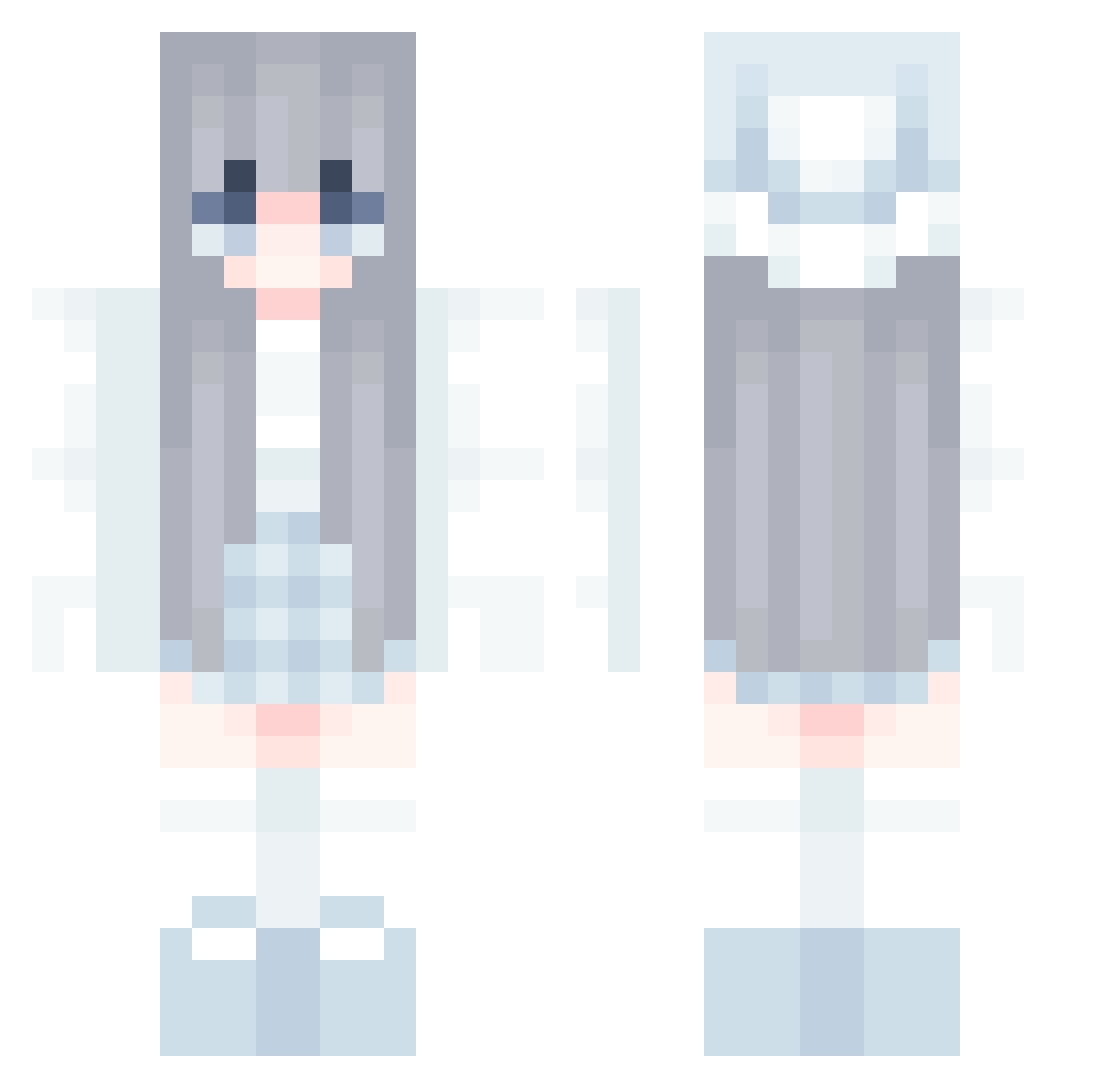
Current Minecraft skin of the player Zenit2207, loaded from the official Mojang API. Rotate the 3D model with your mouse or finger, then download the skin as a PNG file and use it in Minecraft: Bedrock Edition or Java Edition for free. When Zenit2207 changes their skin, this page updates automatically and the old skin stays in the history below.
Other players with this skin (728)
Zenit2207 was the 668th player we have seen with this skin, first spotted on 16.10.2026. The same skin was seen on these players. Open a nickname to see their current skin and skin history.
 chacher Dark_Wolf_00 louaneboo uto0618 RHODODododendron suikamame Nickline snp_shiftz sky171108 leiaahnd CutePikaGirl coral_33 Poifull_jp Summer_9117 3kyou bed2848 Yurushia puppyoogjes MeestersGB Changjei clakz1 world_defeat peaper_ LWEcb luocheng324 sora5107 ThePlumRiver ReAlice Miss_Nieves leylashehi Weiwei73 BCEDNY Joancandy Jiahao0713 kofeika_ Marythore lovely_miko TxiT OtakuTofuCat Lyanur dlmio naxmarx NeoN0ir morrislee726 giyomi03 Bridestyle Tuanzgu kerrl_Echo destiny_styles SkilletX SHIVA_Natsu windflowrr josehu1212 Tyro_w MRJiangCena frost_moon9 cosmodemure KawakazeMETA AbigailMorris Dorafia
More Aesthetic Minecraft skins
How to install the Zenit2207 skin
- Press the Download button above to save the skin as a PNG file.
- Minecraft: Bedrock Edition (PE): open the Dressing Room from the main menu (or tap your character → Edit Character), go to Classic Skins → Owned, press the + (new skin) button, choose the downloaded PNG and pick the Classic (Steve) model. Works on PC and mobile; consoles cannot import custom skins.
- Minecraft: Java Edition: open the Minecraft Launcher, go to the Skins tab, click New Skin, load the PNG, pick the Classic (Steve) model and press Save & Use. You can also upload it at minecraft.net → Profile → Change Skin.
The skin does not show up after import - what should I do?
Restart Minecraft and open the Dressing Room again - imported skins sometimes appear only after a restart. Also make sure you selected the imported skin and picked the Classic (Steve) model.
Which model should I choose, Classic or Slim?
This skin is designed for the Classic (Steve) model. If you pick the wrong model, the arms of the skin will look stretched or squeezed.
Is the skin of Zenit2207 free to download?
Yes. Press Download, save the PNG file and use it in Minecraft: Bedrock Edition or Java Edition - no payment or registration needed. The skin also works on multiplayer servers and Realms.
More skins
Looking for more? Go back to all Minecraft skins and check the top skins of the week, month and all time, or find any player's skin by nickname.