
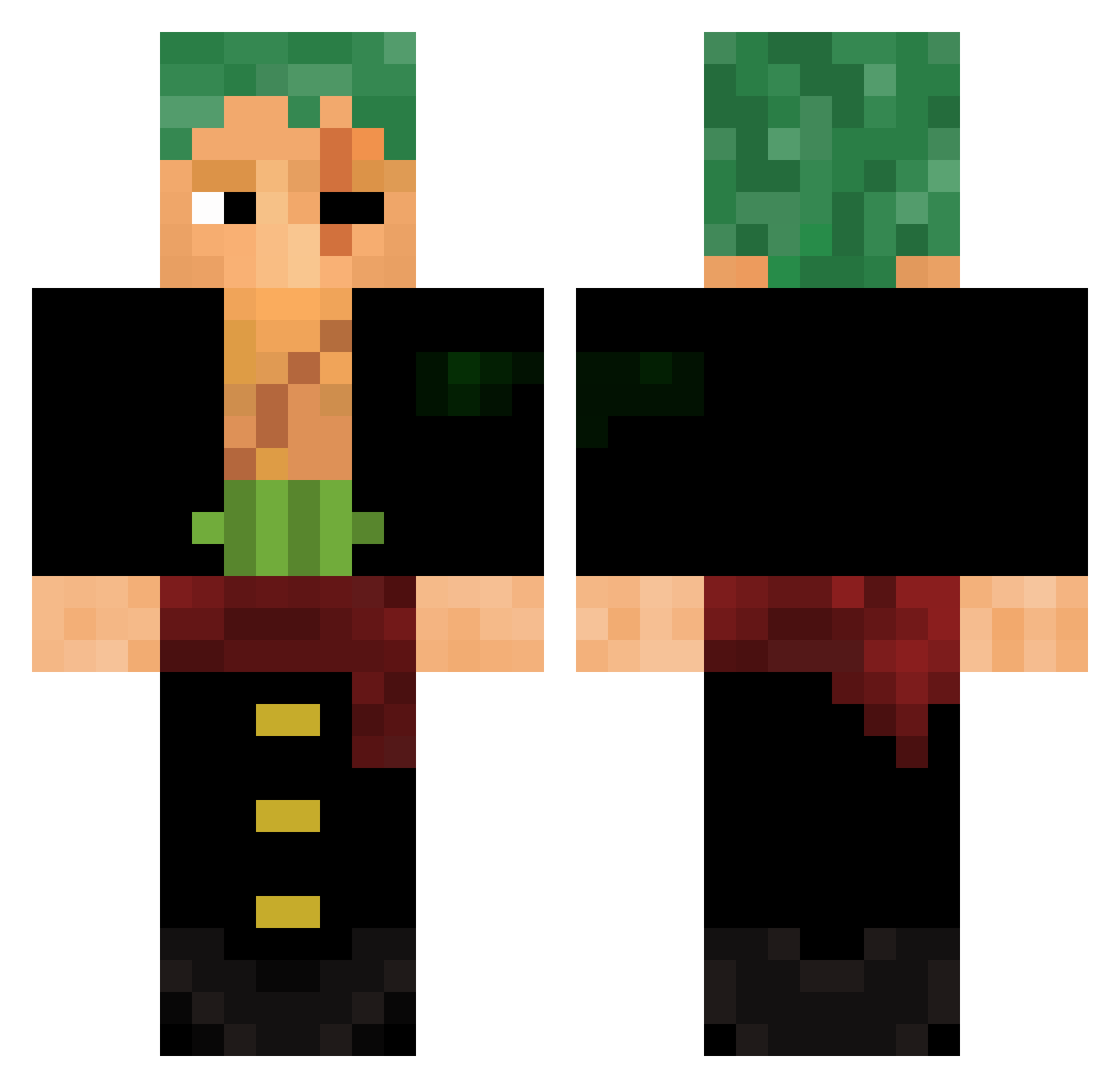
Current Minecraft skin of the player Zenatan, loaded from the official Mojang API. Rotate the 3D model with your mouse or finger, then download the skin as a PNG file and use it in Minecraft: Bedrock Edition or Java Edition for free. When Zenatan changes their skin, this page updates automatically and the old skin stays in the history below.
Other players with this skin (447)
Zenatan was the 152nd player we have seen with this skin, first spotted on 20.08.2026. The same skin was seen on these players. Open a nickname to see their current skin and skin history.
 KRD99123 Benjaaa38 ANDROXUS7836 LuQii7 ManoCuadrado LaGusta0 GSVG JazzyFoxes Yandrakr jusb22 Jxsx4 HuungoVeR Matsuki_tsuki SyntaxIV SentimentaL8 razzyy17 CurlyFryGaming saad7z Saguiii ItsFai9al VINIPLAY06 Moonei512 _ItzTheAlex_ DraftHebertz oliver98_ ARNOS__ ZORO19133 Benidou Obligingly JorgeGn poleze_real_cria BlackShura MichuTej Nayib95 ghaiaad D34dlyBum relampago6556 Dononuts Hasanx3
 MiggyMaximus Strnis bemjaoniai Squalo_13 LuczRivz Benzo__ ElP1rroWaton PacouStyle Isforrogues Im_Delta CRAFTZz GalvanikE chrisdkiller SnippySnapr onyx_zoro roron0aa Secret_Jonuz kiju1551 Lukerwolf Hizu1 Santoryu95
More Roronoa Zoro Minecraft skins
See all 278 Roronoa Zoro skins
How to install the Zenatan skin
- Press the Download button above to save the skin as a PNG file.
- Minecraft: Bedrock Edition (PE): open the Dressing Room from the main menu (or tap your character → Edit Character), go to Classic Skins → Owned, press the + (new skin) button, choose the downloaded PNG and pick the Classic (Steve) model. Works on PC and mobile; consoles cannot import custom skins.
- Minecraft: Java Edition: open the Minecraft Launcher, go to the Skins tab, click New Skin, load the PNG, pick the Classic (Steve) model and press Save & Use. You can also upload it at minecraft.net → Profile → Change Skin.
The skin does not show up after import - what should I do?
Restart Minecraft and open the Dressing Room again - imported skins sometimes appear only after a restart. Also make sure you selected the imported skin and picked the Classic (Steve) model.
Which model should I choose, Classic or Slim?
This skin is designed for the Classic (Steve) model. If you pick the wrong model, the arms of the skin will look stretched or squeezed.
Is the skin of Zenatan free to download?
Yes. Press Download, save the PNG file and use it in Minecraft: Bedrock Edition or Java Edition - no payment or registration needed. The skin also works on multiplayer servers and Realms.
More skins
Looking for more? Go back to all Minecraft skins and check the top skins of the week, month and all time, or find any player's skin by nickname.