
Zbtryx - Minecraft Skins & Skin History
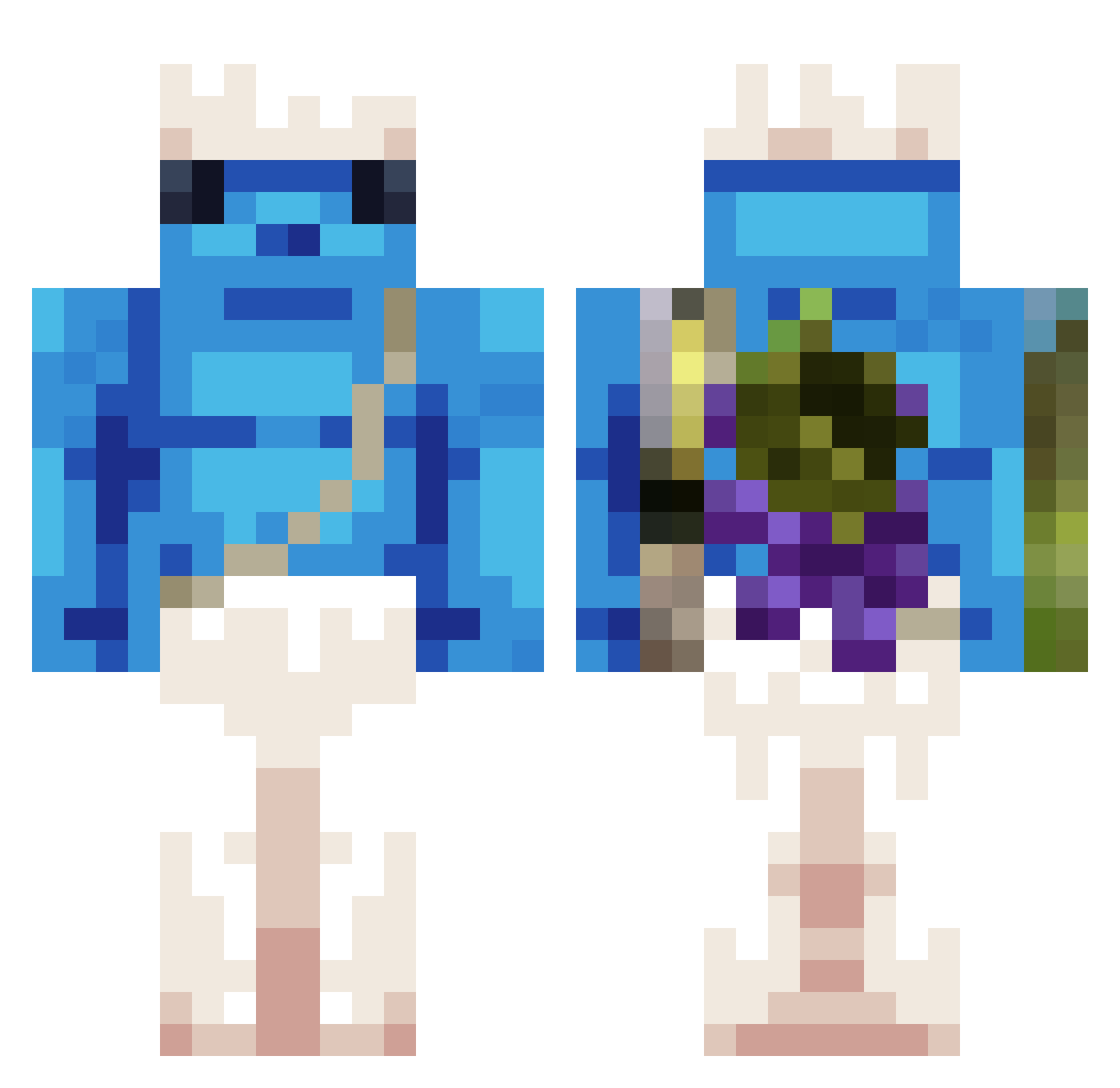
Current Minecraft skin of the player Zbtryx, loaded from the official Mojang API. Rotate the 3D model with your mouse or finger, then download the skin as a PNG file and use it in Minecraft: Bedrock Edition or Java Edition for free. When Zbtryx changes their skin, this page updates automatically and the old skin stays in the history below.
Other players with this skin (371)
Zbtryx was the 315th player we have seen with this skin, first spotted on 20.10.2026. The same skin was seen on these players. Open a nickname to see their current skin and skin history.
 Fives7560 Voulkanz Paulz32 Romarique D1NG1R LastSec Matiositooo slayerdude1000 NAIL34 Sbabba204 Give50CZ TheMachiner GAATANA Isaac2069 Ultra2DXD Xodid8 ohs_0613 HyperlulMegameme siuuuuuu_123 LORDUNICORN633 POPzMTG MOMOPIGO Tectris Creeperhunter213 bloodbathh hgff292929 7wrd SZYMQ_ rickscadidis sobrickedup kubaprogamer123 MIK1202 FrancisMike Fantasmy001 i_love_pau whoiamFHM rockon935 TaREKT13 RC_Killer xqh413 Archiepiscopale Marad0na__ TIOARON BlackJJuny esteban2273 Croxybob Nemesiis45G paul16767 PurplePanda1087 ADMM2004 _71r amflek emdoll LuJust0 HZ_YaBai mongsil314 Wiktor1401 FoFoXd IGLASTY_ Dovawah
More Papa Smurf Minecraft skins
How to install the Zbtryx skin
- Press the Download button above to save the skin as a PNG file.
- Minecraft: Bedrock Edition (PE): open the Dressing Room from the main menu (or tap your character → Edit Character), go to Classic Skins → Owned, press the + (new skin) button, choose the downloaded PNG and pick the Classic (Steve) model. Works on PC and mobile; consoles cannot import custom skins.
- Minecraft: Java Edition: open the Minecraft Launcher, go to the Skins tab, click New Skin, load the PNG, pick the Classic (Steve) model and press Save & Use. You can also upload it at minecraft.net → Profile → Change Skin.
The skin does not show up after import - what should I do?
Restart Minecraft and open the Dressing Room again - imported skins sometimes appear only after a restart. Also make sure you selected the imported skin and picked the Classic (Steve) model.
Which model should I choose, Classic or Slim?
This skin is designed for the Classic (Steve) model. If you pick the wrong model, the arms of the skin will look stretched or squeezed.
Is the skin of Zbtryx free to download?
Yes. Press Download, save the PNG file and use it in Minecraft: Bedrock Edition or Java Edition - no payment or registration needed. The skin also works on multiplayer servers and Realms.
More skins
Looking for more? Go back to all Minecraft skins and check the top skins of the week, month and all time, or find any player's skin by nickname.