
ZardaiiX - Minecraft Skins & Skin History
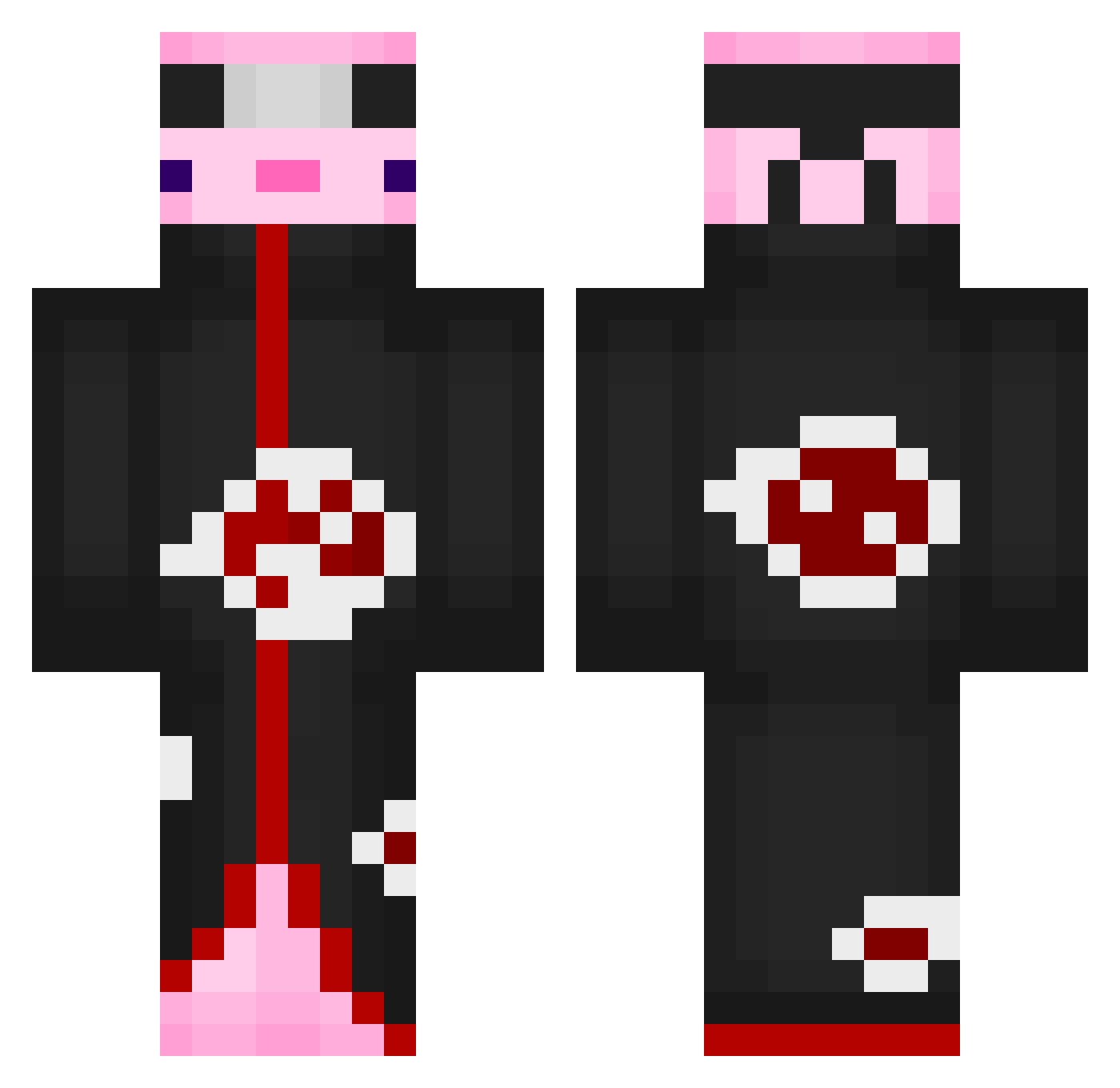
Current Minecraft skin of the player ZardaiiX, loaded from the official Mojang API. Rotate the 3D model with your mouse or finger, then download the skin as a PNG file and use it in Minecraft: Bedrock Edition or Java Edition for free. When ZardaiiX changes their skin, this page updates automatically and the old skin stays in the history below.
Other players with this skin (531)
ZardaiiX was the 189th player we have seen with this skin, first spotted on 25.08.2026. The same skin was seen on these players. Open a nickname to see their current skin and skin history.
 lucastheguy THATTHEREOTAKU Axoltachi AsidzMC Mictlan1828 YoYo_Mary IRLAS Racoooooooooooon Lucahi1231 TheHayaq Sqwertzzz DrKnochenbrecher Retaill Sharklrm mqnuxishere13 Evillord96 toshiboi Tsukinami_ KALLI1981 StephDeChefe kincsi12345 Zyg_A rane_banane potato311 VoidGG1 IMottyPro bunk7 t0karevv Fade_Wacho
 vibinlol C0pT1C Xzil2 idiot109 dwagons69 Newix_ GrrJohny Cenze94 OvercastChair96 balabek22 A_Person3148 FZT_Pluto DobleJ_ Golab___ IchbinAgit DaBoi21112 GuzikGrubas_ AnimeFan2191 mmolyww tkroo Tildesslave PLCCGOD ShinaS2 ButterBoy1400 Tamay01 Iky_kanyin cochon_volant EdgyFellow BLACK_DRAGON94 ReKill2364 Flaymik
More Akatsuki Minecraft skins
How to install the ZardaiiX skin
- Press the Download button above to save the skin as a PNG file.
- Minecraft: Bedrock Edition (PE): open the Dressing Room from the main menu (or tap your character → Edit Character), go to Classic Skins → Owned, press the + (new skin) button, choose the downloaded PNG and pick the Classic (Steve) model. Works on PC and mobile; consoles cannot import custom skins.
- Minecraft: Java Edition: open the Minecraft Launcher, go to the Skins tab, click New Skin, load the PNG, pick the Classic (Steve) model and press Save & Use. You can also upload it at minecraft.net → Profile → Change Skin.
The skin does not show up after import - what should I do?
Restart Minecraft and open the Dressing Room again - imported skins sometimes appear only after a restart. Also make sure you selected the imported skin and picked the Classic (Steve) model.
Which model should I choose, Classic or Slim?
This skin is designed for the Classic (Steve) model. If you pick the wrong model, the arms of the skin will look stretched or squeezed.
Is the skin of ZardaiiX free to download?
Yes. Press Download, save the PNG file and use it in Minecraft: Bedrock Edition or Java Edition - no payment or registration needed. The skin also works on multiplayer servers and Realms.
More skins
Looking for more? Go back to all Minecraft skins and check the top skins of the week, month and all time, or find any player's skin by nickname.