
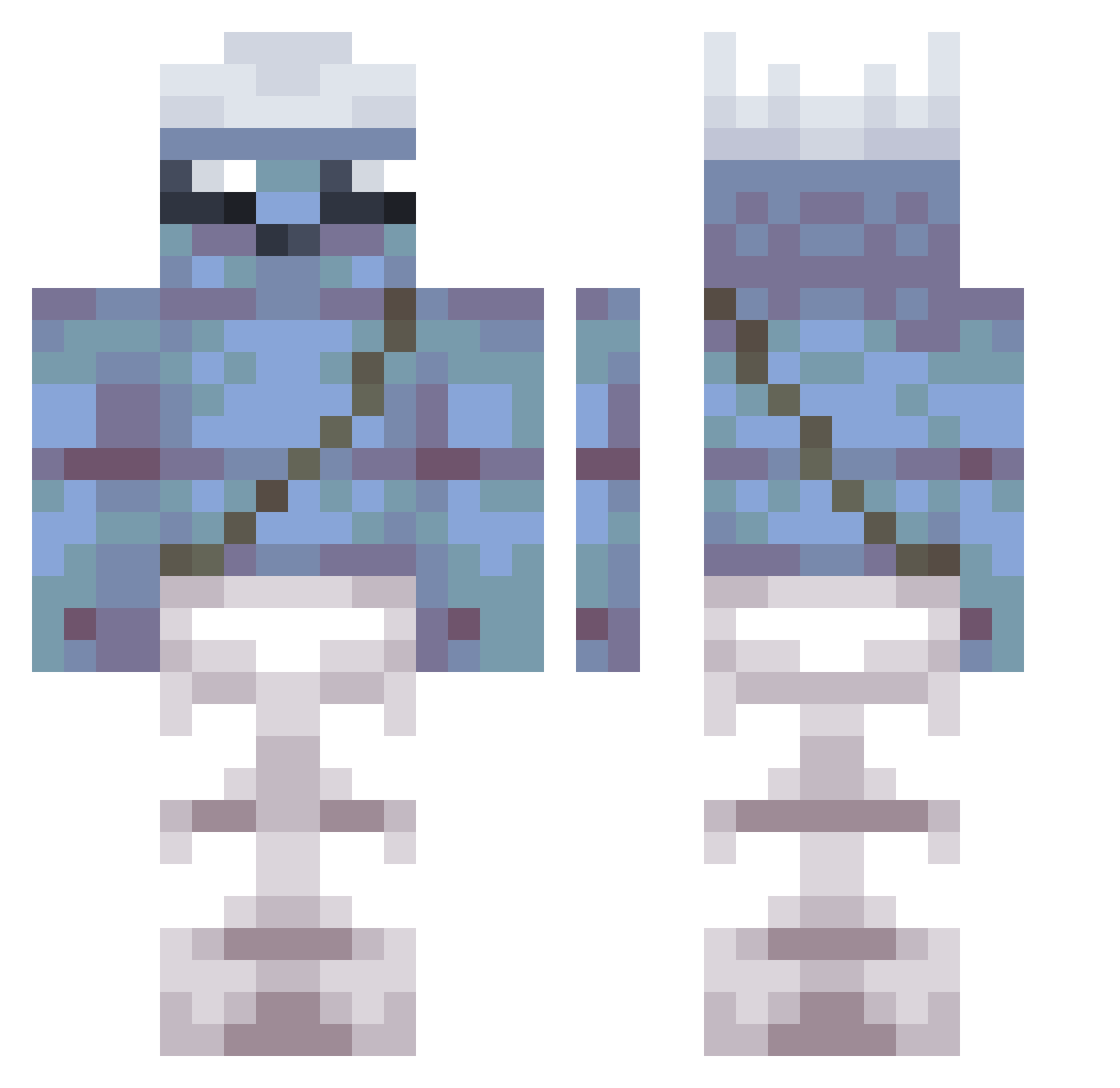
Current Minecraft skin of the player Zamioo, loaded from the official Mojang API. Rotate the 3D model with your mouse or finger, then download the skin as a PNG file and use it in Minecraft: Bedrock Edition or Java Edition for free. When Zamioo changes their skin, this page updates automatically and the old skin stays in the history below.
Other players with this skin (278)
Zamioo was the 242nd player we have seen with this skin, first spotted on 07.10.2026. The same skin was seen on these players. Open a nickname to see their current skin and skin history.
 IMKIDACOOL Dalmonk O2F underdust26200 SpeedDemon3334 zpmadnes EWg491 Labthy gMw918 tszyuetvanessa kuroo_00 PicayuneZippy808 BuyDirt BlackFlame39 HatingD1 carlitos_doritos DCU145 uytub H4t_D33 ProstoKotik666 TherycK_ oUr956 MRBANAANSAP RedFrogman AwesomeS2468 TheRedDoorknob MixedNonstop903 zUf71 CyberAppz imG728 isuffer01 HESS05 eOH540 Znok2065 yXf751 mlg_Wes Troubllee lopik578 alphaTHEking SSeyha3 EvilDragonCD ineedagirlfried8 iAlexoide findikkiran CCW600 kot499 Snr303 BlockBuster53 hiholoba SkinnyLegend278 TheSejkyCZ MSGguy8888 averageuser_ Babossa_ Karyony wazarxx Checoelbot Felpa15 astrolunar ElBuckedBee
More Papa Smurf Minecraft skins
How to install the Zamioo skin
- Press the Download button above to save the skin as a PNG file.
- Minecraft: Bedrock Edition (PE): open the Dressing Room from the main menu (or tap your character → Edit Character), go to Classic Skins → Owned, press the + (new skin) button, choose the downloaded PNG and pick the Classic (Steve) model. Works on PC and mobile; consoles cannot import custom skins.
- Minecraft: Java Edition: open the Minecraft Launcher, go to the Skins tab, click New Skin, load the PNG, pick the Classic (Steve) model and press Save & Use. You can also upload it at minecraft.net → Profile → Change Skin.
The skin does not show up after import - what should I do?
Restart Minecraft and open the Dressing Room again - imported skins sometimes appear only after a restart. Also make sure you selected the imported skin and picked the Classic (Steve) model.
Which model should I choose, Classic or Slim?
This skin is designed for the Classic (Steve) model. If you pick the wrong model, the arms of the skin will look stretched or squeezed.
Is the skin of Zamioo free to download?
Yes. Press Download, save the PNG file and use it in Minecraft: Bedrock Edition or Java Edition - no payment or registration needed. The skin also works on multiplayer servers and Realms.
More skins
Looking for more? Go back to all Minecraft skins and check the top skins of the week, month and all time, or find any player's skin by nickname.