
ZHIYUY - Minecraft Skins & Skin History
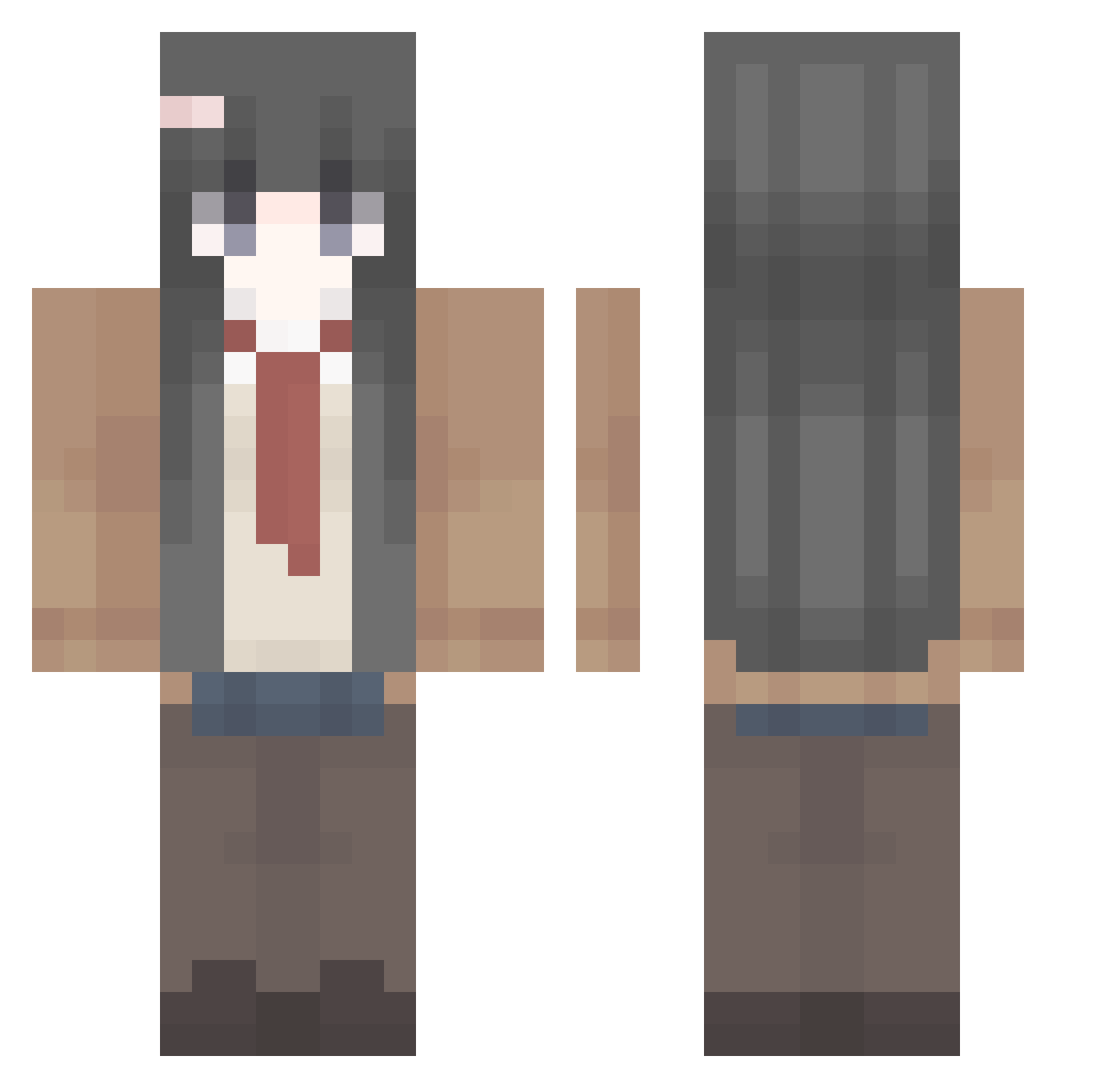
Current Minecraft skin of the player ZHIYUY, loaded from the official Mojang API. Rotate the 3D model with your mouse or finger, then download the skin as a PNG file and use it in Minecraft: Bedrock Edition or Java Edition for free. When ZHIYUY changes their skin, this page updates automatically and the old skin stays in the history below.
Other players with this skin (496)
ZHIYUY was the 473rd player we have seen with this skin, first spotted on 13.11.2026. The same skin was seen on these players. Open a nickname to see their current skin and skin history.
 Lucky920 Max4821 xdmp NingNing1007 Sakurasannn strawberywaters Yuto_0 sukiiiY klakmon MONKEYSLAYER64 shenyumei JinFe hexacorpse arcanix007 snowball0402 MyOnlyLoveMai dididaodaodaodao xiaoxingxing325 Pr0udC4t Northwhitec HavoK_13 illyasviel80 autohunter Hemi_2 letuyo HHCIKUN brizzlord MosheAA013127 rz_am LetroskuNN EatSand7909 Eenb666_ eXKuruKafa Sherry_A1 purirn Delwing12 wokul QZHSM DANK1NGV hyz_zee dong_xu ywjgfxq Hareilyne Gaby_UWU_ zxcvbnm123_ SIFUFC Umbra514 _BrimMinz_ MoonlightLLL Rafah___ YangBen__sample ponhato Niyakkisuda yYama_ znh123698745 Mayi1111 FORGETMENOT_1989 lqphya ginolo LBY_666
More School Uniform Minecraft skins
See all 7633 School Uniform skins
How to install the ZHIYUY skin
- Press the Download button above to save the skin as a PNG file.
- Minecraft: Bedrock Edition (PE): open the Dressing Room from the main menu (or tap your character → Edit Character), go to Classic Skins → Owned, press the + (new skin) button, choose the downloaded PNG and pick the Classic (Steve) model. Works on PC and mobile; consoles cannot import custom skins.
- Minecraft: Java Edition: open the Minecraft Launcher, go to the Skins tab, click New Skin, load the PNG, pick the Classic (Steve) model and press Save & Use. You can also upload it at minecraft.net → Profile → Change Skin.
The skin does not show up after import - what should I do?
Restart Minecraft and open the Dressing Room again - imported skins sometimes appear only after a restart. Also make sure you selected the imported skin and picked the Classic (Steve) model.
Which model should I choose, Classic or Slim?
This skin is designed for the Classic (Steve) model. If you pick the wrong model, the arms of the skin will look stretched or squeezed.
Is the skin of ZHIYUY free to download?
Yes. Press Download, save the PNG file and use it in Minecraft: Bedrock Edition or Java Edition - no payment or registration needed. The skin also works on multiplayer servers and Realms.
More skins
Looking for more? Go back to all Minecraft skins and check the top skins of the week, month and all time, or find any player's skin by nickname.