
Z3USm_ - Minecraft Skins & Skin History
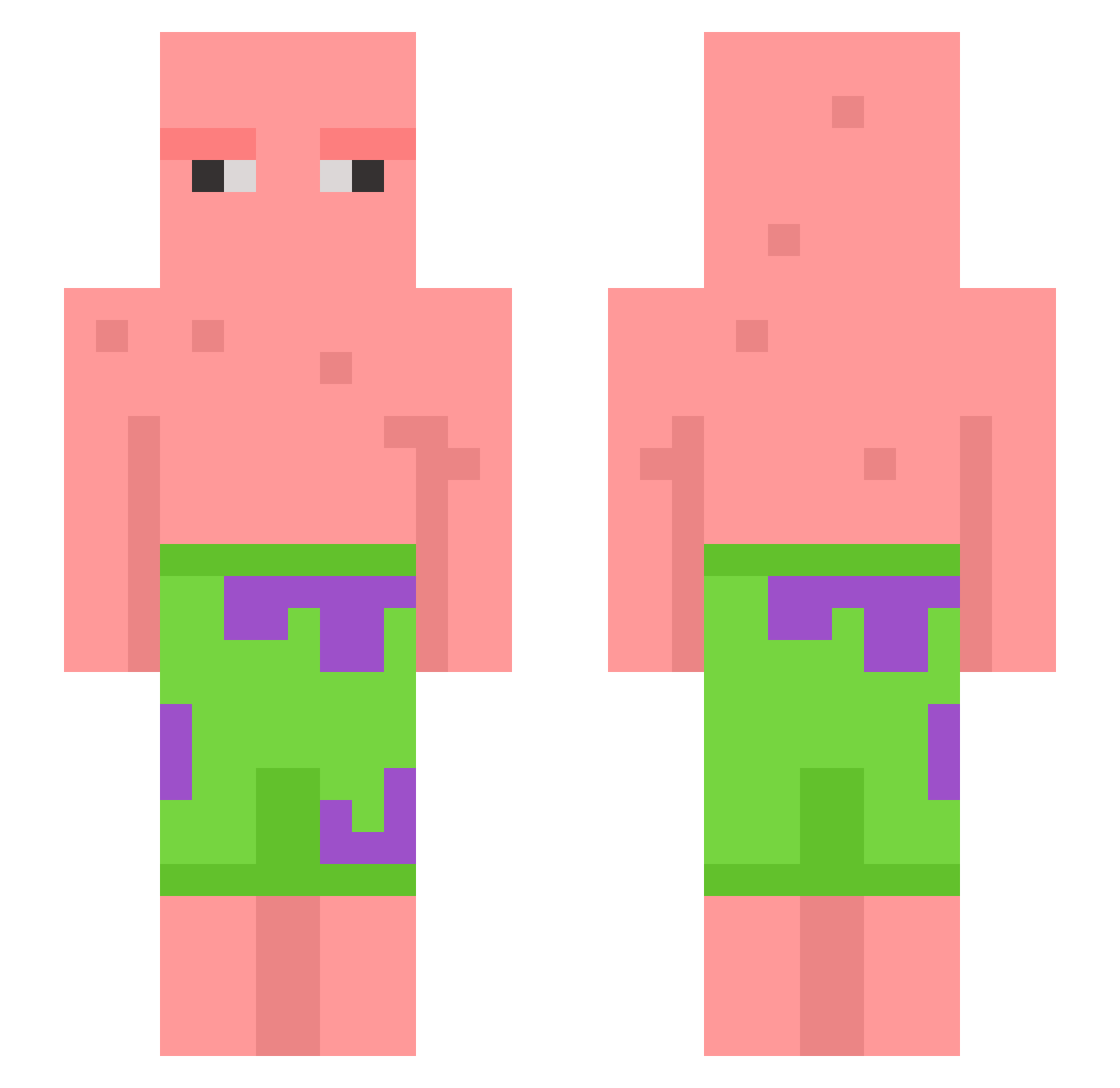
Current Minecraft skin of the player Z3USm_, loaded from the official Mojang API. Rotate the 3D model with your mouse or finger, then download the skin as a PNG file and use it in Minecraft: Bedrock Edition or Java Edition for free. When Z3USm_ changes their skin, this page updates automatically and the old skin stays in the history below.
Other players with this skin (604)
Z3USm_ was the 191st player we have seen with this skin, first spotted on 27.08.2026. The same skin was seen on these players. Open a nickname to see their current skin and skin history.
 scxptxr25 rayyy_416 nadaK13 Purpleeeeeeeee Maarten055 SixSCARECROW Echo9541 Argia O3IRIS technimechanical m5ll sxgnificant Matthew113008 Pilate_ TheNxtgen gedsavage deepfriedbm Triummph bin130 nhardy69 Jinseop7588 maxOnRR52 Trashboat156 ma808 LunaEclysia katdaddy7900 JeroenDoetHD FertileStarfish SaltyNuts21 papazoglou PANTS139 BadJ2k Palendhay Andresst66 ThatKidWilbur toots_mugoots X_Aqualous Dummmybear Huy_LP69 SneakyNib Partition fugitivecookie ryaboom caonima_32 Shimoga WAAFFULZZ Cookies4434 2LASH Bl4ck_Sl4yer104 _M1a_123 lilbunda alissadorsey98 xXCodestarXx AssGass98 scaredofcats InvictusWB Aengi43 M4RKMCB PotStix 1zqqaaq
More Patrick Star Minecraft skins
See all 612 Patrick Star skins
How to install the Z3USm_ skin
- Press the Download button above to save the skin as a PNG file.
- Minecraft: Bedrock Edition (PE): open the Dressing Room from the main menu (or tap your character → Edit Character), go to Classic Skins → Owned, press the + (new skin) button, choose the downloaded PNG and pick the Slim (Alex) model. Works on PC and mobile; consoles cannot import custom skins.
- Minecraft: Java Edition: open the Minecraft Launcher, go to the Skins tab, click New Skin, load the PNG, pick the Slim (Alex) model and press Save & Use. You can also upload it at minecraft.net → Profile → Change Skin.
The skin does not show up after import - what should I do?
Restart Minecraft and open the Dressing Room again - imported skins sometimes appear only after a restart. Also make sure you selected the imported skin and picked the Slim (Alex) model.
Which model should I choose, Classic or Slim?
This skin is designed for the Slim (Alex) model. If you pick the wrong model, the arms of the skin will look stretched or squeezed.
Is the skin of Z3USm_ free to download?
Yes. Press Download, save the PNG file and use it in Minecraft: Bedrock Edition or Java Edition - no payment or registration needed. The skin also works on multiplayer servers and Realms.
More skins
Looking for more? Go back to all Minecraft skins and check the top skins of the week, month and all time, or find any player's skin by nickname.