
Yuttin_ - Minecraft Skins & Skin History
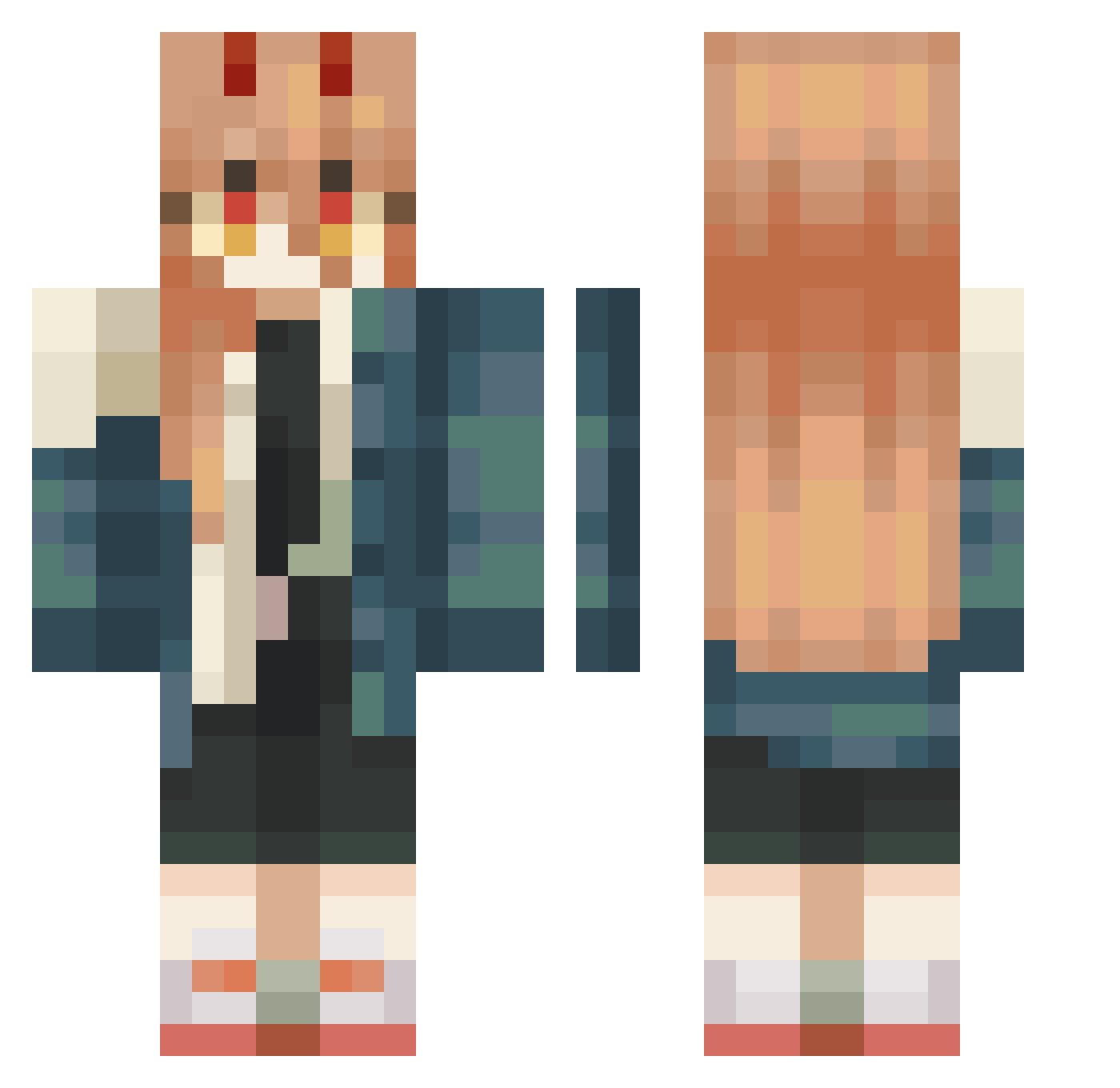
Current Minecraft skin of the player Yuttin_, loaded from the official Mojang API. Rotate the 3D model with your mouse or finger, then download the skin as a PNG file and use it in Minecraft: Bedrock Edition or Java Edition for free. When Yuttin_ changes their skin, this page updates automatically and the old skin stays in the history below.
Other players with this skin (447)
Yuttin_ was the 209th player we have seen with this skin, first spotted on 11.09.2026. The same skin was seen on these players. Open a nickname to see their current skin and skin history.
 going_nuts_ JAY42520 180537 aestas001 Tsuki0203 ususio1 Dakarri trakitor ChangEReality CrescentRose556 GleberTV JuN961213mgd kokone2014 kurojoka IKETKITA Mk_Crymson memekiddo Evie4365 Bellisaa carolzigameplays President_Power MyNameIsLila demfroy fuyuxiang nexuizz t0ucansam nago0127 kokocarafine Futo210 Floorvdm Toro_725 badussyballs shaula913 RedCains Oliweczka1 Paracetamol_Pow Inumame IStriKsI Stillsouchan NEKOTA_15 Neppie23 H0w29ether wiwiboy22 ucecat justwich number_14 Donut1_09 LowDog1107 Morikazee_ tetradotossina Etwiiiin profanedandrew Puipui_209 Boooooooooooopie EvanOnfroy DDlbbang Kisshio chain____ mapleTREE614 cake_kitty
More Power Minecraft skins
How to install the Yuttin_ skin
- Press the Download button above to save the skin as a PNG file.
- Minecraft: Bedrock Edition (PE): open the Dressing Room from the main menu (or tap your character → Edit Character), go to Classic Skins → Owned, press the + (new skin) button, choose the downloaded PNG and pick the Classic (Steve) model. Works on PC and mobile; consoles cannot import custom skins.
- Minecraft: Java Edition: open the Minecraft Launcher, go to the Skins tab, click New Skin, load the PNG, pick the Classic (Steve) model and press Save & Use. You can also upload it at minecraft.net → Profile → Change Skin.
The skin does not show up after import - what should I do?
Restart Minecraft and open the Dressing Room again - imported skins sometimes appear only after a restart. Also make sure you selected the imported skin and picked the Classic (Steve) model.
Which model should I choose, Classic or Slim?
This skin is designed for the Classic (Steve) model. If you pick the wrong model, the arms of the skin will look stretched or squeezed.
Is the skin of Yuttin_ free to download?
Yes. Press Download, save the PNG file and use it in Minecraft: Bedrock Edition or Java Edition - no payment or registration needed. The skin also works on multiplayer servers and Realms.
More skins
Looking for more? Go back to all Minecraft skins and check the top skins of the week, month and all time, or find any player's skin by nickname.