
YuriBoyle - Minecraft Skins & Skin History
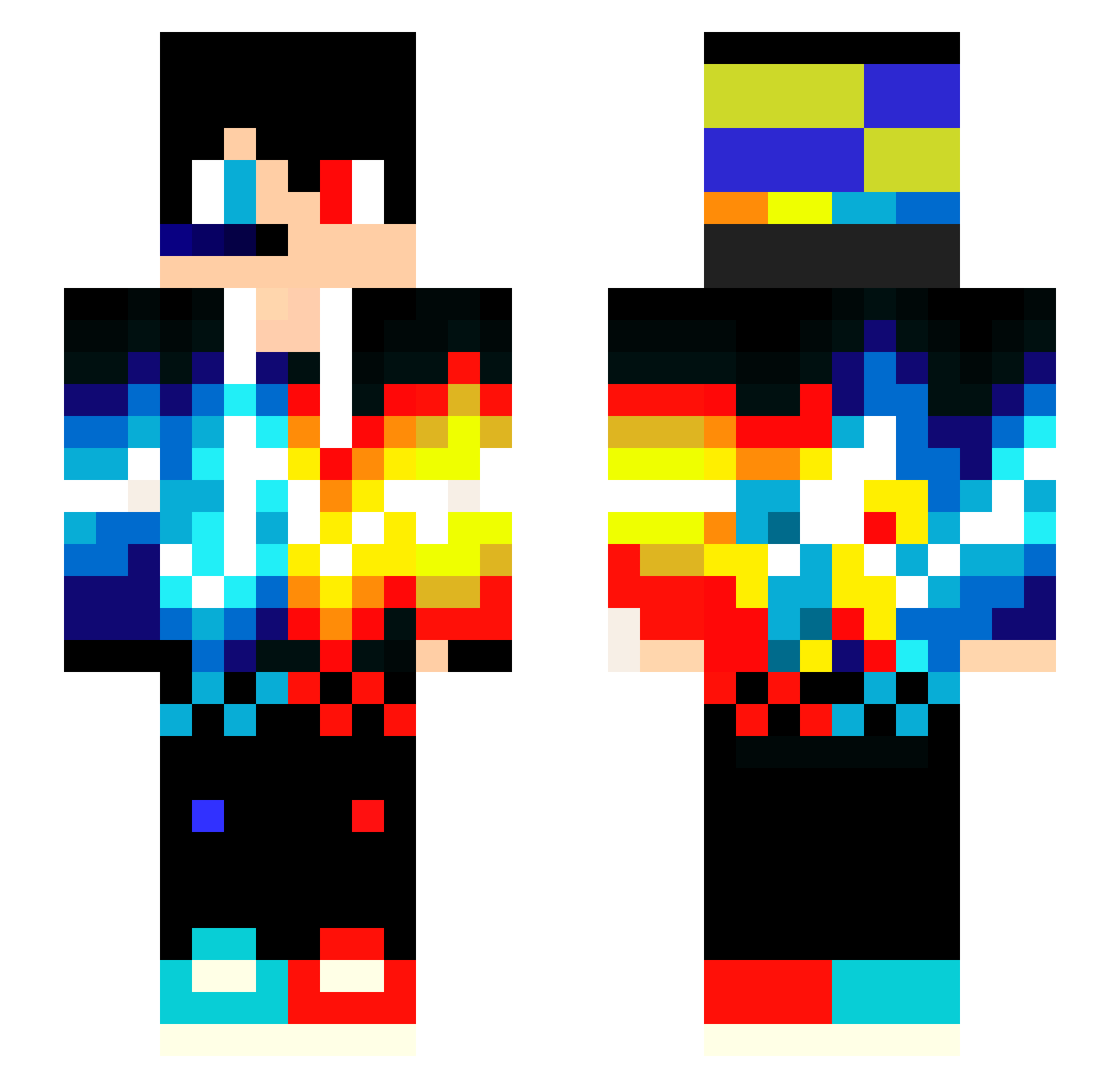
Current Minecraft skin of the player YuriBoyle, loaded from the official Mojang API. Rotate the 3D model with your mouse or finger, then download the skin as a PNG file and use it in Minecraft: Bedrock Edition or Java Edition for free. When YuriBoyle changes their skin, this page updates automatically and the old skin stays in the history below.
Other players with this skin (114)
YuriBoyle was the 90th player we have seen with this skin, first spotted on 29.10.2026. The same skin was seen on these players. Open a nickname to see their current skin and skin history.
 gezu97 PhrakaNxDiN FireSky1975 G14s3pp3 kauamassa cc1951 kaidonvn God_Rain_Ender hiperbolico TigerLove25 Eddy_06 iamdragon999 bfirst1526 Mellus zecca Lambary fuzzybear734 nisha40 AkiraVn Night_Rain_OuO xXVonZipperXx Nightmare_891126 cedorlinz james12827 Royal_deathstrik Le_Wither_Gamer Amazingkilla Spruce_C 1Lusha toss_me Legodev05 lynge372 PgMatheus kevinreis12345 XandeNeves GnomeChild29 trippingspirit PED_RO Detektiv_Alien harrystrong MattewKioli MATDEP125 Hi_Blacktea41 vodafone_05 Hexer0 vollhorst LucasJuulMadsen _SoloTalent_ Zatin_play benkhoi SorteDrage08 ClaytonD2312 Martinenghi Jason2316 JonahMrnr ZeBRenok_B_GUCSi xDestiny27 zack2711 redblue123_VN iamverypoor
More Fire And Ice Minecraft skins
See all 823 Fire And Ice skins
How to install the YuriBoyle skin
- Press the Download button above to save the skin as a PNG file.
- Minecraft: Bedrock Edition (PE): open the Dressing Room from the main menu (or tap your character → Edit Character), go to Classic Skins → Owned, press the + (new skin) button, choose the downloaded PNG and pick the Slim (Alex) model. Works on PC and mobile; consoles cannot import custom skins.
- Minecraft: Java Edition: open the Minecraft Launcher, go to the Skins tab, click New Skin, load the PNG, pick the Slim (Alex) model and press Save & Use. You can also upload it at minecraft.net → Profile → Change Skin.
The skin does not show up after import - what should I do?
Restart Minecraft and open the Dressing Room again - imported skins sometimes appear only after a restart. Also make sure you selected the imported skin and picked the Slim (Alex) model.
Which model should I choose, Classic or Slim?
This skin is designed for the Slim (Alex) model. If you pick the wrong model, the arms of the skin will look stretched or squeezed.
Is the skin of YuriBoyle free to download?
Yes. Press Download, save the PNG file and use it in Minecraft: Bedrock Edition or Java Edition - no payment or registration needed. The skin also works on multiplayer servers and Realms.
More skins
Looking for more? Go back to all Minecraft skins and check the top skins of the week, month and all time, or find any player's skin by nickname.