
YungHicks - Minecraft Skins & Skin History
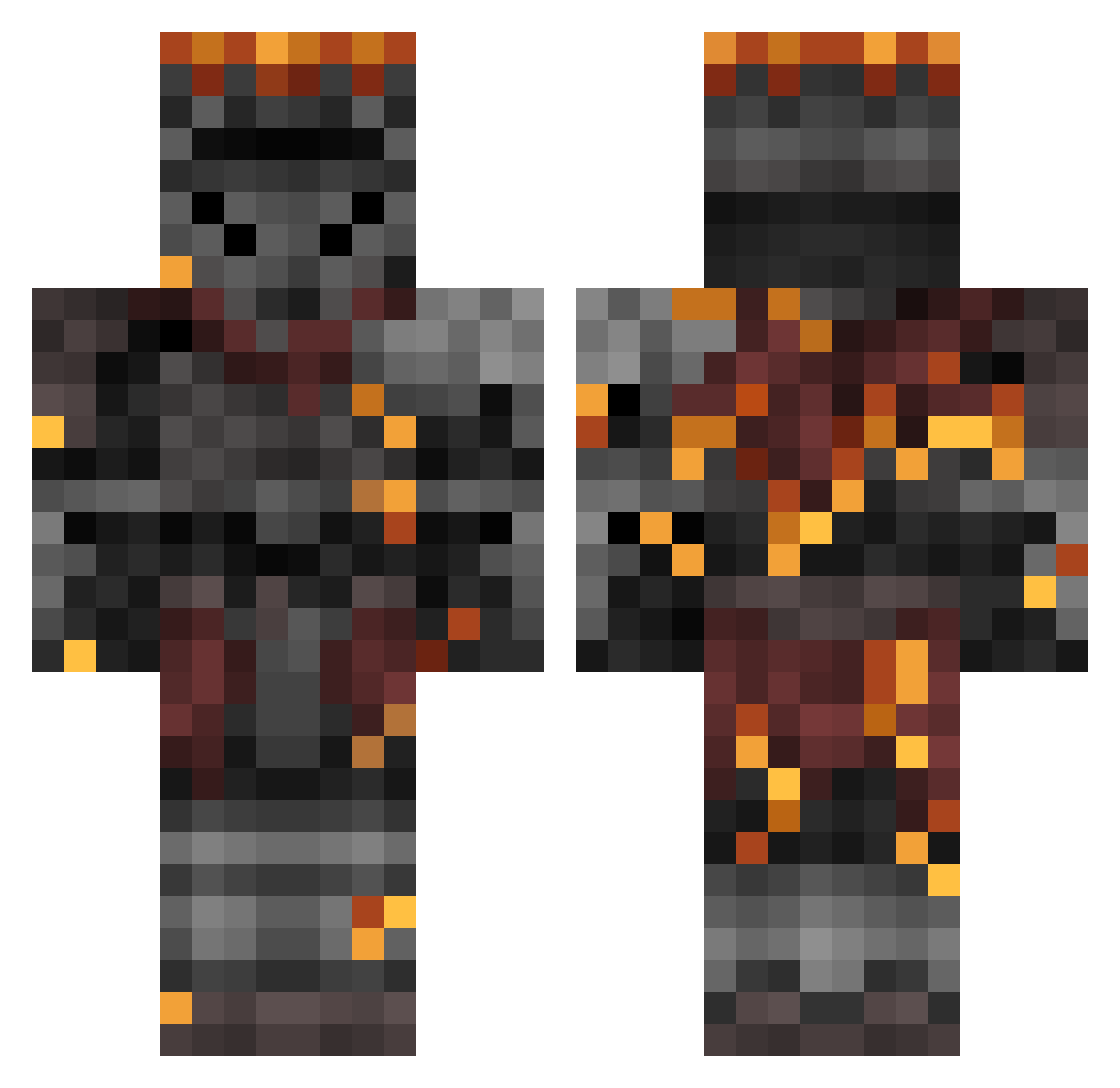
Current Minecraft skin of the player YungHicks, loaded from the official Mojang API. Rotate the 3D model with your mouse or finger, then download the skin as a PNG file and use it in Minecraft: Bedrock Edition or Java Edition for free. When YungHicks changes their skin, this page updates automatically and the old skin stays in the history below.
Other players with this skin (362)
YungHicks was the 210th player we have seen with this skin, first spotted on 19.09.2026. The same skin was seen on these players. Open a nickname to see their current skin and skin history.
 hibikisen sole4779 FatuMontana Godvil6876 tluds15 Cha0tic_3vil BogaBot101 Sol_2716 Shocsik Moondancer23 BonzaiiBean KikoJL Blaster2137 MadzAboutIt _D4rth_ IntoTheNews69 Trizze7 Vukas124 LordBigTasty WolfOfSigmar1 Laxaroth77 Eloc_The_Sinner AwkwardVibez_ Pog_ChampPog demonhunter1234 _Mxchs Knight_Adriiank CalibarnFD Ragnalich PurplePepper7 cafezinho123 LuckyUnknown JohnDarkSoulsIII Bediyor Matrixlongo W8rfh DisgracePhill Razgriz7734 yeetboofles ArkNael Niw1649 Ratlord_Y TwilitTastic mkrikau wntrkiss Ghosteye707 Darklyu Rafax200 Distan_74 HopelessWind NotScommander GethDeath VNiloticus RobKo619 Joe_bNuts ghettobird_ SilentDagger56 Compguyman NitroViper999 ayneus
More Netherite Armor Minecraft skins
See all 81 Netherite Armor skins
How to install the YungHicks skin
- Press the Download button above to save the skin as a PNG file.
- Minecraft: Bedrock Edition (PE): open the Dressing Room from the main menu (or tap your character → Edit Character), go to Classic Skins → Owned, press the + (new skin) button, choose the downloaded PNG and pick the Classic (Steve) model. Works on PC and mobile; consoles cannot import custom skins.
- Minecraft: Java Edition: open the Minecraft Launcher, go to the Skins tab, click New Skin, load the PNG, pick the Classic (Steve) model and press Save & Use. You can also upload it at minecraft.net → Profile → Change Skin.
The skin does not show up after import - what should I do?
Restart Minecraft and open the Dressing Room again - imported skins sometimes appear only after a restart. Also make sure you selected the imported skin and picked the Classic (Steve) model.
Which model should I choose, Classic or Slim?
This skin is designed for the Classic (Steve) model. If you pick the wrong model, the arms of the skin will look stretched or squeezed.
Is the skin of YungHicks free to download?
Yes. Press Download, save the PNG file and use it in Minecraft: Bedrock Edition or Java Edition - no payment or registration needed. The skin also works on multiplayer servers and Realms.
More skins
Looking for more? Go back to all Minecraft skins and check the top skins of the week, month and all time, or find any player's skin by nickname.