
YokoMai - Minecraft Skins & Skin History
Current Minecraft skin of the player YokoMai, loaded from the official Mojang API. Rotate the 3D model with your mouse or finger, then download the skin as a PNG file and use it in Minecraft: Bedrock Edition or Java Edition for free. When YokoMai changes their skin, this page updates automatically and the old skin stays in the history below.
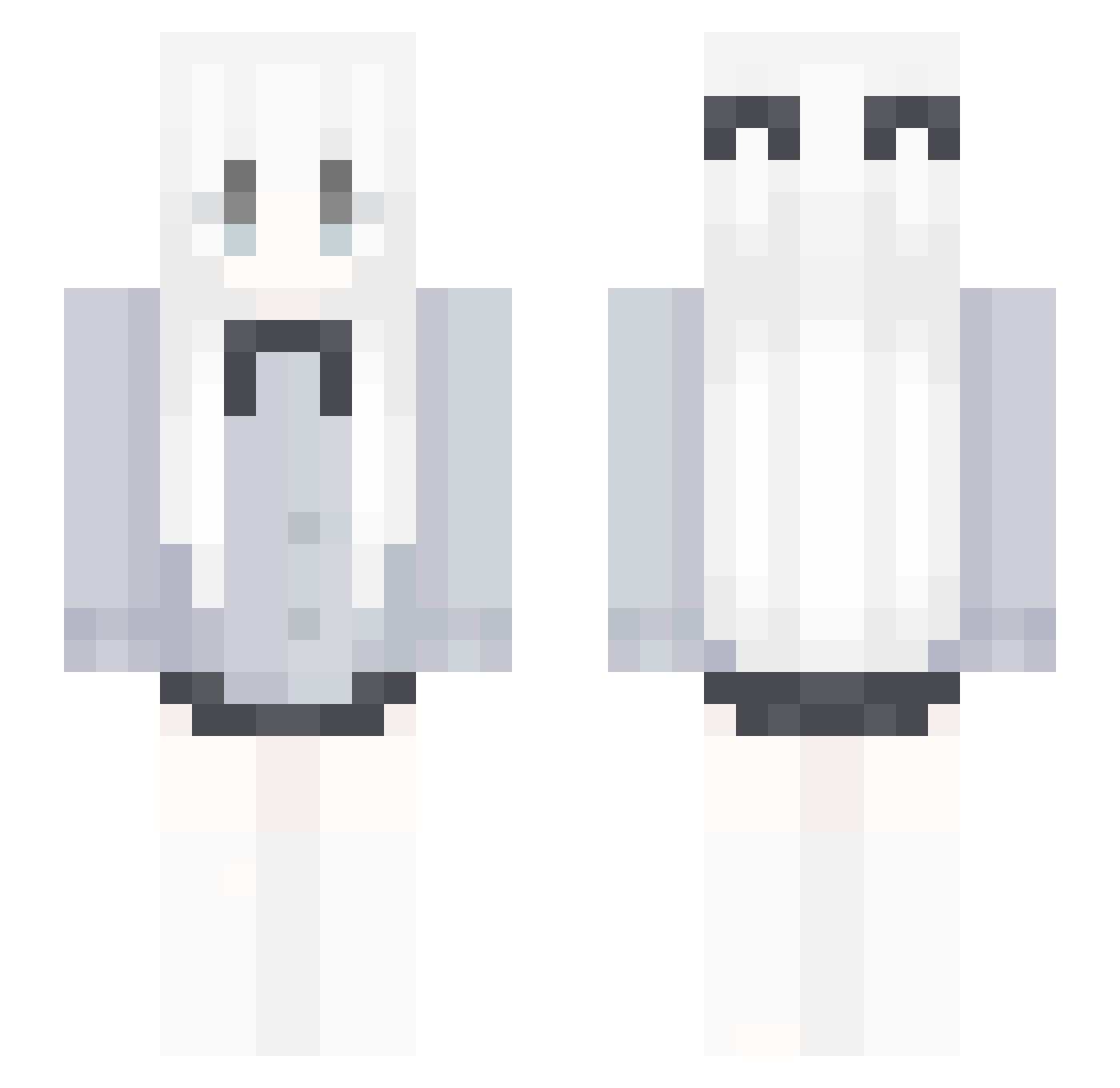
Other players with this skin (70)
YokoMai was the 33rd player we have seen with this skin, first spotted on 08.09.2026. The same skin was seen on these players. Open a nickname to see their current skin and skin history.
 akanehlikeyou xczyo
 snowhi123 Lrou_5977 lingest Yamahaka524 Ert70 sayko67 luca_ciao Aki_317 VileCookie004O_O shadow_suika oewu Eisthen baolong456 sunandearthouo ON_to_the_next seoyun728 wtfQAQ233 TegetouseXd Block_0000 Gluglu_Gaming kenzy007 KAutumn sakunomiu ribaia muyilh 1cce2 iwantskill xuan_zhen_622 pufflle votaq Takumityth
 plu1tincorde Pod_Ka1fom ILA_12 becky7040
 eblushing ff0ym Sopanka Milly_Way koisuzu VileCookie001O_O Teaur abc009 Mqpq spreik Himmel555 ImNeksusha_ N0xt_ 390adventure
 JZY1217 Edizilllas01 ADESS301 hyuxkie STUIKOOLA PJ4514 Loniceras_ oximoras nrxr
More School Uniform Minecraft skins
See all 6630 School Uniform skins
How to install the YokoMai skin
- Press the Download button above to save the skin as a PNG file.
- Minecraft: Bedrock Edition (PE): open the Dressing Room from the main menu (or tap your character → Edit Character), go to Classic Skins → Owned, press the + (new skin) button, choose the downloaded PNG and pick the Slim (Alex) model. Works on PC and mobile; consoles cannot import custom skins.
- Minecraft: Java Edition: open the Minecraft Launcher, go to the Skins tab, click New Skin, load the PNG, pick the Slim (Alex) model and press Save & Use. You can also upload it at minecraft.net → Profile → Change Skin.
The skin does not show up after import - what should I do?
Restart Minecraft and open the Dressing Room again - imported skins sometimes appear only after a restart. Also make sure you selected the imported skin and picked the Slim (Alex) model.
Which model should I choose, Classic or Slim?
This skin is designed for the Slim (Alex) model. If you pick the wrong model, the arms of the skin will look stretched or squeezed.
Is the skin of YokoMai free to download?
Yes. Press Download, save the PNG file and use it in Minecraft: Bedrock Edition or Java Edition - no payment or registration needed. The skin also works on multiplayer servers and Realms.
More skins
Looking for more? Go back to all Minecraft skins and check the top skins of the week, month and all time, or find any player's skin by nickname.